Participant
October 14, 2024
Answered

Adobe Express?

  • October 14, 2024
  • 2 replies
  • 275 views

Hi,

  Am I able to use this in Adobe Express? Thank you 🙂

This topic has been closed for replies.
Correct answer JMathews

Hi @SmallCap Infographics !  

Substance 3D Viewer can absolutely be used alongside Express!  Open your 3D file and use the snapshot feature to create transparent screenshots for your designs.


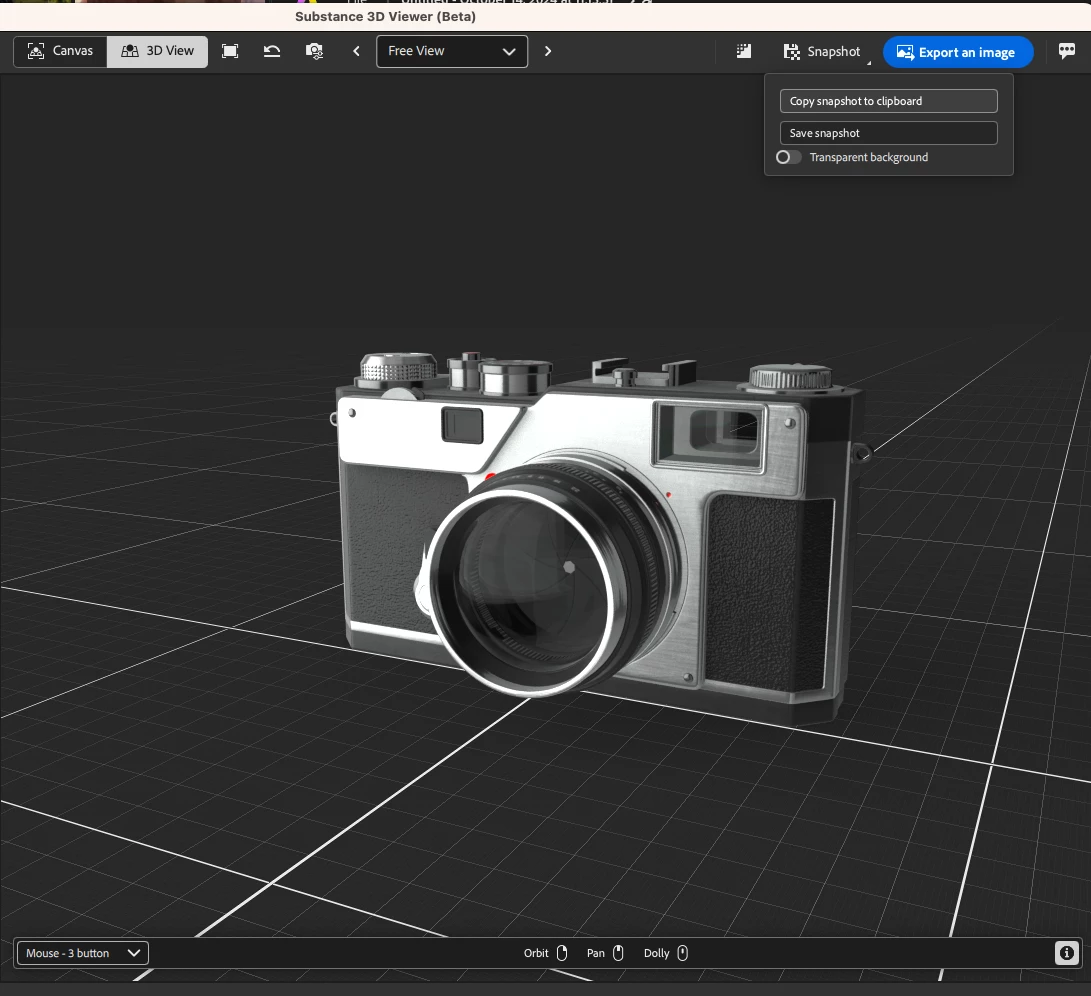
Here you can see a screenshot of Substance 3D viewer with a 3d model of a camera opened.  At the top of the interface we click on the "Snapshot" action and choose to copy the snapshot to clipboard with transparent background.


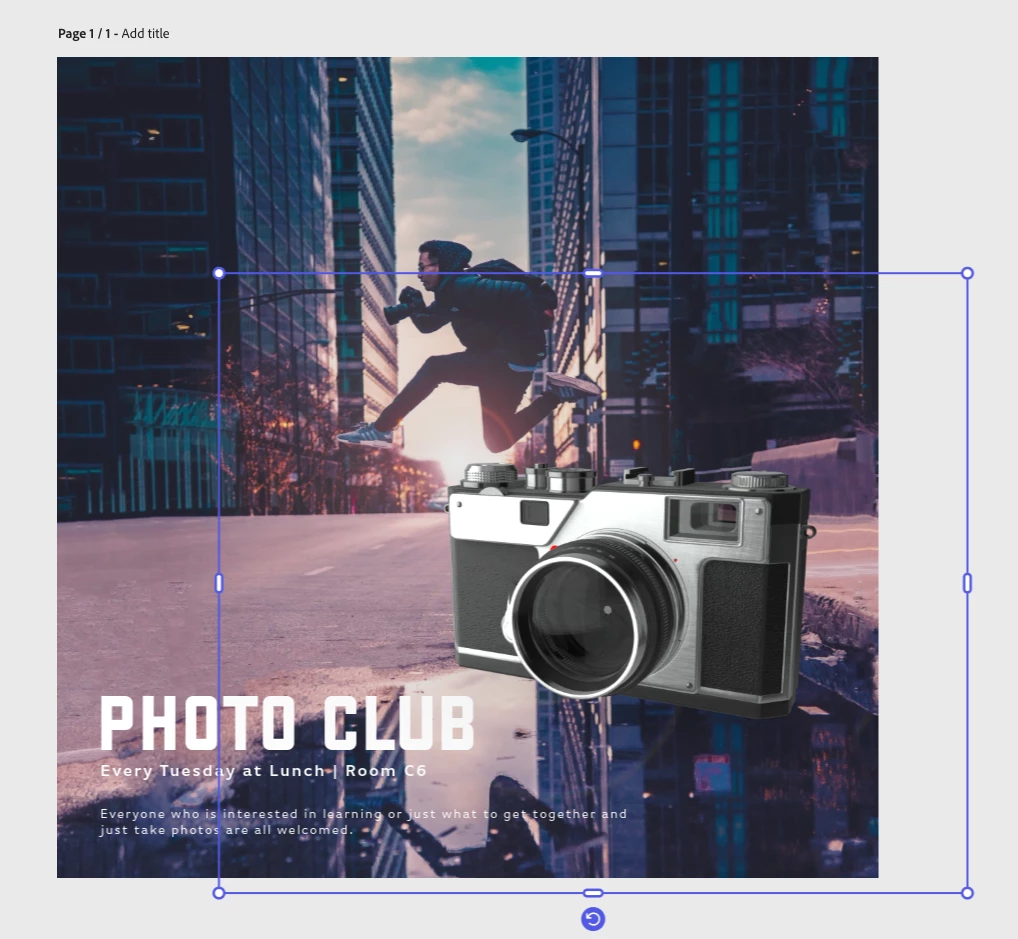
Next, in Adobe Express, we can paste the image to directly include it in our design.


2 replies

JMathews
Community Manager
JMathewsCommunity ManagerCorrect answer
Community Manager
October 14, 2024

Hi @SmallCap Infographics !  

Substance 3D Viewer can absolutely be used alongside Express!  Open your 3D file and use the snapshot feature to create transparent screenshots for your designs.


Here you can see a screenshot of Substance 3D viewer with a 3d model of a camera opened.  At the top of the interface we click on the "Snapshot" action and choose to copy the snapshot to clipboard with transparent background.


Next, in Adobe Express, we can paste the image to directly include it in our design.


Adobe Principal Product Manager, 3D & Immersive
Jeremie Noguer
Community Manager
Community Manager
October 14, 2024

Yes, you can use the "Snapshot" feature to easily copy the content of the 3D view to your clipboard and paste it in your Express project, it will automatically come with opacity and shadows.