Participant
November 29, 2022
Question

Adobe Creative Cloud - cut off from files, no synchronization.

  • November 29, 2022
  • 1 reply
  • 531 views

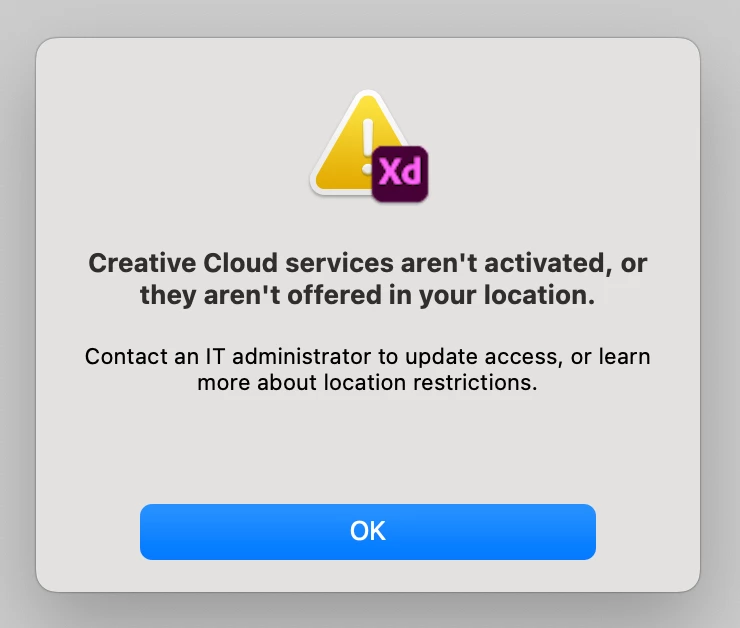
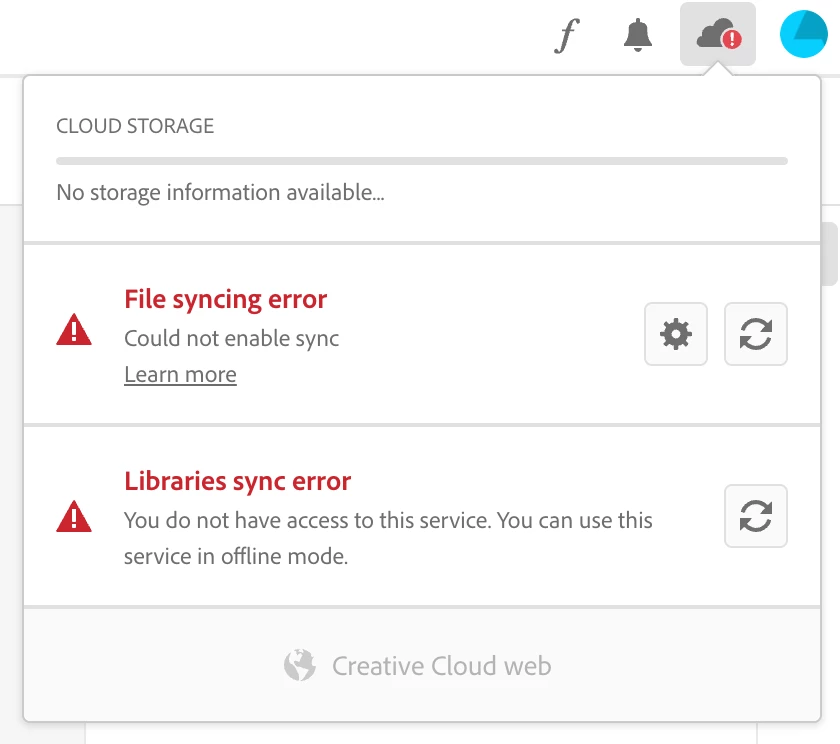
After the latest Adobe Xd update, cloud synchronization stopped working.
The entire team was cut off from files.


We have never had such problems before. What is going on?!?

How to solve this problem?

I attach the message screens.


This topic has been closed for replies.

1 reply

kglad
Community Expert
Community Expert
November 29, 2022

reset the cc desktop app: make sure it's in the foreground, then press:

Win: Ctrl + Alt + R
Mac: Cmd + Opt + R

Participant
November 29, 2022

Thank you for the hint - unfortunately it did not work 😞
We tried a reset and logging out of the cloud and logging in again.
This did not change anything. Still the same thing.

Our team was cut off from all files in the cloud. We can only view them but when we want to open them we get the popup with the information I posted above.

What happened!!!!
Adobe support staff!, maybe you could help?

HARSHIKA_VERMA
Community Manager
Community Manager
November 29, 2022

Hi @defaultgujomkwl2sss,


Thank you for trying the steps suggested by our expert. It looks like you are on an Enterprise account. You may try the steps suggested in this article and let us know if that helps.


If not,  please create a case, or start a chat from the Admin Console's support tab if you're a System or Support administrator using this link: https://helpx.adobe.com/contact/enterprise-support.cc.html.


If not, then contact your admin and ask them to create a case or start chatting through the admin console.


Let us know if that helps.


Thanks,

Harshika