Lottie is an animation plugin / format. You can read more about it here. You can use After Effects to create an animation, and export it to a .json file using a plugin called bodymovin. Instead of .gif and video formats, lottie uses javascript to animate vector shapes.
The important thing is, Adobe Xd has support for these lottie files, so you can import one of those animations and use them inside of Xd. The method here is not really concerned with the lottie file itself - that's why we don't care what the contents of the it are. We just use an empty lottie file with the length of 1 frame.
Lottie files have a timeline similar to video, and Xd has an action that can be triggered when the playback of the lottie animation stops. This way we are able to tell Xd "When the lottie animation stops playing, switch to another state or artboard".
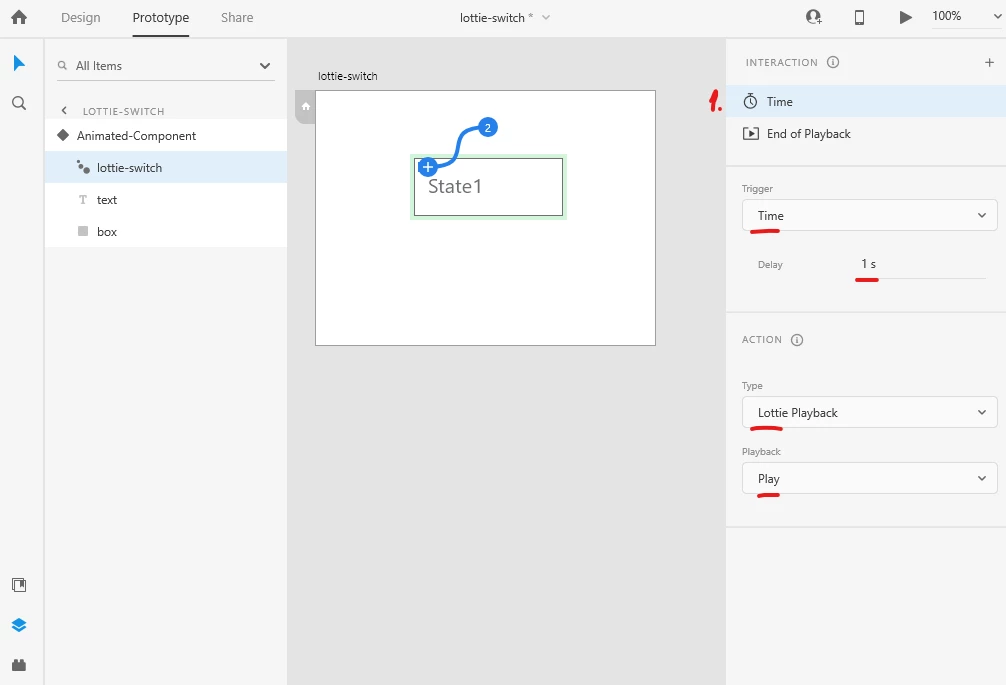
So as you've noticed, on the lottie-switch we have 2 different interactions.
The first one is "Time", and is triggered after a certain interval of time after the page / component state is opened. So we tell Xd: After 1 second delay > Start the playback of the lottie animation (the Action is Lottie Playback / Play).
The second interaction is "End of Playback", which means it will trigger when the Lottie animation stops playing. Because our lottie file is empty and is only 1 frame long, it triggers instantly. Now we tell Xd "when the lottie animation stops playing, auto-animate to State 2 of the component".
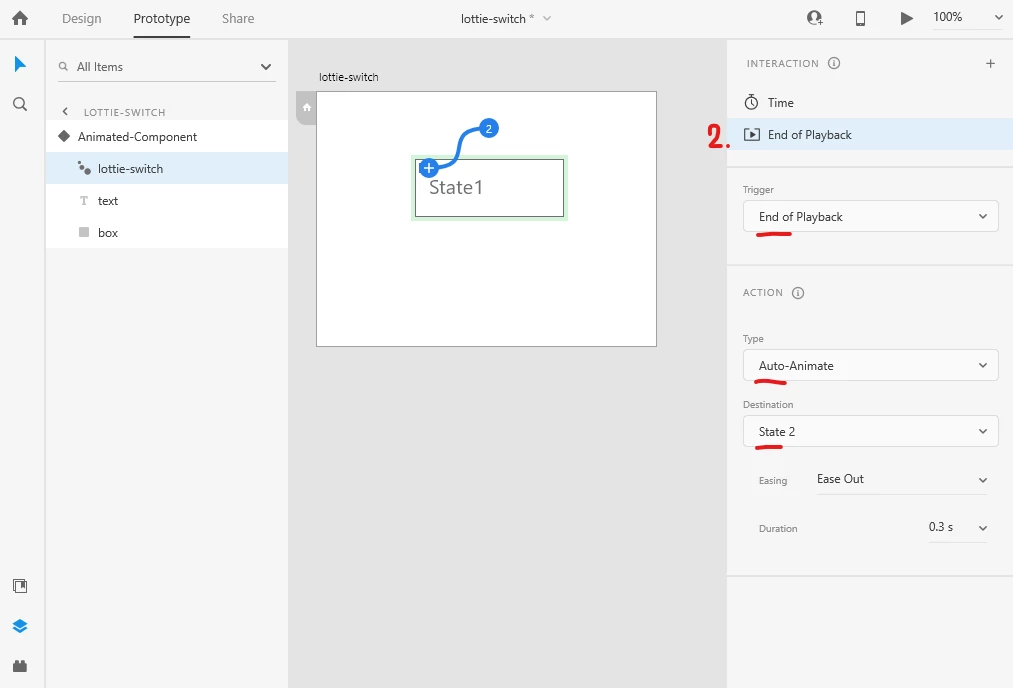
This is the important part we need the lottie file for, because Xd doesn't allow us to switch to a different state with a Time trigger regularly, but it does when we use the lottie file.
In short:
1. Delay of 1 second (Time interaction)
2. Lottie plays for 1 frame
3. End of Playback switches to a different state
Now in State 2 of the component, we have the same lottie-switch, but at its "End of Playback", it switches to State 3. And in State 3, we have the same switch which points back to Default State. And the whole thing loops every second, because that's what we pointed as our Delay in the Time interaction.





 AdChoices