
Known Participant
November 13, 2019
Answered

[Design]-Update All button not updating any linked component in Adobe XD.

  • November 13, 2019
  • 12 replies
  • 8884 views

Windows 10, Xd version 24.2.22.8. Since 1 or 2 updates ago, "Update All" button no longer updates anything. Some assets can be manually upaded from Assets panel but others refuse to update at all. Some of the assets that won't update at all have new "component states" feature enabled, so this is possibly related to further bugginess in this still-half-baked feature.


<The Title was renamed by moderator>
This topic has been closed for replies.
Correct answer HARSHIKA_VERMA

The problem exists both on Win 10 and Mac OS 10.15.1.


Thank you so much for the information and screenshots. The team has logged a bug for the same and are working on it to fix it. You may see the improvements in the future releases of XD.


We are sorry for the inconvenience.


Thanks,

Harshika

12 replies

Participant
September 25, 2020

Adobe - are you going to fix this or not? in XD version 33, the problem still exists and now some of the work-arounds are broken. You are basically now advertizing features you really don't have.

freeheel
Participant
March 18, 2020

I have a large designsystem with many components. I update one or several components in the master file and then in the sub-files, the components dont update. Its so unstable XD and actually unsuable when such things happen. We are a team of two designers and we more have to wait for XD than that we can work.

HARSHIKA_VERMA
Community Manager
Community Manager
March 18, 2020

Hi there,


We are sorry to hear you are having trouble updating the linked components in XD. We had a similar discussion happened   here: https://community.adobe.com/t5/adobe-xd/design-update-all-button-not-updating-any-linked-component-in-adobe-xd/td-p/10737049?page=2 . Please try the suggestion mentioned and as the team is working on it. You may see the improvements in the future releases of XD. We will update you as soon as I hear back from the team


We really appreciate your patience. 


Thanks,

Harshika 

Andri.design
Participant
March 5, 2020

Same issue! It's ridiculous that a company like Adobe release software updates with bugs like these, it's not acceptable and a lot of users cannot base their works on software with these limits, because these are limits and every time they happen we have to invent a way to bypass them or that the solution that they always propose is to "sign out of Adobe XD and Creative Cloud and sign back in".

This is extremely frustrating!

Known Participant
March 5, 2020

The same problem has existed here for months.
When trying to update each component individually, XD freezes for about 15-20 minutes or even completely. It doesn't matter if I open the document on Mac or Windows, or if it's a local or cloud document.

HARSHIKA_VERMA
Community Manager
Community Manager
March 6, 2020

Hi All,


Sorry for the delay in response and sorry to hear that you are experiencing XD freezing issue while updating the component. Could you please share the OS and XD version of your machine? Is it possible for you to share a video capturing the behavior? Is it happening with every component you update and with every file? 


Please generate the logs using this link: https://helpx.adobe.com/in/creative-cloud/kb/cc-log-collector.html and upload the file to a shared location such as Creative Cloud and share the url with me over a private message.


We will try our best to address and investigate the issue.


Thanks,

Harshika

Participating Frequently
December 17, 2019

Hi, any news on this issue.

Been unable to use Xd and my files for almost a month now. Time to move on?

Known Participant
December 16, 2019

Good morning
Does it make sense to wait for the fix? Cause now it seems like half of my work may be thrown into the trash bin, but no updates for two weeks already.

Participant
December 10, 2019

One month later and this is still not fixed and the "correct answer" does not work. Been waiting for a specialist in the support chat for more than 40 minutes (and counting). Great.

Preran
Community Manager
Community Manager
December 10, 2019

Apologize for your experience. If your issue is still unresolved, can you DM Your case number to me so that I can look up the latest status?


Thanks,

Preran

Participant
December 11, 2019

ADB-10379761-F9P5

Participant
December 7, 2019
Known Participant
December 2, 2019

The same issue for me.
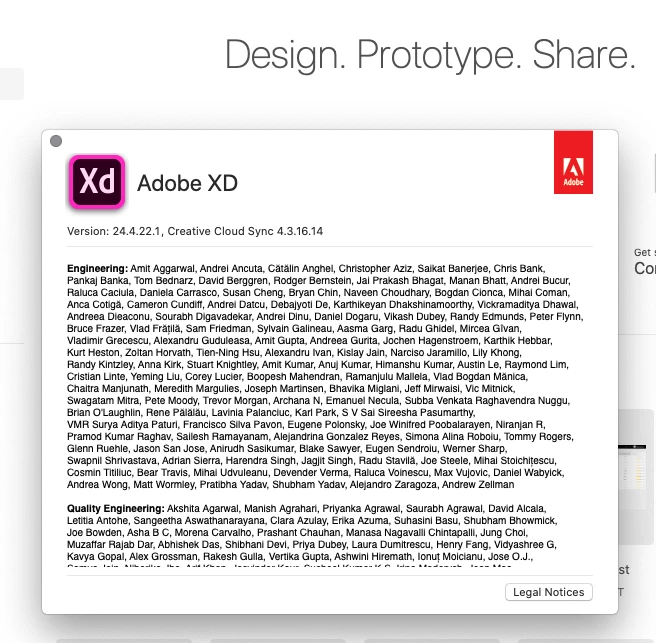
I faced it several days ago on Win 10 1903 and XD 24.4.22.1. Both (parent and working) files in Cloud.
I have already tried to sign out and add the whole parent file as a link asset but in vain.
For a new separate file, everything works properly:

- I can add components from a parent one and update them;

- I can create components, add them to the working file and update as well.
What can be wrong with the connection between parent and working files?

Preran
Community Manager
Community Manager
December 3, 2019

Hi there,


Apologize for your experience. I suggest getting in touch with our tech support team https://helpx.adobe.com/contact.html using this link for further investigation. Use the chat button to get started.


Thanks,

Preran

Known Participant
December 3, 2019
I feel like you are simply not listening to us. Adobe knows exactly what the problem is, so what point does it serve to have someone new from Adobe ask for clarification? Kindly stop wasting our time and fix this.


Sent via the Samsung Galaxy Note8, an AT&T 5G Evolution capable smartphone
Participating Frequently
November 19, 2019

I have the same issue described here: https://community.adobe.com/t5/adobe-xd/problem-with-some-linked-components/m-p/10748833


Please fix this quick.

Preran
Community Manager
Community Manager
November 27, 2019

You say that you contacted us. Can you share your case number with me over a private message?

Participating Frequently
November 27, 2019

ADB-10006717-T4X4

efrenfreelance
Participating Frequently
November 18, 2019

Hi guys,


I have 2 files, one of them with all the master components and the other one with the design. All worked well until I updated Adobe XD to the 24.2.22.8 version.


1. I opened my components file

2. I opened my design file

3. I created a new state for a master component in the components file

4. I save the components file

5. That component is part of more components

6. In the design file, I see the option to update all the affected components

7. I click the "Update" blue button but nothing happens

8. I try to update every component by right-clicking on each and selecting the "Update" option but nothing happens


Thanks

Vishu_Aggarwal
Participating Frequently
November 18, 2019

Are you trying to achive the same - https://youtu.be/0BOquTlxXAQ


Vishu AggarwalAdobe Certified Instructor, Professional and Expert
efrenfreelance
Participating Frequently
November 18, 2019

Hi Mr. Vishu,


Yes, I am, but the differences are:


1. My files were created with the previous Adobe XD version

2. The component that I created a new state for is part of several components

3. The files are not Adobe Cloud documents


This is happening with just some files/components, not with all of them, I don't know why.


Thanks and regards