


Inspiring
July 20, 2021
Question

Elements in component states jump around in prototype

  • July 20, 2021
  • 1 reply
  • 766 views

In the editor, my component looks just as I'd expect. 

In preview and posted prototypes, the elements in the component jump around between states.


I started out with a nested component to get the menu I needed but simplified things to try and make things easier on XD. I've been banging my head against the wall on this for close to an hour, trying every variation I can think of. Nothing seems to make a difference. 


This is the second time I've hit this behavior with XD in the last week. For the last one, I just gave up and created an old school static representation of each state for my team. Cutting edge.


Here's the states in design mode. Gif compression wiped out most of the differences, but you get the idea. The "more" button is not part of the component.
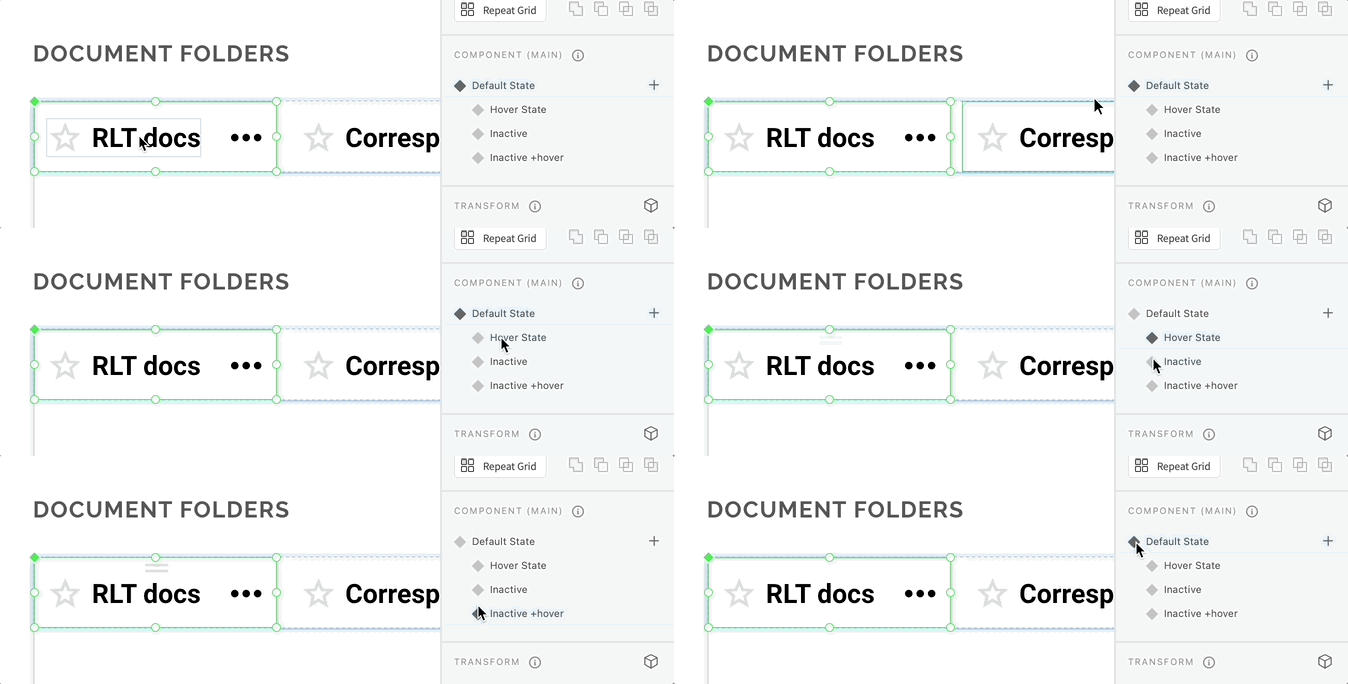
 

And here's how it behaves in Preview mode and shared prototypes.

 

    This topic has been closed for replies.

    1 reply

    Inspiring
    July 20, 2021

    ( Apparently, I can't edit my post … )


    I should note that the "fixed size" text tweak that seems to work when the text moves vertically, did not help me in this situation. I also tried getting rid of auto-animate -- that makes the text flash as if the layer is being turned off.

    Participating Frequently
    April 20, 2022

    Anyone have a solution for this? I'm baffled. I've got some buttons jumping around that look fine in the main componants. All I can think to do is rebuild them.

    Inspiring
    April 20, 2022

    A component rebuild was the only thing that worked for me. This was one of many painful problems with what could have been XD's killer feature.


    I was wasting so much time tracking down component problems that I just saved myself the pain and started rebuilding everything in Sketch. I'm in a much happier place now.