Participant
February 17, 2019
Answered

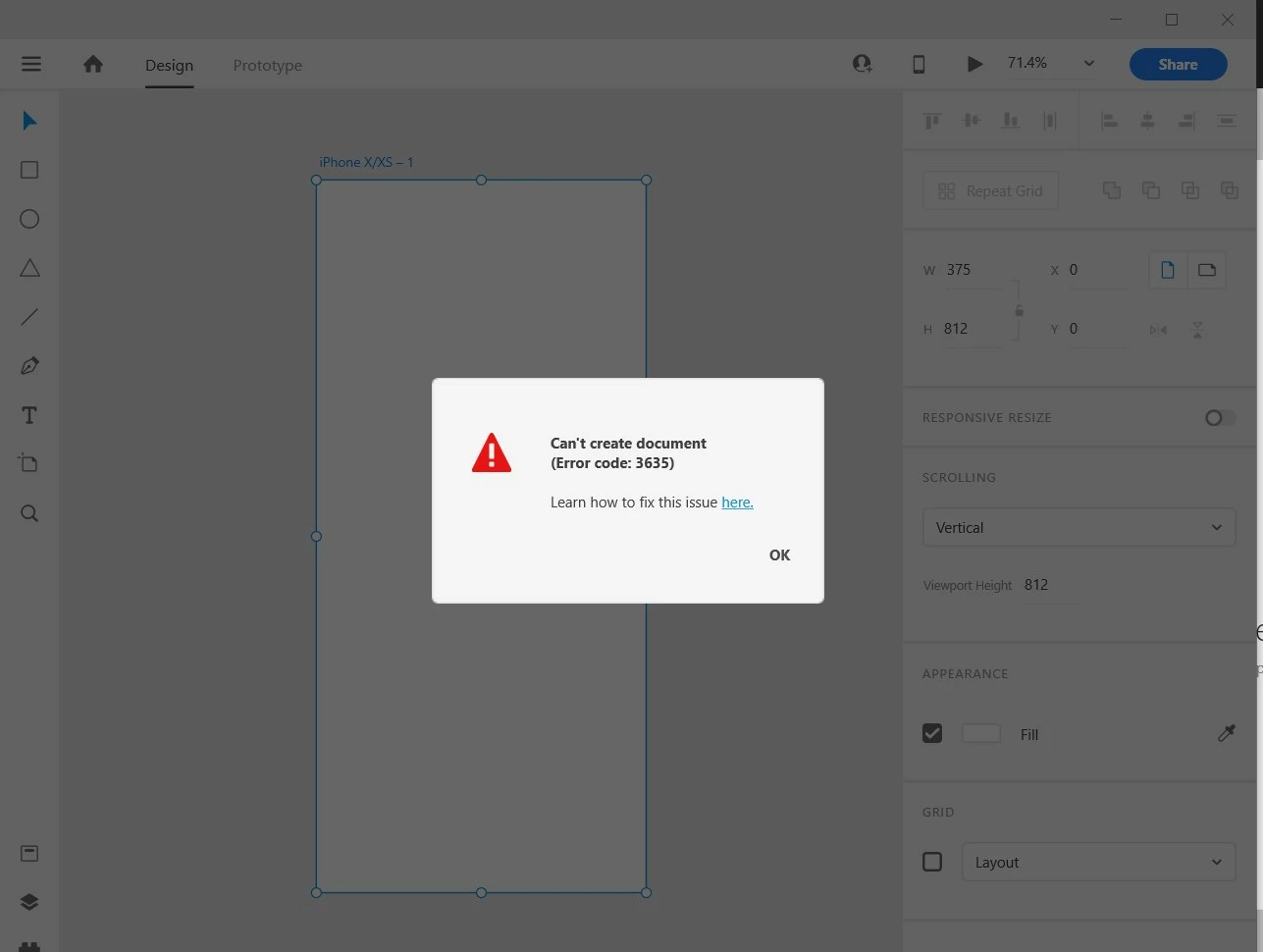
Error 3635, 3634, 3624 Cannot create new document in XD.

  • February 17, 2019
  • 38 replies
  • 103456 views

I have gone through these forums and have tried every recommended solution. Restarted Adobe CC, reinstalled Adobe CC, restarted computer, reinstalled XD, used the cleaning tool ETC. Nothing works. I have documents on there that I need for school and cannot access them.


These are the errors that I am getting:
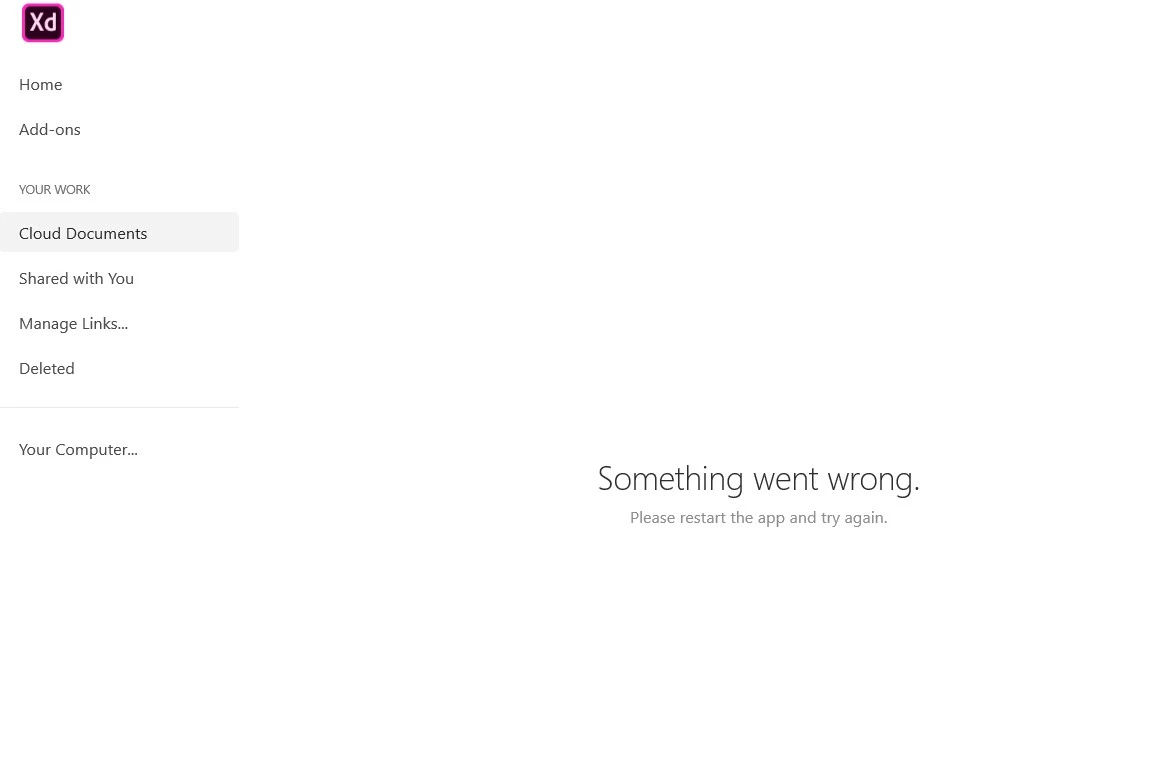
 

If anyone can provide me with a solution ASAP it would be very appreciated. I need access immediately.

Thanks


<The Title was renamed by moderator>

Correct answer Atul_Saini

Hi everyone,


Sorry to hear that you're unable to open the file and getting an "Error 3635, Cannot create a new document in XD" or other similar errors while opening or creating a cloud document. We'll try our best to help you with this. 


This list of solutions may seem long, however, I can assure you that it has helped a lot of customers with this error. 


Please start with Part one (Mac/Win) and proceed to Part two if the problem persists on the windows machine.


Part one (Mac/Win):


1. Ensure that XD is up to date using this link (https://helpx.adobe.com/in/creative-cloud/help/creative-cloud-updates.html).


2. Follow the instructions mentioned on this page step by step (https://helpx.adobe.com/xd/kb/issue-saving-xd-file-creative-cloud.html). Before proceeding to the next step. Please upload the logs to CC or Dropbox and share the link with me via PM (click on my name and hit the message button on my profile). This would help us to get to the root cause and investigate further. 


3. Please try cleaning the Creative Cloud desktop app from the cleaner tool: https://helpx.adobe.com/in/creative-cloud/kb/cc-cleaner-tool-installation-problems.html and then reinstall the Creative Cloud desktop app from here (https://helpx.adobe.com/in/download-install/kb/creative-cloud-desktop-app-download.html).


Part two: For Windows
 

1. We need to navigate to the following locations and rename the "Core Sync, OOBE, SLStore, SLCache, all AAM related folders" as "Core Sync_old" and similarly with the OOBE_old and so on.

  • C:\Program files(x86)\Adobe\Adobe Sync\
  • C:\Program files(x86)\Common\ Adobe
  • C:\ProgramData(Hidden)\Adobe\
  • C:\Users\Username\AppData(Hidden)\local\Adobe
  • C:\Users\Username\AppData(Hidden)\Roaming\Adobe

2. Reinstall the Creative Cloud desktop app from here (https://helpx.adobe.com/in/download-install/kb/creative-cloud-desktop-app-download.html).


If you still face issues, please share logs and the XD file with Harshika Verma over a private message so that we can escalate the issue to the team for further investigation.


Note: Please add your logs and XD file to a shared location such as CC or Dropbox and share the URL with me over a private message.


We will try our best to help.


Thanks,

Atul_Saini

38 replies

Participant
July 8, 2020

El caso es este: No puedo crear un nuevo documento ni guardar en la nube mis proyectos de Adobe XD.

Me sale error 3635, y ya no sé que hacer.

¿Alguien me podría ayudar? Gracias.

Shwetha Diwanji
Community Manager
Community Manager
July 9, 2020

Hi judithe4877798,


Sorry to hear that you are facing issues while working on XD. Could you please user the Log Collector tool from the link below and share with us the complete logs so that we can debug further? Thanks. 

https://helpx.adobe.com/in/creative-cloud/kb/cc-log-collector.html


Regards,

Shwetha Diwanji

Participant
June 27, 2020

Why I can't create new files on Adobe XD? I've just downloaded all the updates for CC but it doesn't work.

PS. Im Italian, in the image it says "Can't create a document, error code 3635" 

Ares Hovhannesyan
Community Expert
Community Expert
June 27, 2020
Participant
June 20, 2020

For me Part 1 worked. Thank you sir for your help

Participant
June 7, 2020

Hello, i have the same problem and i done the steps few times, nothing change. As i can see not only the XD but the creative cloud app can't open "Your Work"(Oops,page not available) tab and and probably cant sync with the Adobe Apps. So i am thinking to reinstall/format my Windows 10, and then reinstall again the Creative Cloud app and Adobe XD? Will that help? I desperately need my cloud and XD this week. THANKS

Burningbrains
Participant
March 8, 2021

Solved with procedure "part one" for me. Many thanks.

Participant
April 11, 2020

Just reinstall your Adobe Creative Cloud

Atul_Saini
Community Manager
Atul_SainiCommunity ManagerCorrect answer
Community Manager
April 30, 2020

Hi everyone,


Sorry to hear that you're unable to open the file and getting an "Error 3635, Cannot create a new document in XD" or other similar errors while opening or creating a cloud document. We'll try our best to help you with this. 


This list of solutions may seem long, however, I can assure you that it has helped a lot of customers with this error. 


Please start with Part one (Mac/Win) and proceed to Part two if the problem persists on the windows machine.


Part one (Mac/Win):


1. Ensure that XD is up to date using this link (https://helpx.adobe.com/in/creative-cloud/help/creative-cloud-updates.html).


2. Follow the instructions mentioned on this page step by step (https://helpx.adobe.com/xd/kb/issue-saving-xd-file-creative-cloud.html). Before proceeding to the next step. Please upload the logs to CC or Dropbox and share the link with me via PM (click on my name and hit the message button on my profile). This would help us to get to the root cause and investigate further. 


3. Please try cleaning the Creative Cloud desktop app from the cleaner tool: https://helpx.adobe.com/in/creative-cloud/kb/cc-cleaner-tool-installation-problems.html and then reinstall the Creative Cloud desktop app from here (https://helpx.adobe.com/in/download-install/kb/creative-cloud-desktop-app-download.html).


Part two: For Windows
 

1. We need to navigate to the following locations and rename the "Core Sync, OOBE, SLStore, SLCache, all AAM related folders" as "Core Sync_old" and similarly with the OOBE_old and so on.

  • C:\Program files(x86)\Adobe\Adobe Sync\
  • C:\Program files(x86)\Common\ Adobe
  • C:\ProgramData(Hidden)\Adobe\
  • C:\Users\Username\AppData(Hidden)\local\Adobe
  • C:\Users\Username\AppData(Hidden)\Roaming\Adobe

2. Reinstall the Creative Cloud desktop app from here (https://helpx.adobe.com/in/download-install/kb/creative-cloud-desktop-app-download.html).


If you still face issues, please share logs and the XD file with Harshika Verma over a private message so that we can escalate the issue to the team for further investigation.


Note: Please add your logs and XD file to a shared location such as CC or Dropbox and share the URL with me over a private message.


We will try our best to help.


Thanks,

Atul_Saini

Participant
April 5, 2020

Hi,
I tried all the steps mentioned above and several other methods for this same issue but it isn't resloving can someone help me out with this issue of error code 3635.
Thanks

jamiru95596896
Participant
April 6, 2020

Did you succeed? Please help me


I am trying-trying but not solved yet. 

HARSHIKA_VERMA
Community Manager
Community Manager
April 7, 2020

Hi there,


Sorry to hear that the above steps didn't helped you. Would you mind telling us if it's happening with all the files or with a specific file? Have you tried fresh installation of Creative Cloud app and XD app using this link: https://helpx.adobe.com/in/creative-cloud/kb/cc-cleaner-tool-installation-problems.html? If that doesn't help, please get in touch with our support team using this link: https://helpx.adobe.com/in/contact.html  for immediate assistance.


Hope it helps.


Thanks,

Harshika


GhadeerEssa
Participant
March 25, 2020

Error Code: 3635 ( Save to cloud Document doesn't work )

kglad
Community Expert
Community Expert
March 25, 2020
Participant
March 23, 2020

Hello,

When I create a new document, I get an error with code 3635. Also in the cloud documents section, I get the message "Something went wrong. Please restart the app and try again." All my files in the cloud are gone.

HARSHIKA_VERMA
Community Manager
Community Manager
March 23, 2020

Hi Cristivstan,


Sorry to hear you are having trouble creating a new document in XD. Would you mind trying the steps mentioned in this post: https://community.adobe.com/t5/adobe-xd/crash-load-error-3635-cannot-create-new-document-in-xd/td-p/10699520?page=1?


Let us know if that helps.


Thanks,

Harshika

sofianeb33785711
Participant
March 18, 2020

pls help i tried all the solution and same thing .Adobe is getting me crazy with these errors really !!!

HARSHIKA_VERMA
Community Manager
Community Manager
March 18, 2020

Hi Sofianeb,


We are sorry for the bad experience and frustration. Would you mind sharing the OS, XD and Creative Cloud Desktop app version? Is it happening with all the files or with a specific file?


We will try our best to help.


Thanks,

Harshika

Participant
March 16, 2020

Community Manager
March 16, 2020

Hi Erinziyi


Sorry to hear you are having trouble using Adobe XD. Would you mind trying the steps mentioned in this post: https://community.adobe.com/t5/adobe-xd/error-3635-cannot-create-new-document-in-xd/td-p/10699520?page=1


Let us know if that helps.


Regards,

Rajasekhar.