monterxz
Inspiring
January 7, 2021
Answered

Roboto font from Google has different heights on Mac vs PC

  • January 7, 2021
  • 13 replies
  • 17951 views

Yesterday me and my colleague were collaborating on a same part of our project's UI and I noticed that she was changing correct paddings between text elements to incorrect one. When I asked why is she doing it, she answered that they were incorrect in the first place and she changed them to correct.

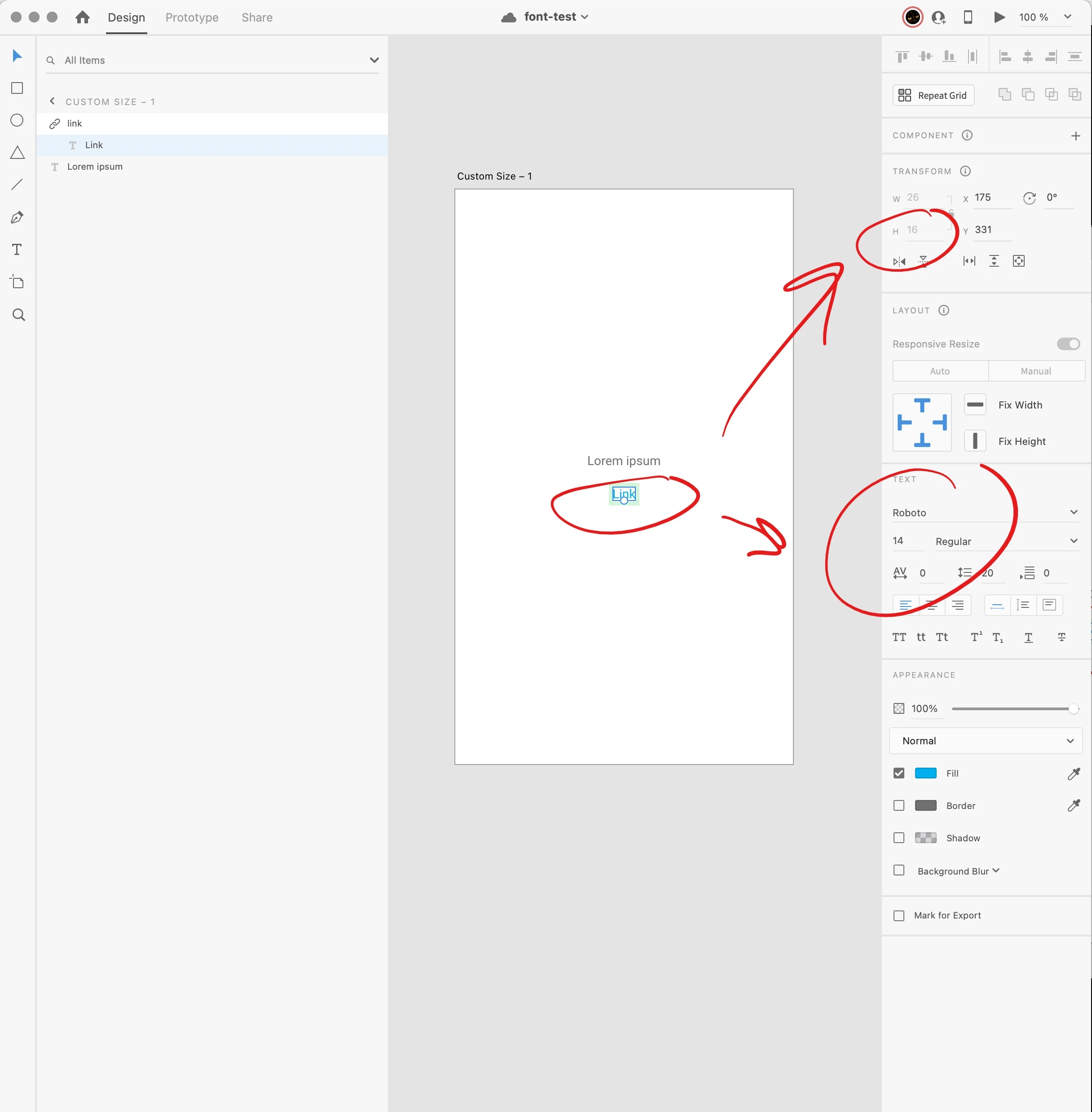
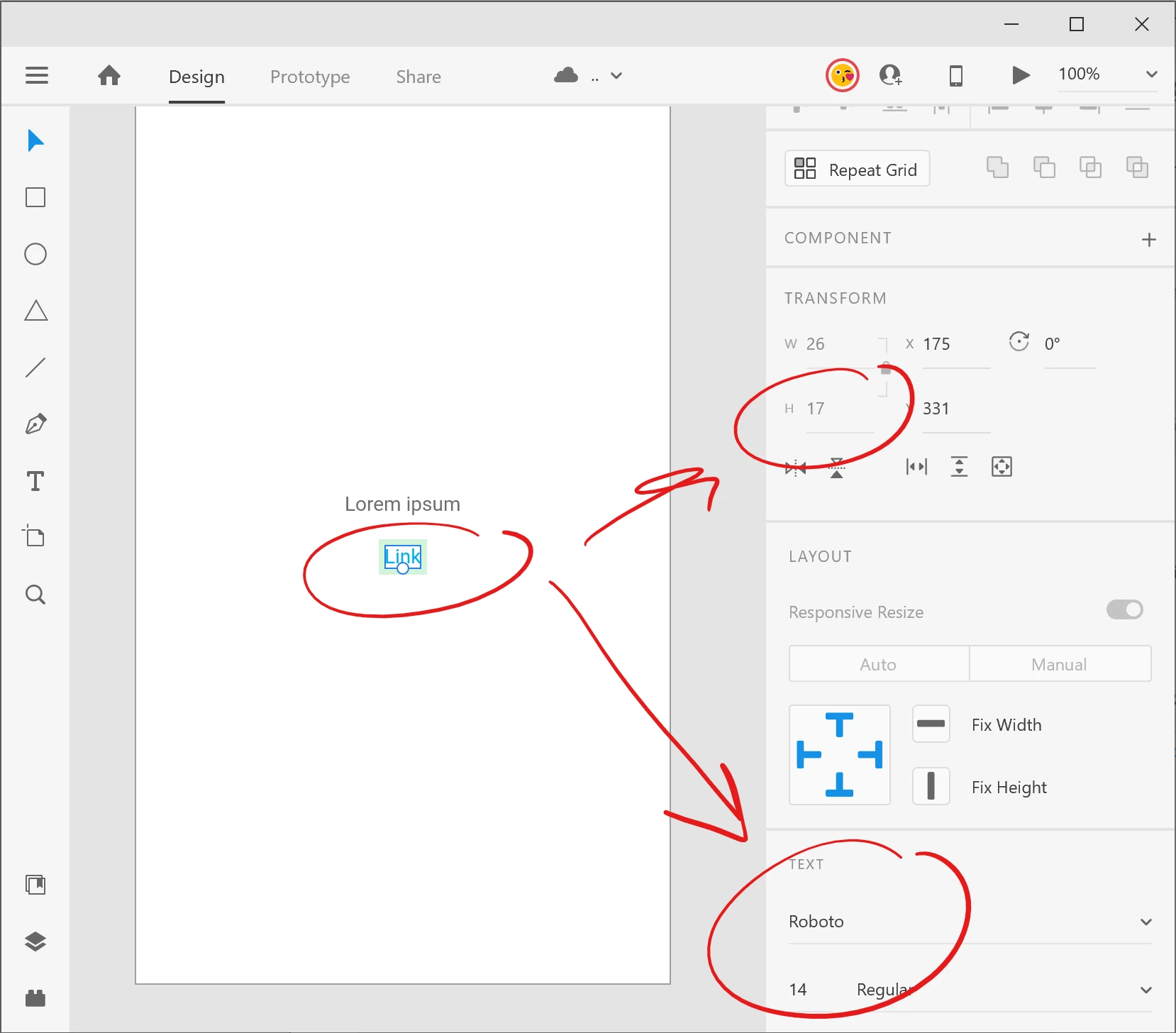
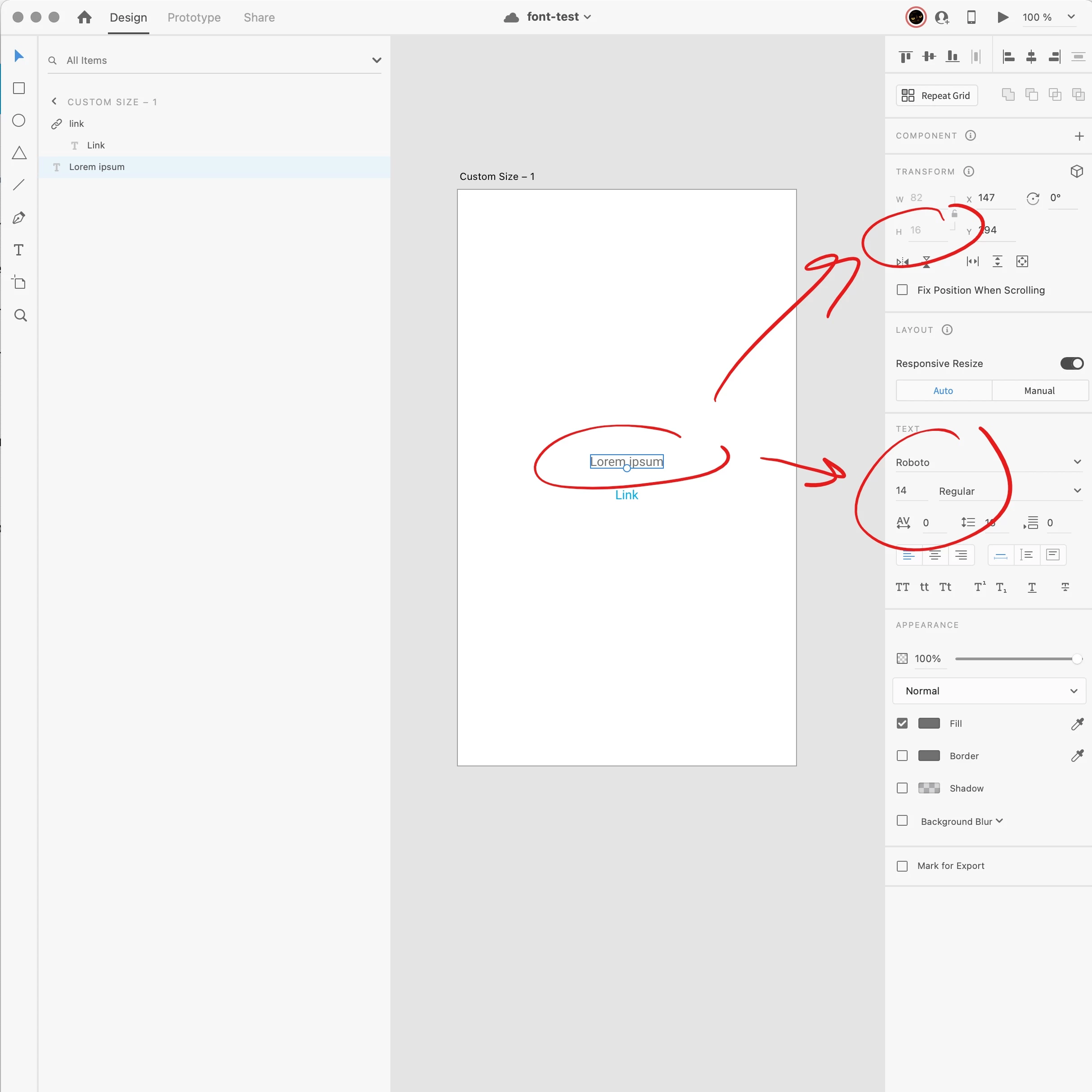
We've made a through-out testing and found out, that Roboto font has different heights on PC vs Mac. We've taken these screenshots while both co-editing this same file.
On a PC it looks like this:
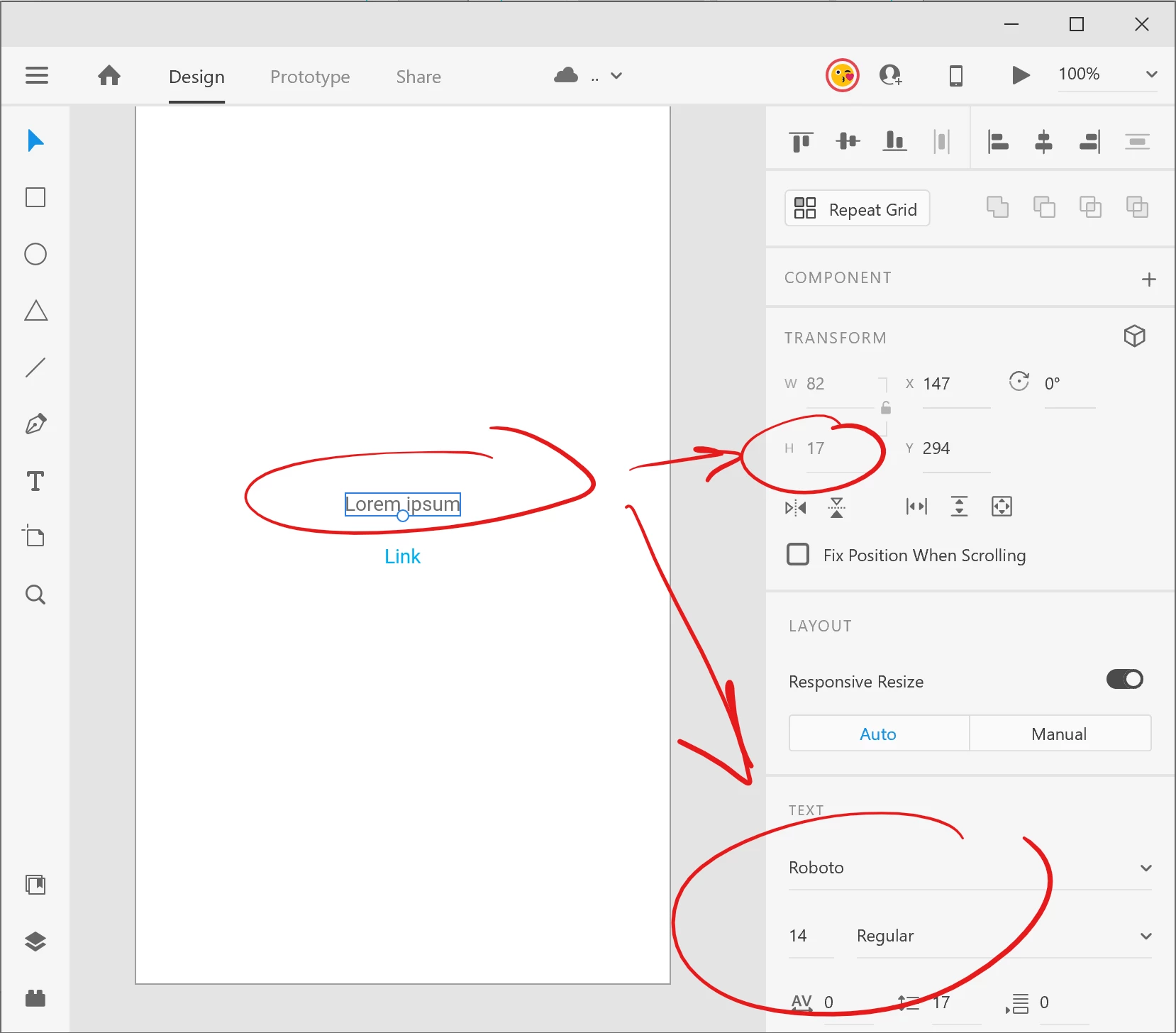
 

At the same time (i co-editing) it looks like this on a Mac:
 

We are using the same Roboto font downloaded from Google: https://fonts.google.com/specimen/Roboto


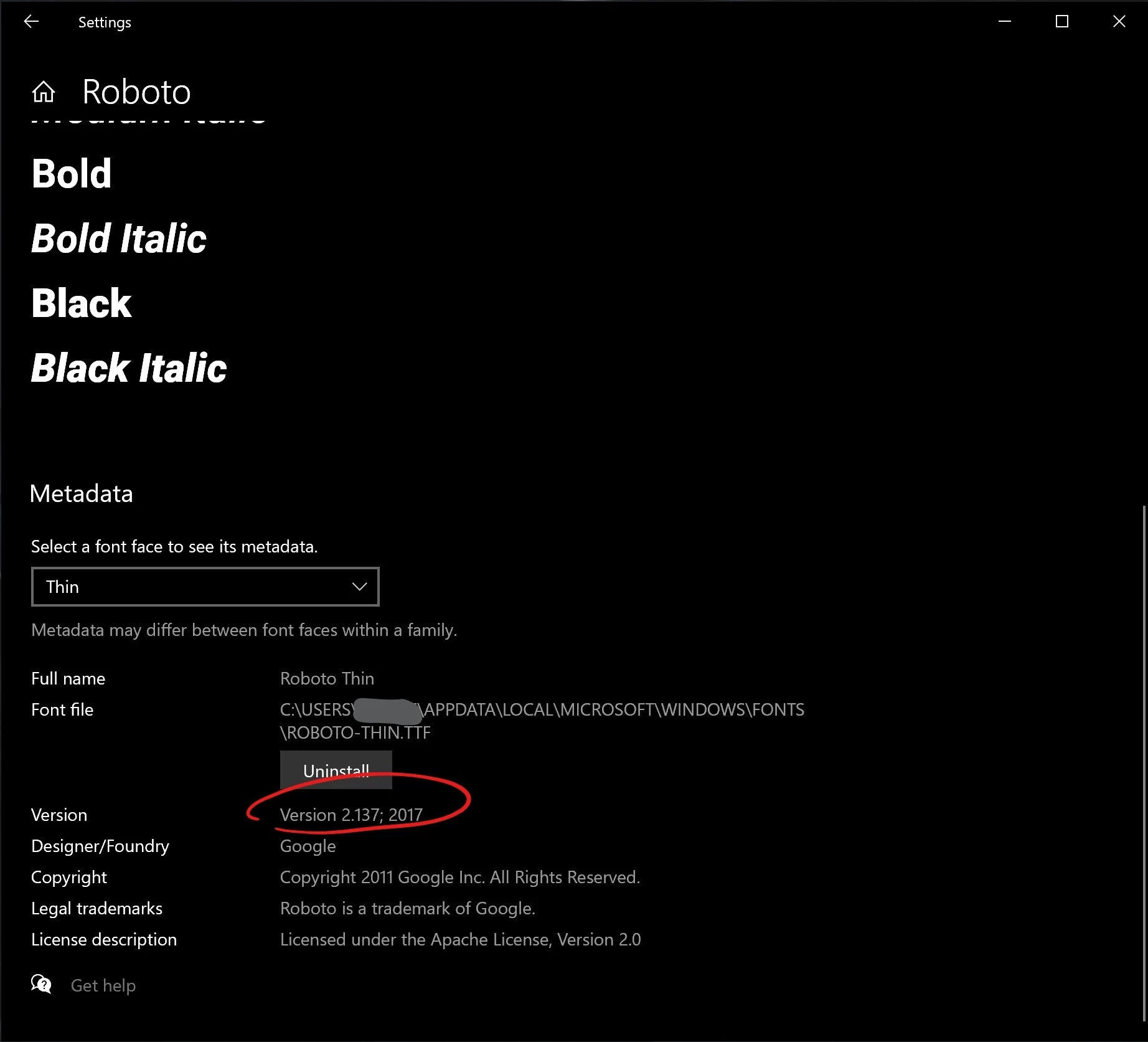
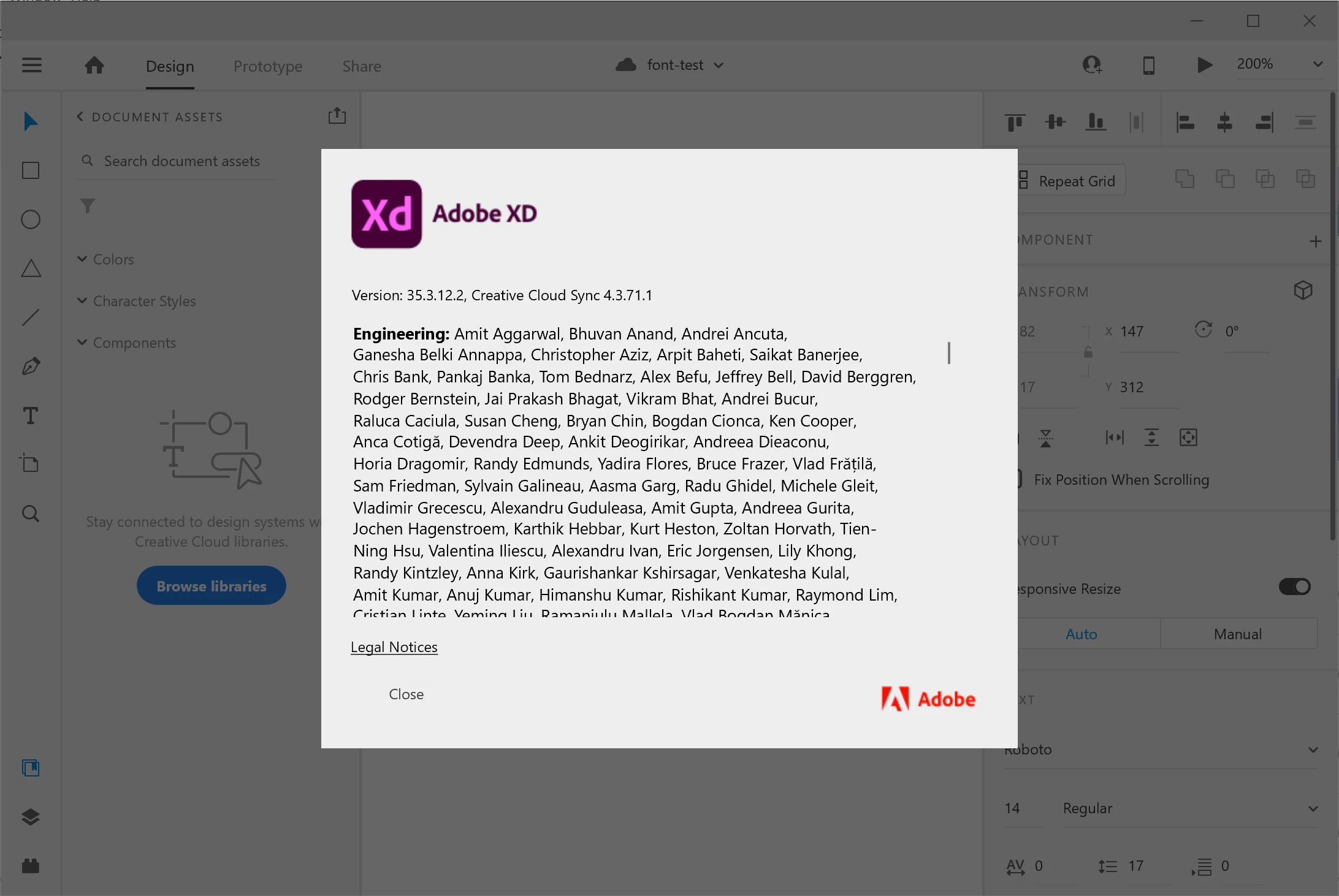
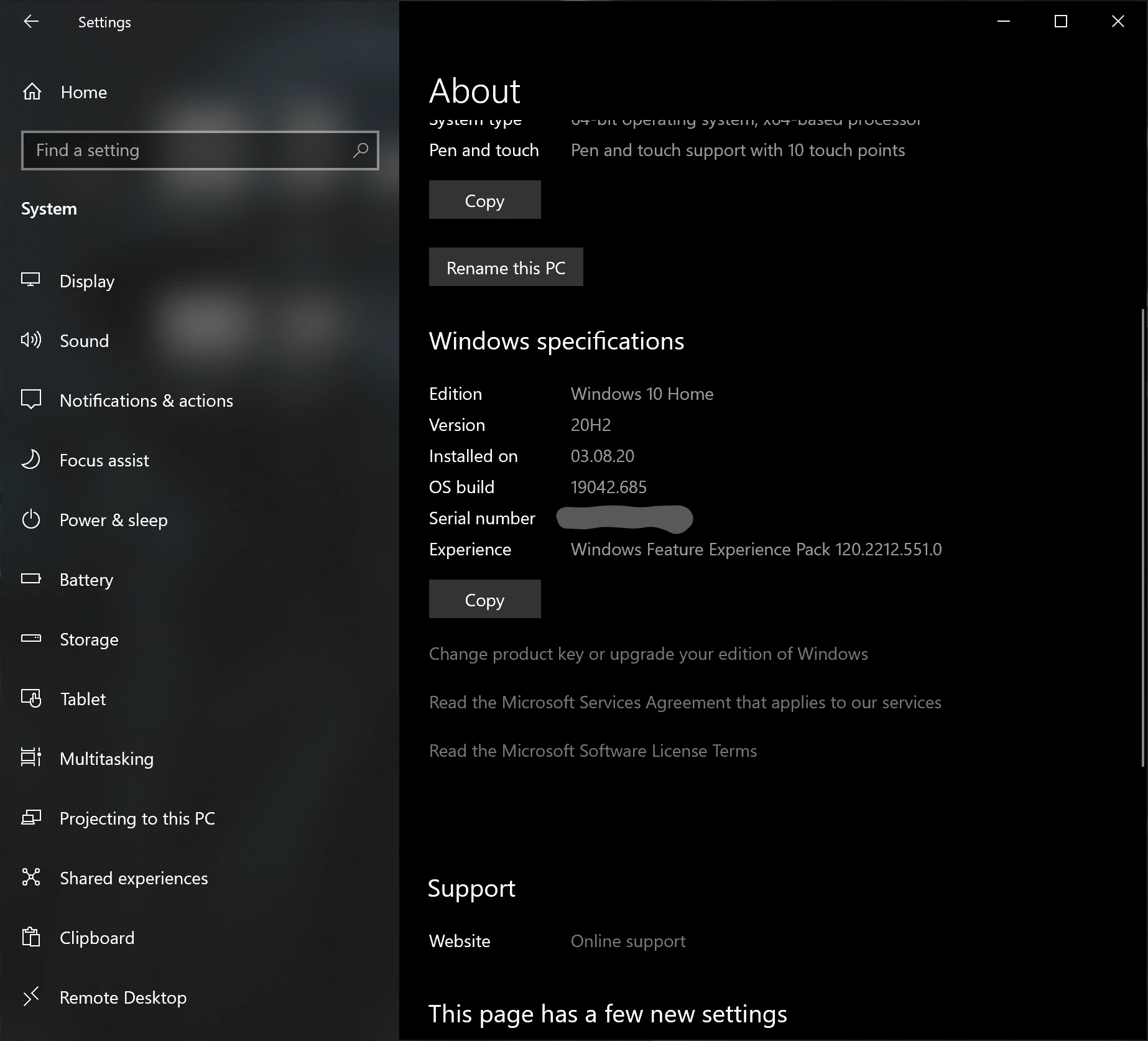
Here is a PC system and font info:
 

Here is a Mac system and font info:
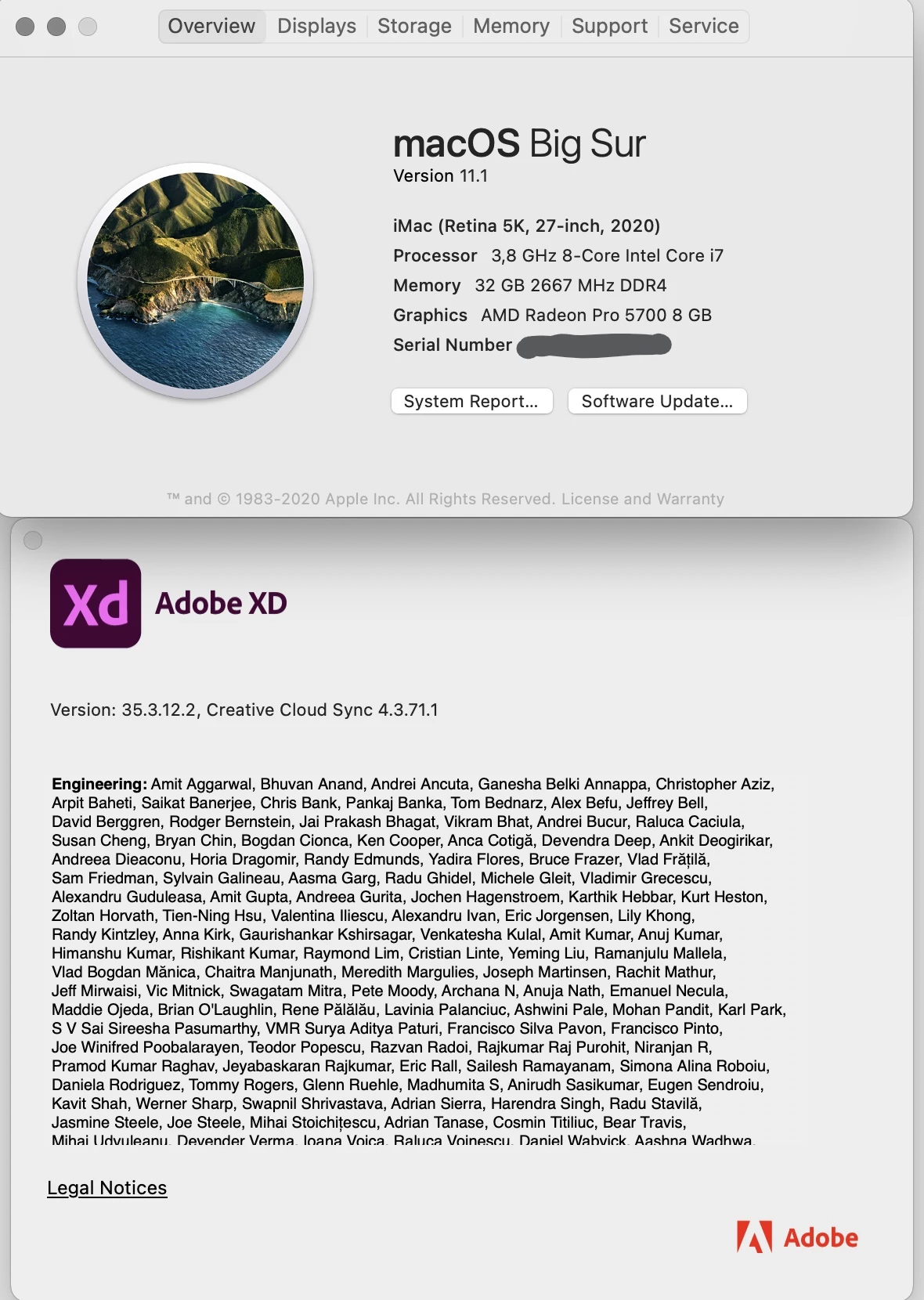
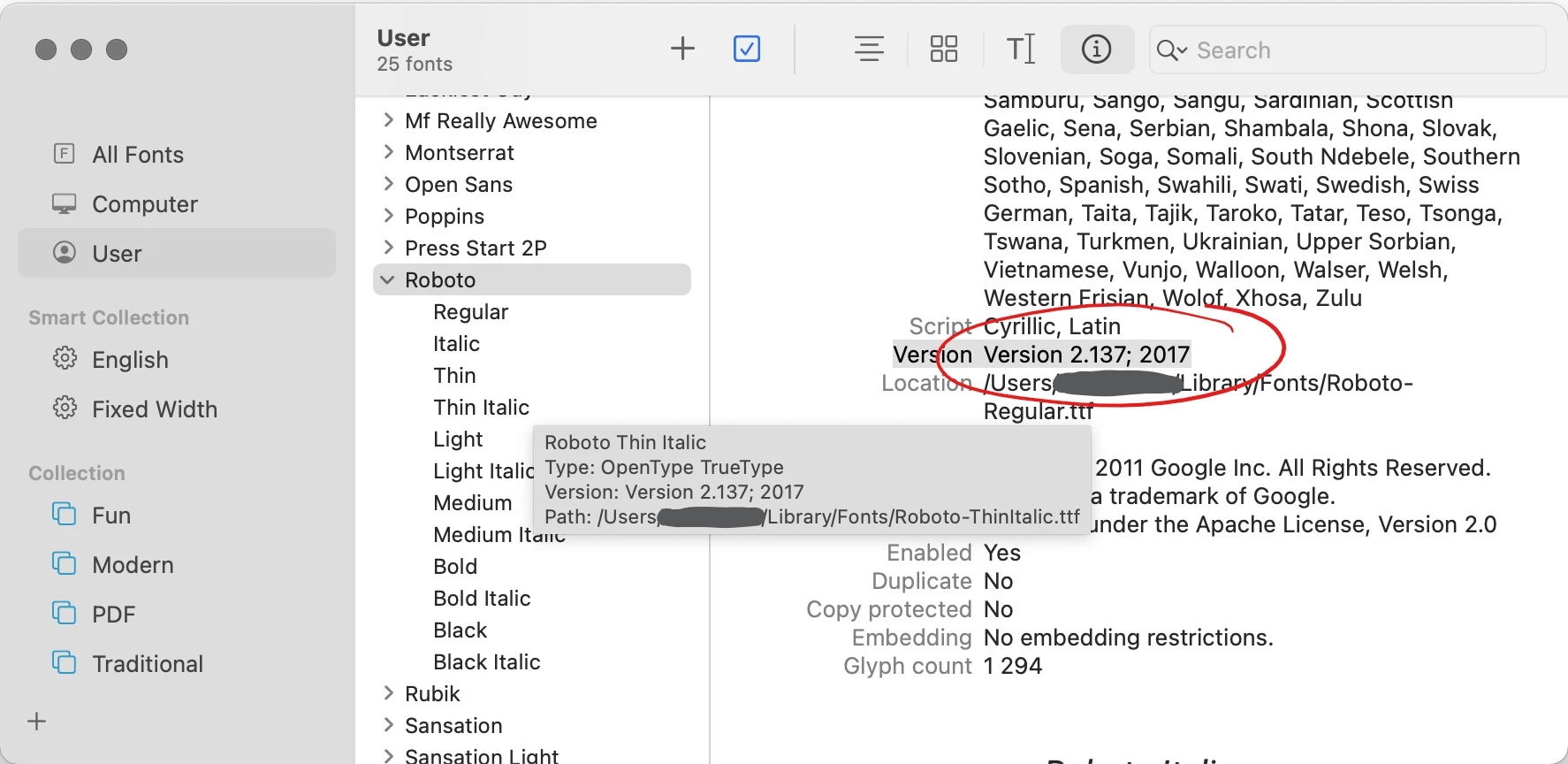
 

This is not a problem with one particular file, but with the font itself.

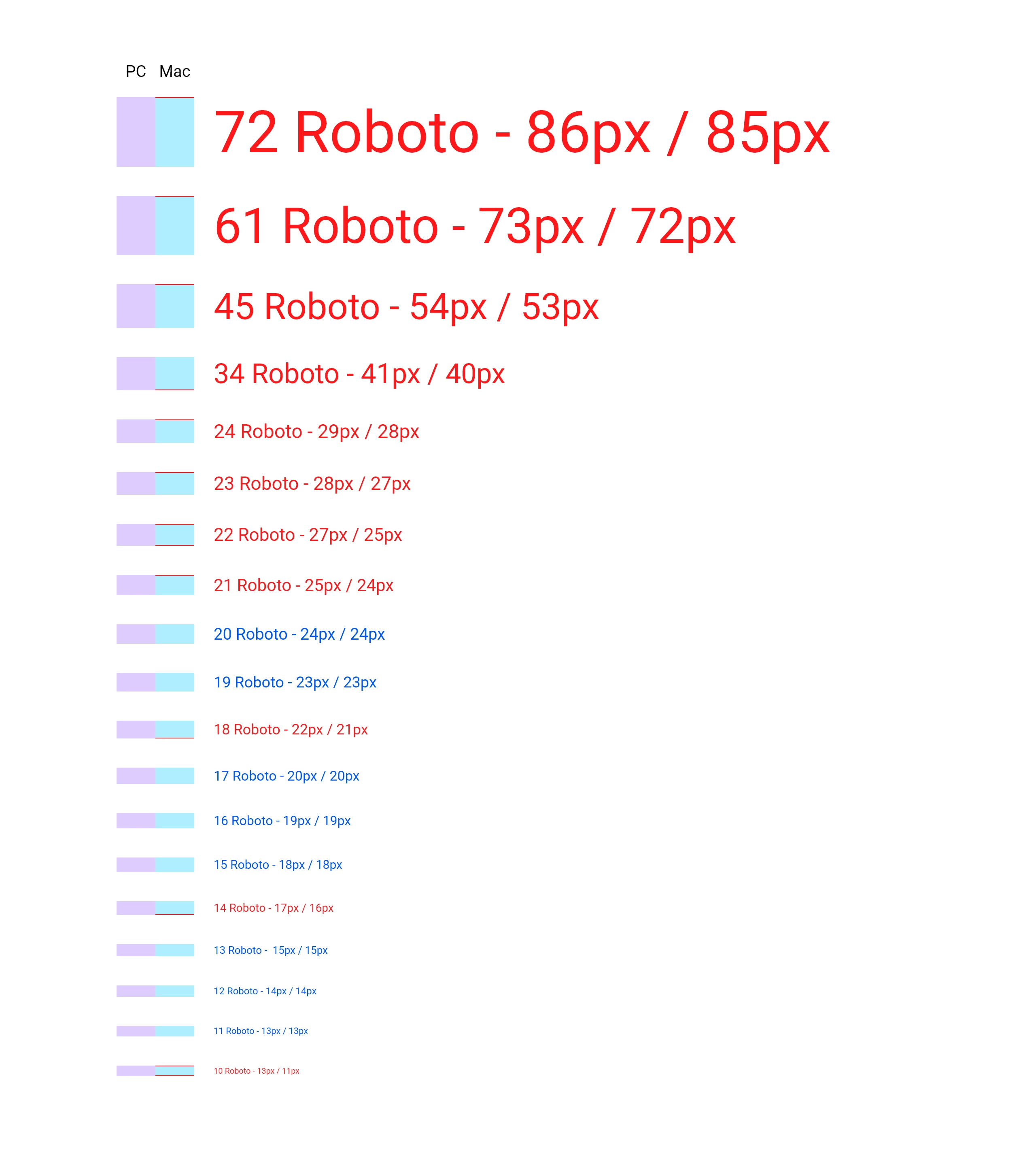
After a long testing we found out that this difference was not consistent along different sizes of Roboto font. We made this comparison in a cloud file, both saved it as local file and created links with Design Specs.


I've marked font sizes that don't match with red color and on the left I marked the height difference with red. Here you can clearly see that the difference may differ from 0 to 2 pixels and it can be at the top, or at the bottom, or both.
 

Link generated on a PC:
https://xd.adobe.com/view/adf5c80e-00b0-4af5-9504-7057a1d70156-f8a6/
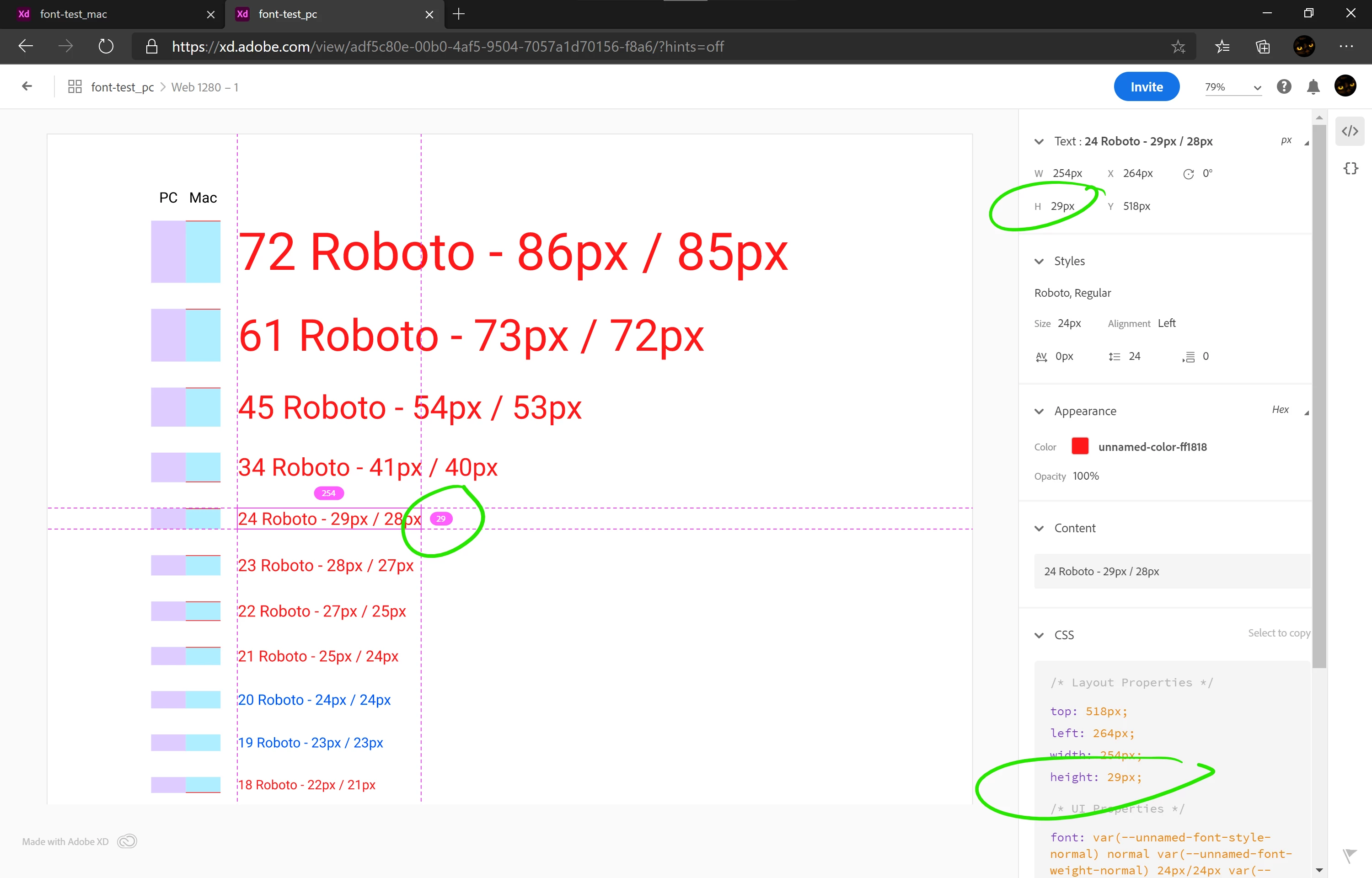
 

Link generated on a Mac:
https://xd.adobe.com/view/2d51b57d-8586-454b-8e90-a347d7e6ab61-7802/
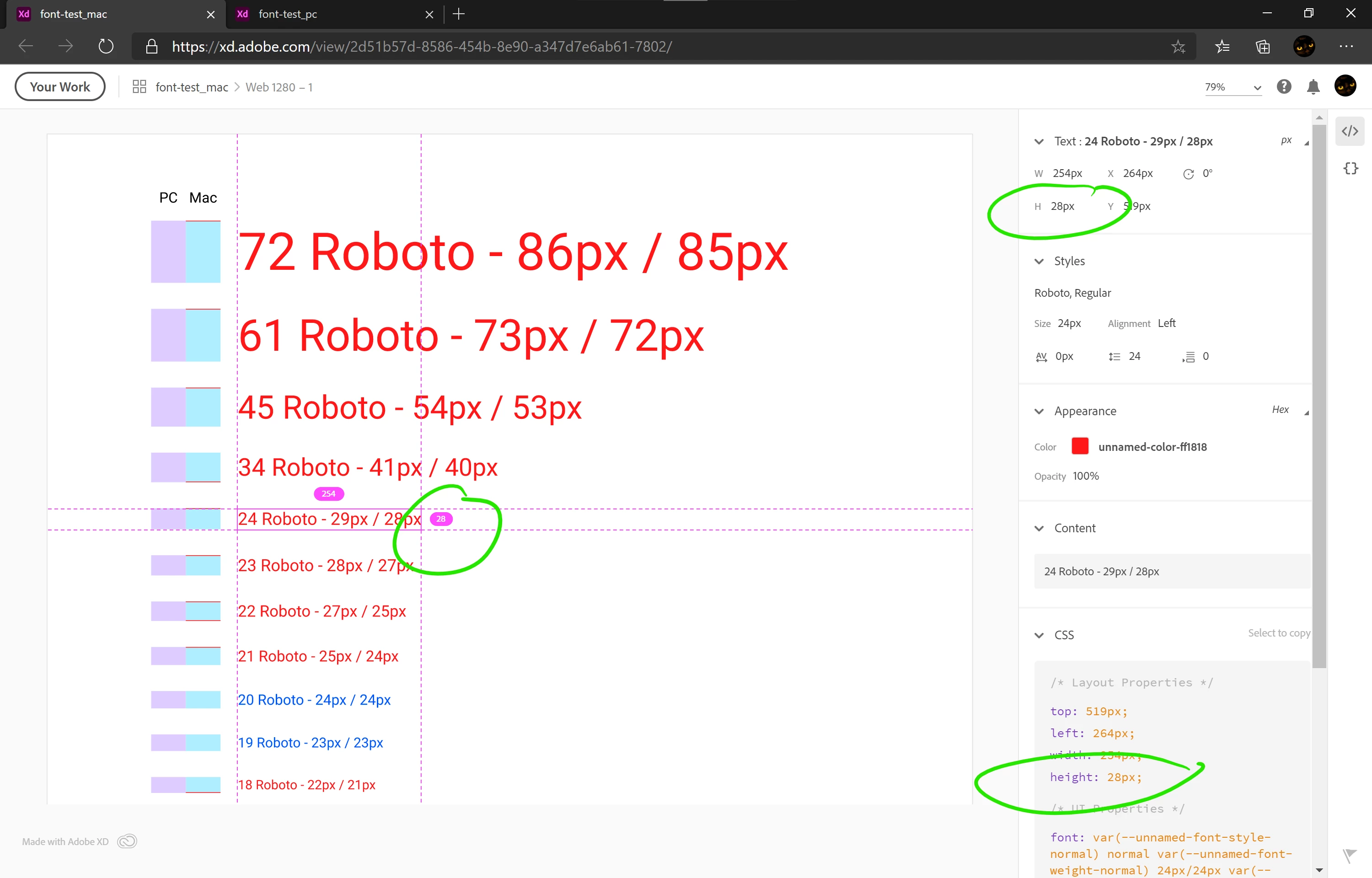
 

As you can see even in Design Specs the same text has different height depending on what platform it was generated on.


Here are both files:
https://1drv.ms/f/s!Atd7YEzqP5IVloJ6InkDpM9TpUtoDg


They both look exactly the same when are opened on the same platform.

This is a huge problem because I can't find any plausible workaround to make our Design Specs to be the same. It's very confusing both for designers and for developers. And after discussing this issue with our developers today, it appears that they already had a problem of different buttons being different heights that they had to fix. They thought I was just making small mistakes - it really hurts my reputation.


Roboto from Adobe Typekit is not an option, because it's way outdated and our developers use Google's version:
- Roboto from Google is v2.137 from 2017
- Roboto from Adobe is v2.001047 from 2015.


This is not the first report of the problem (it was reported year and a half ago) and there is no solution yet:
https://community.adobe.com/t5/adobe-xd/font-height-issues-moving-from-mac-pc/m-p/10553699?page=1


Adobe posts a lot of articles, videos and tutorials about design systems and enhanced collaboration. But we can't use neither of them because the same file opened in co-editing displays differently on PC vs Mac and the same components from our Libraries have different heights. This is not what I expect from a professional-grade software from such a huge developer as Adobe.


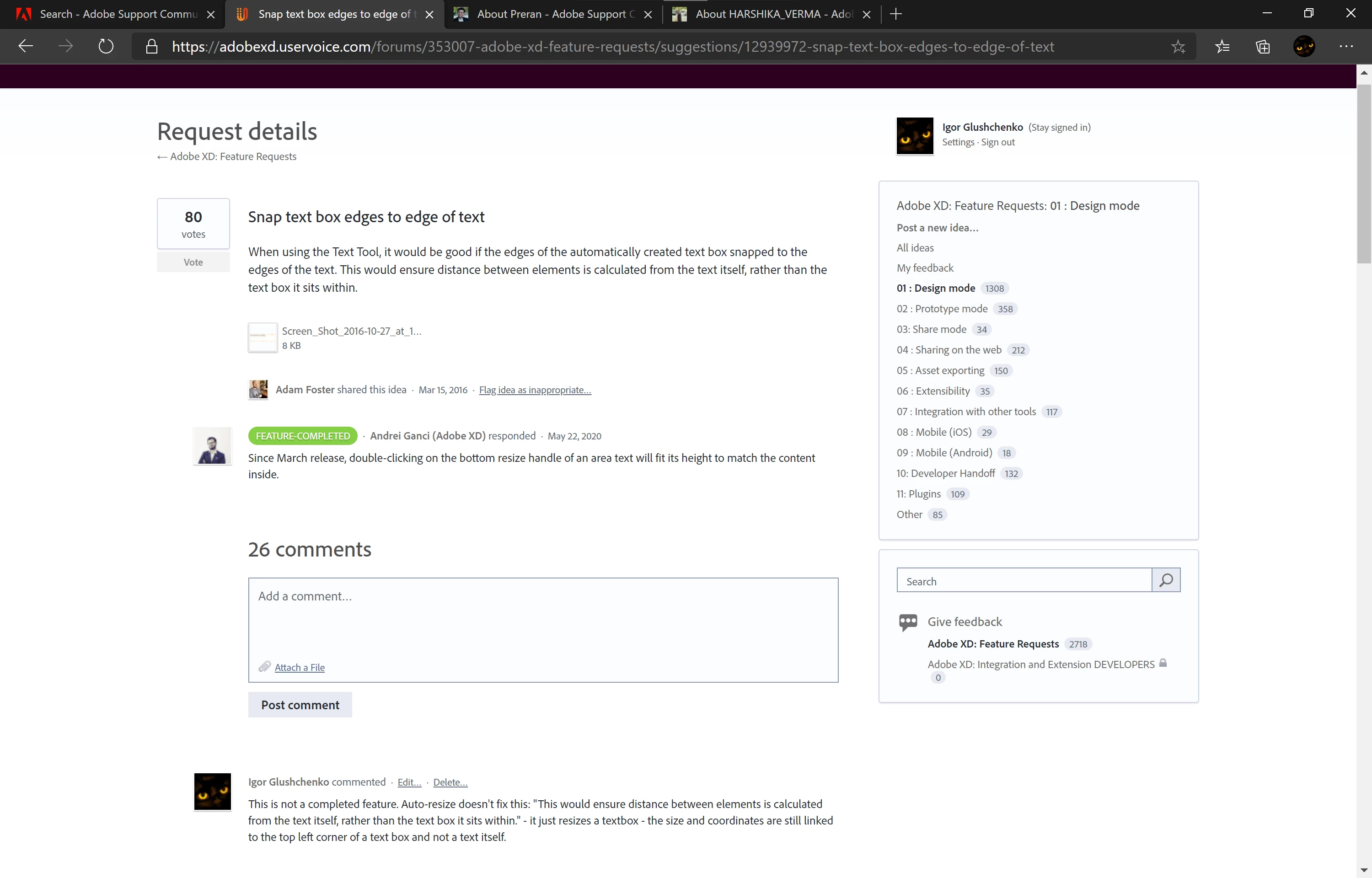
This is one example of a feature request that would eliminate this problem and was marked as FEATURE-COMPLETED:

Snap text box edges to edge of text – Adobe XD Feedback : Feature Requests & Bugs (uservoice.com)

But this "completed" feature is not what we were asking for - it's a totally different feature:
 

I've spent several months building our design system and now it's useless, and our developers and other coworkers think that I'm always making mistakes. This is not acceptable.


I hope this issue will be fixed soon because we can't work this way on a project where only a small part occupies 590 artboards and Library consists of 300+ elements.

This topic has been closed for replies.
Correct answer HARSHIKA_VERMA

Hi Harshika,


Are there any news when we can expect a fix for this issue with fonts being rendered differently on Mac vs PC?


Hi All,


Thank you so much for waiting on the issue. After a long investigation into this issue and trying all the aspects to fix it. The team identified that the font engines on the 2 platforms return different values for this font, and it won't be fixed until we use the same engine on both platforms.


We will make sure to pass on your feedback to the team.


We are sorry for the inconvenience.


Thanks,

Harshika


<Marking as correct only to highlight>

13 replies

Participant
August 12, 2021

unacceptable. same issue here for 2 years


Participant
November 25, 2021

I have the issue, it not possible to work on mac and on windows on the same project, thats nonsense.

Known Participant
February 1, 2021

Cry for help! The display of the same document on the PC and Mac is significantly different. For this reason, it becomes absolutely impossible to work with colleagues. Look at the screenshots. What looks great on the Mac, on the PC changes the position, the display of font, linehight and it turns the layout into a pile of garbage.

Both machines have installed the same font.
The Adobe XD app version is identical and latest (36.2.32.5).

elainecc
Community Manager
Community Manager
February 11, 2021

Hi there! Thanks for reaching out. A couple of things to suggest:

  • Are exactly the same font installed on both machines? Different sources (e.g. "I installed this from site A" vs "I installed this from site B") can actually have different glyphs, which would lead to this issue
  • If you were to type the same letter (for the iconfont) on different machines in different systems, does it show the same thing?
  • If you were to line up two different text boxes from your Mac/Win on a baseline and then type, does it match?


Ultimately, XD coediting relies on the local, installed font. What we send across the wire is information about the font, and we load what you have installed locally. In this case, I would suspect that your local fonts are actually subtly different between the two operating systems, which won't get fixed in an XD update.


Hope that helps!


Elaine Chao

Sr. Product Manager, Adobe XD

Known Participant
February 11, 2021

Hellow,

Thank you for your comment.

Used font is exatly same, because I personally send my font and colleague installed it under my control. He does not have any other addional fonts installed.

HARSHIKA_VERMA
Community Manager
Community Manager
January 7, 2021

Hi there,


I understand your frustration and will definitely try my best to investigate on the issue. Thanks for sharing the details and screenshot along with the files. I have logged a bug for your issue so that our team can investigate on the issue. I will get back to you if they need any further details from you. I really appreciate your efforts on investigating the issue and writing to us.


I will try my best to help you. 


Thanks,

Harshika

monterxz
monterxzAuthor
Inspiring
January 9, 2021

Hi,


After some additional testing I came to conclusion that Adobe XD on Windows shows the wrong text object's height. We have situation like this all over our website now:


These buttons were done before my coleague on Mac started working on our team, so developers used Design Specs links generated from windows for these buttons. It also alligns with our testing from original post - the in this case we use Roboto 14 in all our buttons:


I hope this will be helpful to speed up a resolution to this issue.