
Answered
0xc0000005
Hi, how are you today?
I downloaded AE CC18, the installation went well but when I open the application I get the 0xc0000005 error , I uninstalled and installed again but still same result.
Any suggestions?
Thanks,
Idan.
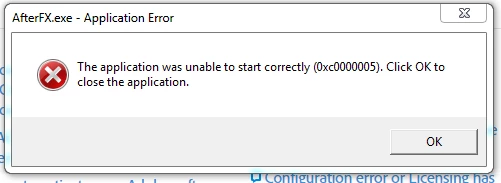

Hi, how are you today?
I downloaded AE CC18, the installation went well but when I open the application I get the 0xc0000005 error , I uninstalled and installed again but still same result.
Any suggestions?
Thanks,
Idan.
Hi idan,
This has been logged as a BUG and here are workarounds.
This issue is noticed if you have Integrated Intel Graphics + NVidia GPU.
Go To Device Manager>Display Adapters and Disable the NVidia Graphics card.
or Go to NVidia control panel and modify the settings in NVidia Control Panel in 3D programs settings.
Select "Integrated graphics" in "preferred graphic processor", not NVidia.
//Vinay
Already have an account? Login
No account yet? Create an account
Enter your E-mail address. We'll send you an e-mail with instructions to reset your password.


 AdChoices