Participating Frequently
February 5, 2018
Answered

3D camera DoF not working...

  • February 5, 2018
  • 1 reply
  • 4296 views

Hey,

I can't get the DoF to work in Ae; I get no blur.

Here's a screenshot of my project
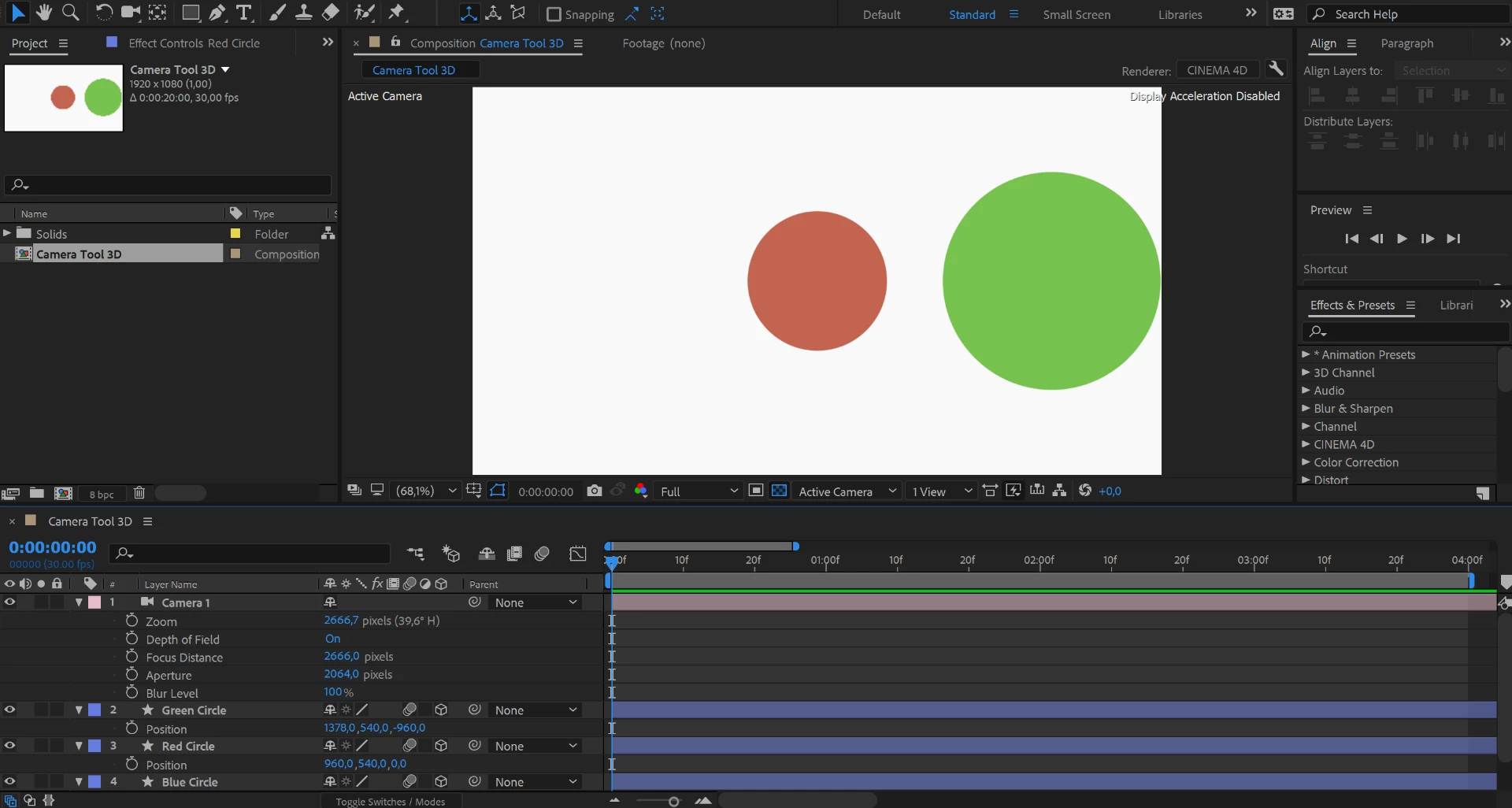
I've tried varying all the parameters, but can't get the slightest amount of blur.

Does anyone have an idea of why this is happening?

For reference, I followed this tutorial on youtube where it worked fine for him

How to use the 3D Camera Tool - After Effects Tutorial - YouTube
This topic has been closed for replies.
Correct answer David Arbor

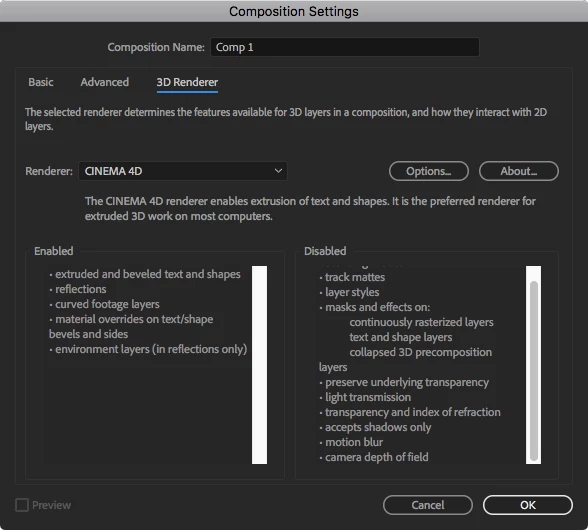
You're using the Cinema 4D renderer. See the attached screenshot for what's not supported. Depth of Field is included.

Go to the top-right of your Comp panel where you see "Cinema 4D," click on it, you then see the "Composition Settings" dialog, which is also in the screenshot below, and change the renderer in the dropdown menu from "Cinema 4D" to "Classic 3D."

1 reply

David ArborCorrect answer
Inspiring
February 5, 2018

You're using the Cinema 4D renderer. See the attached screenshot for what's not supported. Depth of Field is included.

Go to the top-right of your Comp panel where you see "Cinema 4D," click on it, you then see the "Composition Settings" dialog, which is also in the screenshot below, and change the renderer in the dropdown menu from "Cinema 4D" to "Classic 3D."

SarloosAuthor
Participating Frequently
February 5, 2018

Thank you so much David!

That fixed it