

Robin Waroquier
Participating Frequently
October 22, 2018
Question

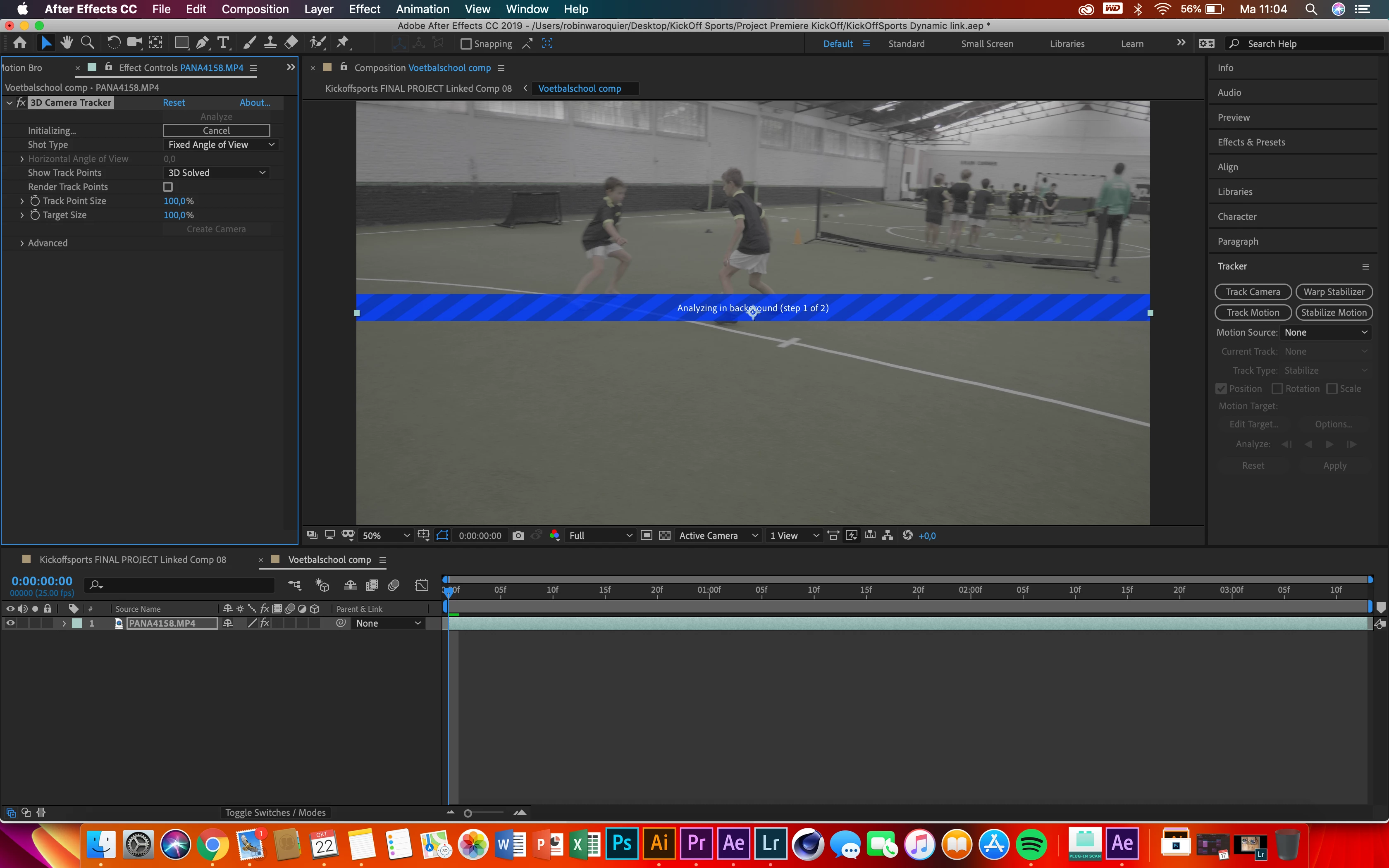
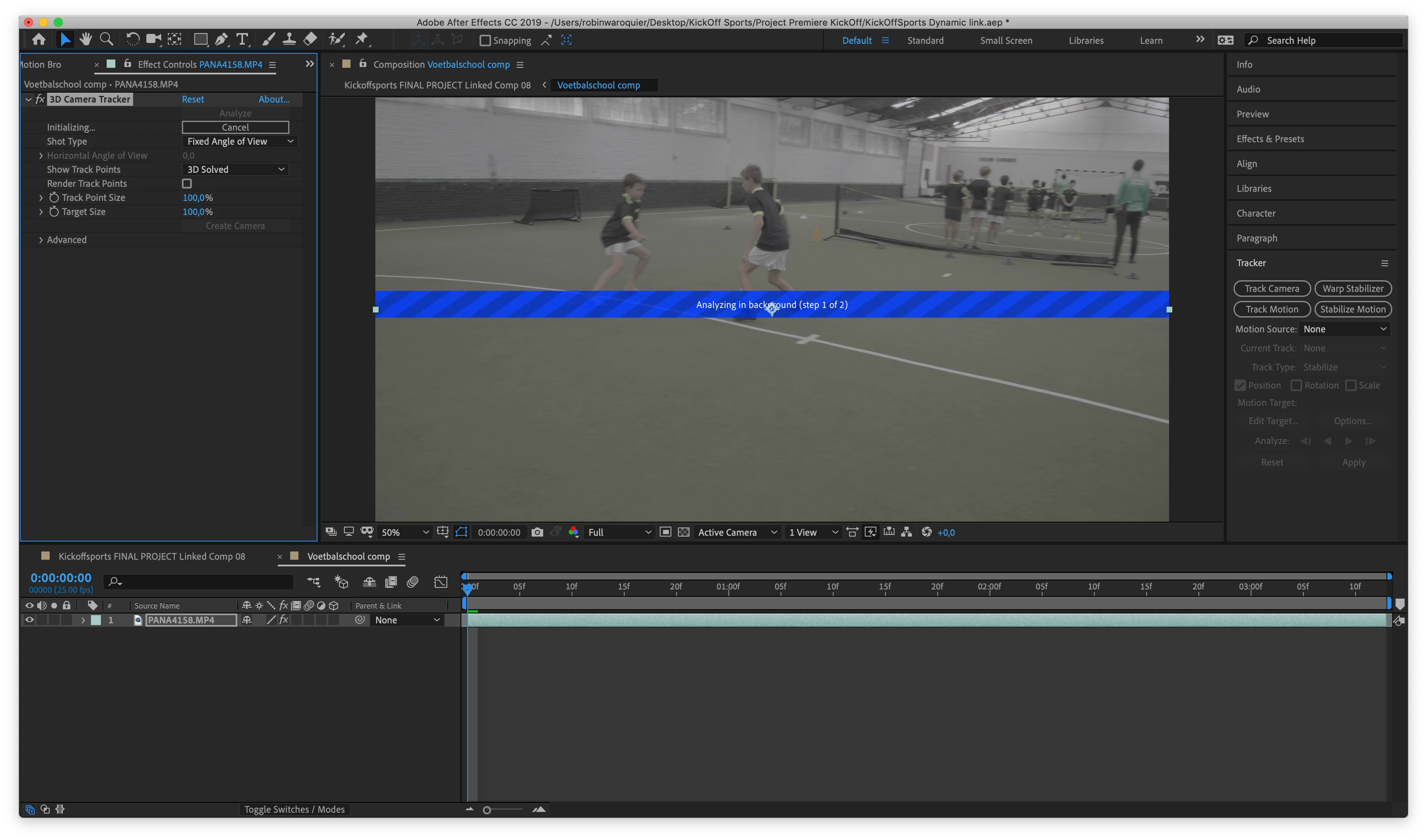
3D camera tracker keeps initializing....

  • October 22, 2018
  • 11 replies
  • 20111 views

Hello

I want to 3d track my footage using dynamic link with Premiere, Both version 2019!

I have encountered this issue for serval attemps, it keeps initializing for ever, and then AE says 'timed out obtaining dynamic link" is this a but that comes with version 2019? If so, how can i downgrade to older versions and still run my project?
Any help would be appreciated.

This topic has been closed for replies.

11 replies

Participant
April 1, 2024

Hey! For me it wasn't working bc the footage and composition were not the same length. Probably it'll help someone

Participant
March 6, 2024

I had the same problem. I went to Activity Monitor, while After Effects was running, force-shutdown these processes:


a. Adobe Content Synchronizer

b. Adobe Crash Processor

c. Adobe Analysis Server


Now add Camera Tracker and click "Analyse"... 


I am runing AE 2024 - Beta version.


hope this helps.

Participant
January 28, 2024

Hola abajo en los comentarios lei que a adobe no le gustan los numeros impares no le vi mucha logica pero decidi probarlo asi que de mis 16 GB le asigne 10 a adobe y 6 para otras aplicaciones y el 20% del procesador. y funciono perfectamente. puede que no sea solo lo de los numeros imperas depronto se trada de asignarle mas recursos a otras aplicaciones por que camera tracker funcione en segundo plano.

Participant
February 6, 2024

Same issue here... I have a macbook pro M3 with 64 gb...


Inspiring
December 15, 2023

Still an issue with 2024 version, can't camera track.  Tried all the different options and still forever initializing.

rburmont
Participant
February 21, 2024

Same issue here on 2024

Participant
October 20, 2023

I just ran into this problem in After Effects 2023 (which is why i found this thread!) and I just quit the software, closed all other apps, restarted AE and then purged all memory and disk cache, it worked. Don't know which of those things made the difference but hopefully this works for somebody else too.

Participating Frequently
December 18, 2023

Yup, this fixed it too! 

For peeps, also, always check your GPU and any update, its always an issue but after I update it, it also checks out and solves a few issues too.

Participant
June 9, 2023

That was working with previous version of the software

Participant
June 12, 2023

I'm running 2023 version of AE on M2 Pro.

- Same issue, just sits there initializing... doesn't crash, doesn't resolve. I've tried Prores as well. Any ideas?

re88945442
Participant
September 12, 2023

Even tried it without dynamic link. Just simple drag & drop on timeline and "track camera". Stillll initializing. It's getting really frustrating @Adobe

Participant
January 6, 2023

did you solve the problem i have the same problem can't find a solution 

Participant
May 5, 2023

Same issue here... still. Why is there STILL no solid answer when the original question was proposed in 2018!?

Participant
November 11, 2021

Updated to AE2022 still having this same problem, 3D camera Tracker initializing forever and "timed out obtaining dynamiclink server connection.". Any idea?


Participant
December 2, 2021

Same problem here...

That was working with previous version of the software

stridermax22
Participating Frequently
April 14, 2021

I, too, am having this issue and have had this issue for a while. The 3D camera tracker rarely works and just times out. I'm on OSX 10.15.7

I'm so tired of paying for products that don't fully work with zero explanation. I have a brand new computer, and 3D Tracking still doesn't work. I've wiped my laptop too, and there's nothing that won't make the initializing time out on me.

Participant
May 4, 2021

Same here, I just bought this brand new computer hoping that I finally would be able to finish the VFX for my new movie, but a simple camera track already blocks everything. I cannot get it to work. Either it keeps initializing forever, and if not that, it get's stuck somewhere at frame 6, 140, 160 or 180 of the 240 frames of the video clip. Tried this over and over, restarting etc, nothing seems to work.

Community Expert
May 4, 2021

If you are having problems with a specific shot we need to see the shot, know the format and frame rate, and you need to explain what you are trying to accomplish. Not all footage will camera track. Some formats are not suitable for camera tracking so they either need to be transcoded or pre-composed. There is NO native 3D tracking in After Effects. 3D tracking is a completely different animal. 

Community Expert
March 3, 2021

My first guess is that your Ram allocation for other applications is an odd number. If you have 8 GB then 1 or 3 is assigned to other apps. Change that to 2 or 4 and the tracker will probably initialize. Adobe does not like odd numbers in the ram allocation. I have 8 to others and 12 for Adobe on my 16GB machine. The camera tracker always fails if I have anything but even numbers.

Inspiring
February 27, 2024

This worked for me after a restart