


Participant
March 29, 2024
Question

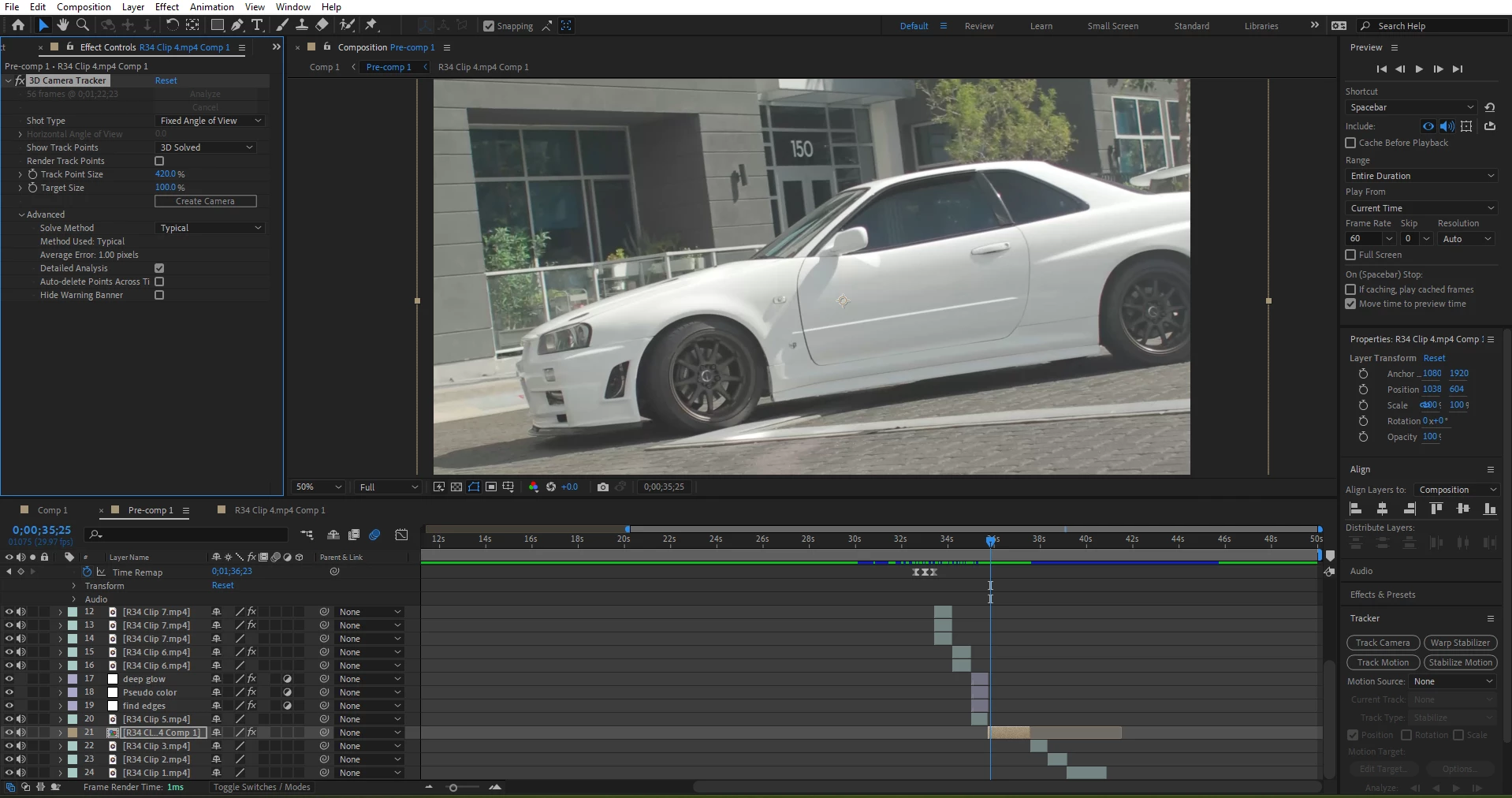
3d Camera tracker not working

  • March 29, 2024
  • 2 replies
  • 197 views

I am trying to 3d track a clip on my PC on after effects 2024. I tried to Track my footage, however when its done tracking the track point dont show up. They only show up if i press render track points, but when i do that and try to use one of the track points it simply doesnt work. I tried messing with the settings and i trid precomposing the clip. I never had any errors.  I am very new to after effects so any help would be appreciated. 

my PC specs:

cpu: amd ryzen 5600G

gpu: amd radeon 6600 xt

Ram: 16gb

Screenshot:


2 replies

Participant
May 21, 2025

After you let it track all the points, go to "view" and then "show layer controls". That should do it!

Community Expert
March 29, 2024

What is happening in the shot? You need fixed geometry with some detail in the shot. If the white car is moving, you'll need to either remove it with a mask and pre-compose it or delete all points attached to the car. 


One other suggestion. It looks like you are editing a 50-second video in After Effects. AE is not a video editing app. Use AE to create a shot that you edit later. I would pre-compose the shot you want to camera track, moving all attributes to the new comp and trimming to the layer length, then open that new comp and camera track it. The tracker will run more efficiently, and you won't have to trim the camera and 3D layers you add to the scene.