Participant
March 19, 2021
Question

3d Camera tracker-tracking points do not appear

  • March 19, 2021
  • 2 replies
  • 237 views

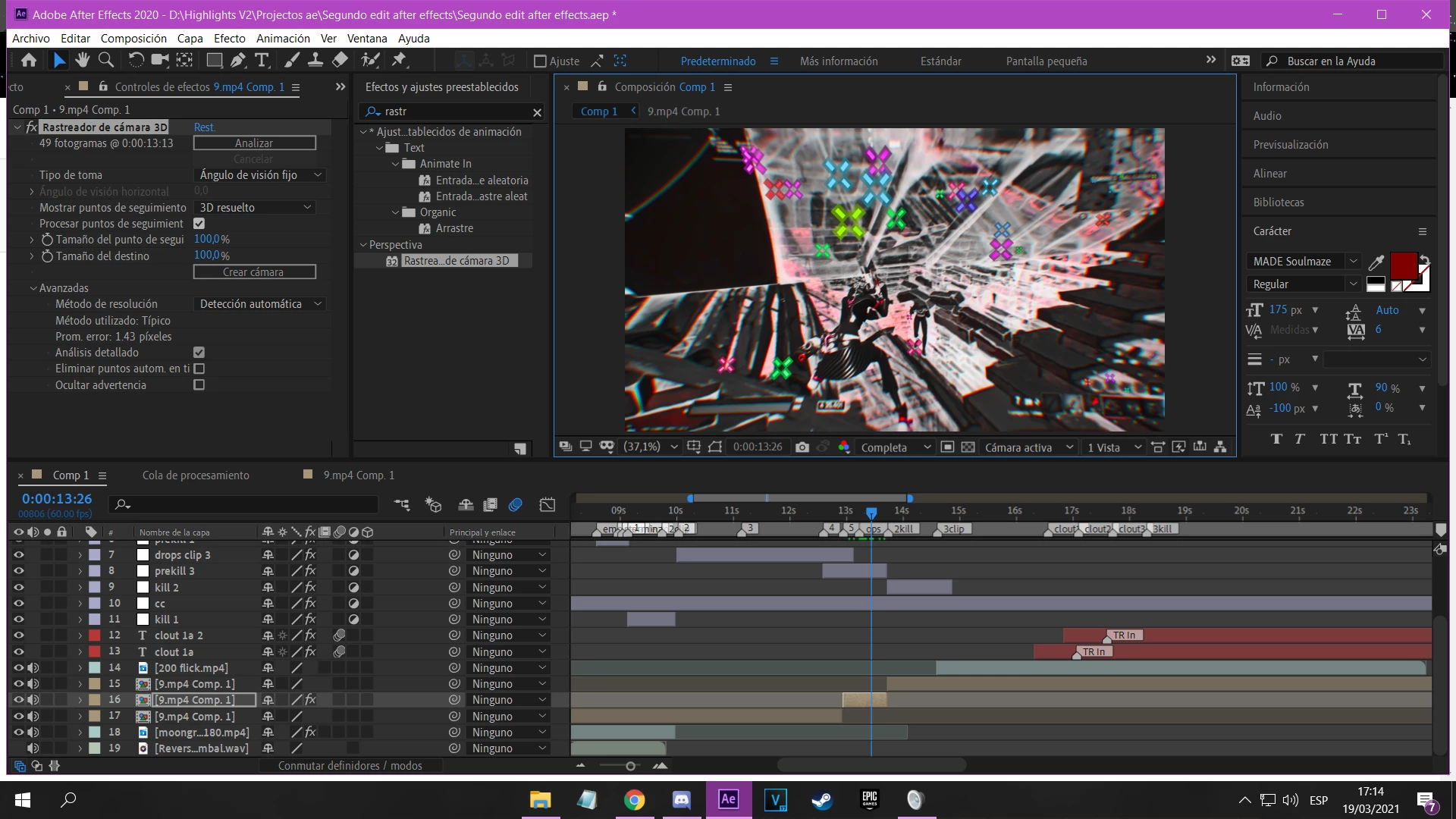
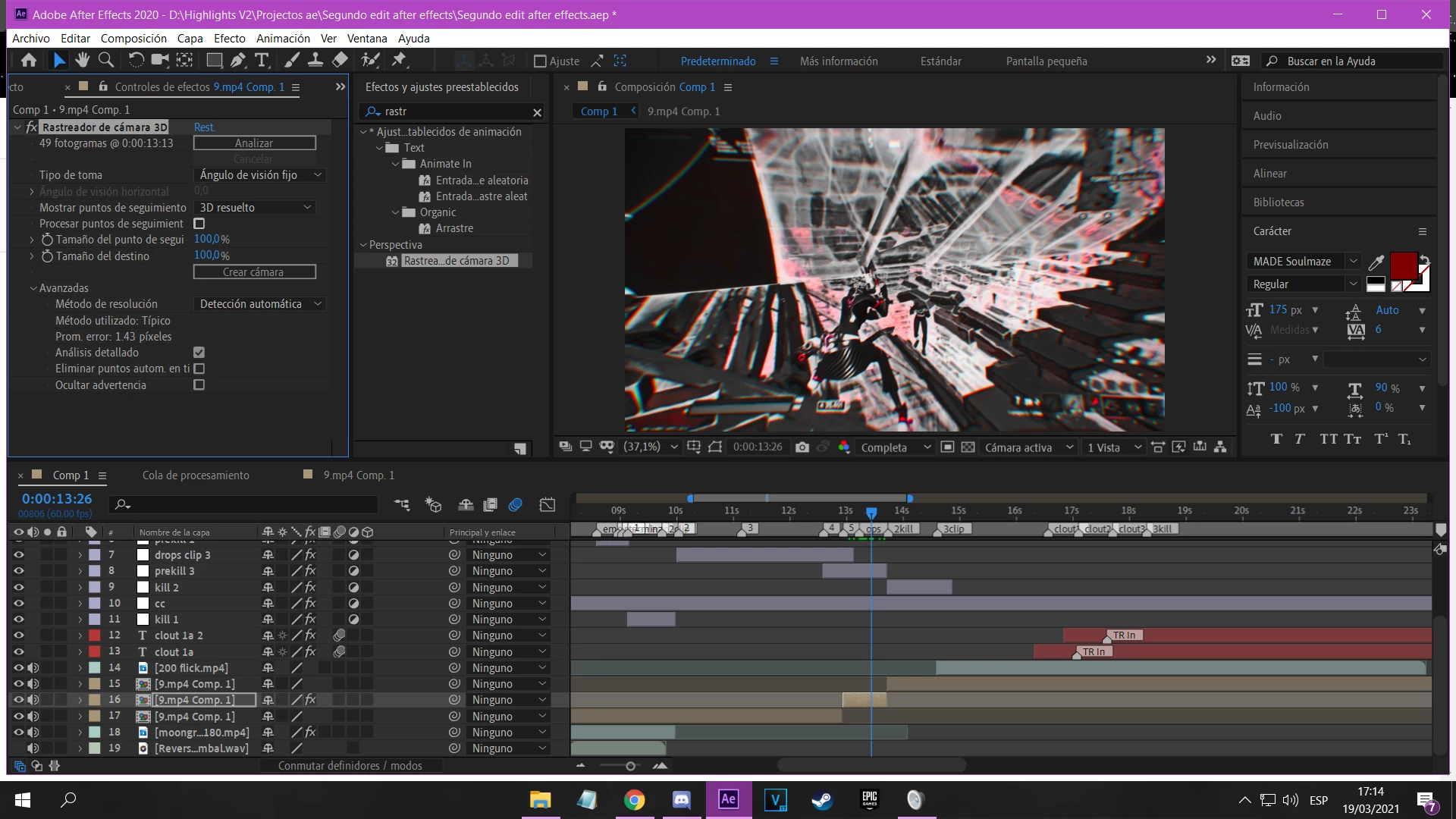
Hello, I have a problem, when I use the 3d camera tracker, everything goes well, but the tracking points do not appear, except that I enable the option "process tracking points", but when enabling this it does not allow me to interact with the points, but if i disable it i don't see the dots
  

This topic has been closed for replies.

2 replies

Roei Tzoref
Legend
March 20, 2021

you don't need to check "show track points", simply toggle the layer controls view here:


Mylenium
Legend
March 20, 2021

Probably something to do with your extreme fisheye gamae footage messing with the overlay drawing functions due to the resulting  AE camera itself being completely wacky. At the very least try to change the display settings for the dots. Maybe they simply become too large and get clipped out.


Mylenium