



geophrian
Known Participant
November 4, 2023
Question

3D Camera tracking - manually select ponts?

  • November 4, 2023
  • 2 replies
  • 369 views

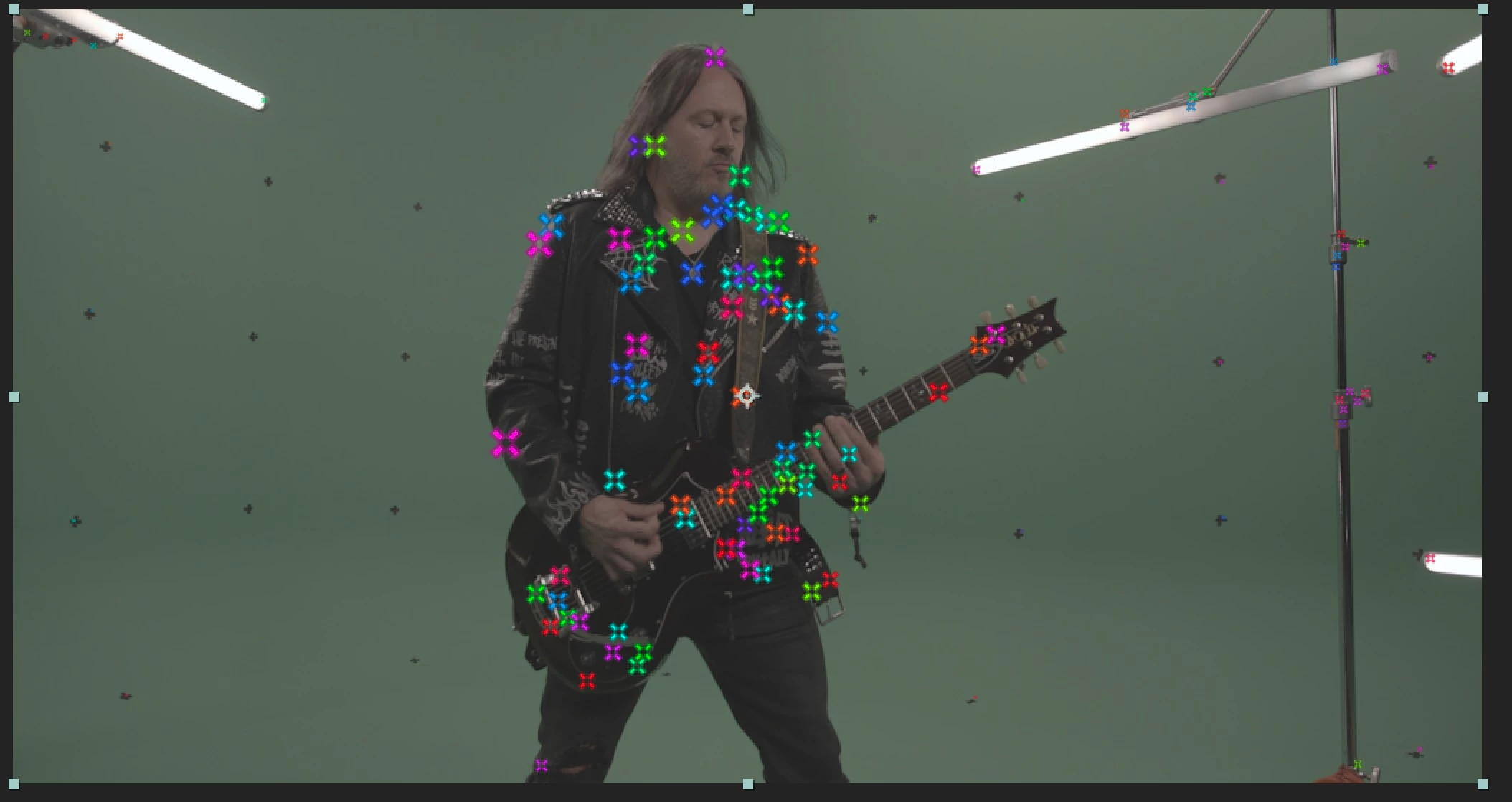
As you can see in the image posted here, After Effects 3D camera tracking automatically chooses the worst possible data points in the image to track. I've tried manually deleteing all data points on the person but it automatically chooses new spots on their body to track instead of the many tracking points we placed on the green screen.  Is there a way to manually choose tracking points as I would when tracking motion? I've looked around and cannot find a proper answer anywhere other than to use Mocha, Blender, SynthEyes, or another third party camera tracker. 


Thanks for your help with this. 
 

This topic has been closed for replies.

2 replies

Mylenium
Legend
November 5, 2023

Agree with Rick. Completely wrong methodology. If at all this would probably track in mocha Pro or SynthEyes where you could manually set targets based on the crosses on the screen, but for AE this is pretty much useless.


Mylenium

Community Expert
November 5, 2023

Camera tracking requires fixed geometry and a moving camera. The fixed geometry would be something like buildings, sidewalks, roads, or anything with perspective or parallax changes. Your screenshot shows a few markers on a white, flat background. Only a few of the tracking marks have been captured by the camera tracker. There are also a few other track points on the lighting gear.  The majority of the tracking points are on the actor and his guitar. The only hope you have to generate an accurate camera track is to delete every track point on the actor and his guitar. I doubt that you will be able to get any usable data.


A better option would be to motion stabilize the shot using Mocha AE by tracking the background, doing your composite, then putting the motion back in the shot and adding it to the other layers.