Participant
August 3, 2022
Answered

3D Layer Problems

  • August 3, 2022
  • 1 reply
  • 772 views

Hey Guys!

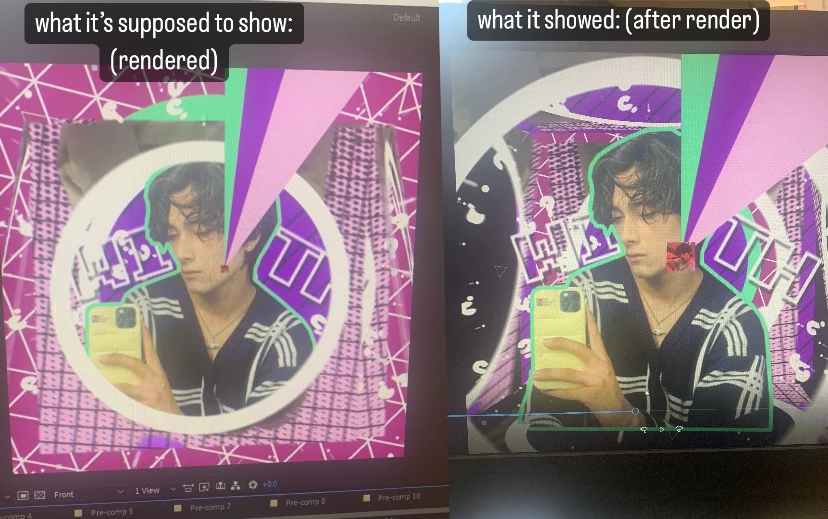
Ive been editing on after effects for a few months and I've been having a reoccurring problem ever since. Every time I have a 3D Layer enabled it causes the layer to be much bigger than its original size i have no idea why this is happening and I desperately want this fixed for my current and upcoming projects on after effects. So please if you know how to fix this problem please let me know!
This topic has been closed for replies.
Correct answer Jose Panadero

This is because you are not seeing the Active Camera view but the FRONT view. You can change the view on the bottom side of your composition Panel. Front view never shows the distortion or layer distance from the camera.

1 reply

Jose Panadero
Community Expert
Jose PanaderoCommunity ExpertCorrect answer
Community Expert
August 3, 2022

This is because you are not seeing the Active Camera view but the FRONT view. You can change the view on the bottom side of your composition Panel. Front view never shows the distortion or layer distance from the camera.

Participant
August 3, 2022

thank you so much I've been so frustrated on this for months 🤍

Jose Panadero
Community Expert
Community Expert
August 4, 2022

Glad to help you