
Chantal Caduff
Participant
September 15, 2019
Question

3D Layers are being distorted & Camera does not work / HELP

  • September 15, 2019
  • 2 replies
  • 1295 views

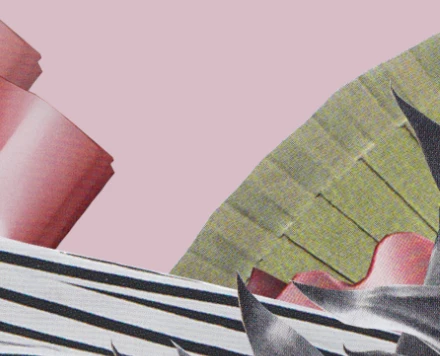
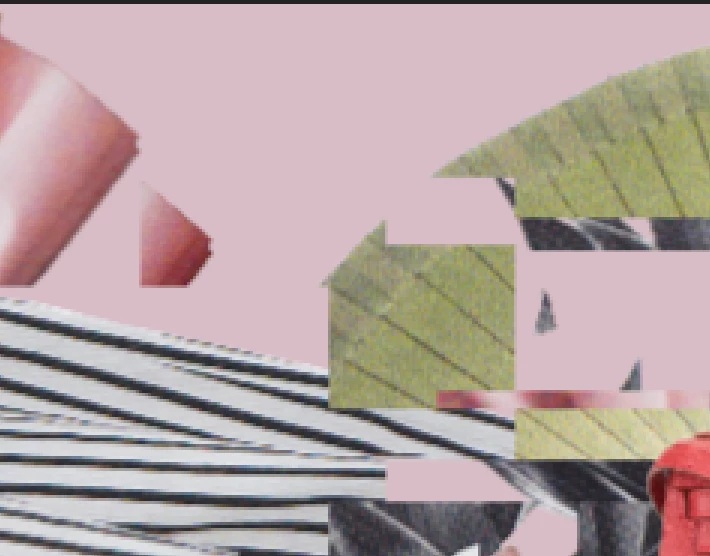
I preped a design in Photoshop and inserted it in After Effect like I have done a million times. But now, as soon as I turn on the 3D layer cube (on all layers), all the layers are distorted and the camera has no effect on them.
I've done this many times before, so I don't understand why this is happening.
 

Any help is greatly appricated.

    This topic has been closed for replies.

    2 replies

    Chantal Caduff
    Participant
    September 16, 2019

    Ok. I found the solution to my problem: the renderer was set to "Cinema 4d", so I changed it to "classical 3d" and it fixxed the distortion problem. However, the layers not reaction to the camera problem remained.
    Then I noticed that I had the view set to "front" instead of "active camera". As soon as I changed that, all worked as usual.
    Thank you for taking the time to type out suggestions. Best LF

    Mylenium
    Legend
    September 15, 2019

    It's known as "checkerboarding" and a typical artifact of inadequate hardware acceleration. Ergo you need to check your graphics driver, GPU acceleration prefs and preview settings. The instant resolution degradation is a further indicator of texture degradation in your graphics hardware, also.


    Mylenium

    Chantal Caduff
    Participant
    September 15, 2019
    HI mylenium, Thank you for answering so quickly. I have now cleared my cache and freed up some space, but the problem remains. Not sure what to do next.
    Andrew Yoole
    Inspiring
    September 16, 2019
    What are the hardware specifications of the computer? In particular, the amount of RAM and GPU.