
3D Layers path animation bug in parent composition
I am currently working on a door opening animation. To do this, I created three layers: the front door, the back door and the edge. I created a vectorlayer for the edge and then transformed all three layers into 3D layers. Afterwards I connected the edge and the back layer to the front. Then I animated the transformation keyframing the y-rotation on the front layer and started animating the edge using path keyframes. This works perfectly fine. But as soon as I preview my animation in the parent composition the path gets distorted and looks differently from what I see in the original composition. The problem gets even worse when changing to the top composition. On the composition layers are no other transformations or effects which could affect the preview of the animation. I already tried turning the 3d layer on the parent composition on and off but it doesn't seem to solve the problem. As a 3d-renderer I'm using the 3d-classic renderer in all compositions. Does anyone know what could be the issue and why my animation is displaying differently in different compositions? I'm using After Effects 24.4.1 on a MacBook Pro M1 2021. Any help would be very appreciated!
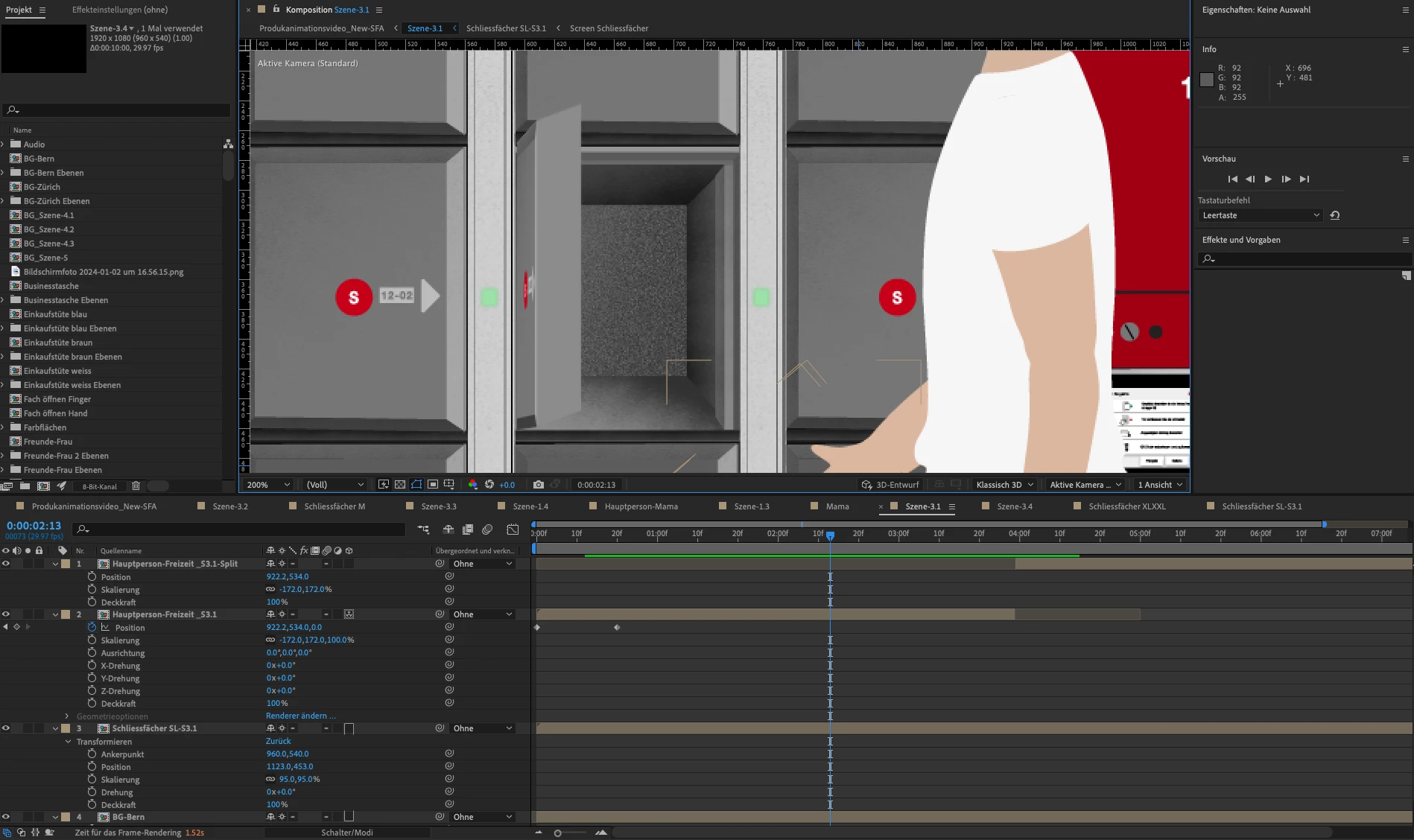
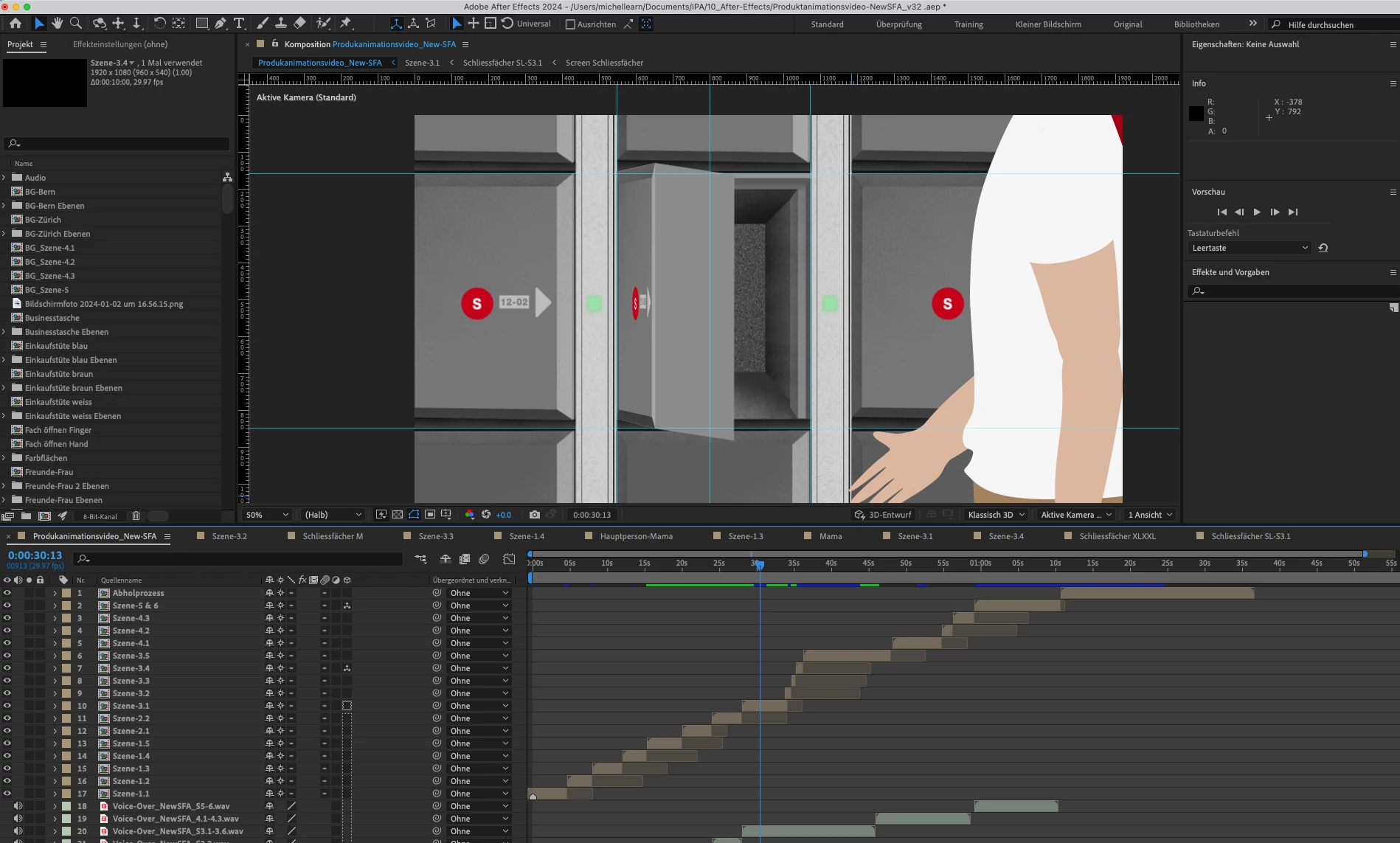
The screenshots below show the problem. The first screenshot shows the animation in the composition, that contains the keyframes (everything is displayed correctly). The second screenshots shows the exact same frame of the animation in the parent composition. The edge gets distorted. The third screenshot also shows the exact same frame but in the top composition. Now the edge gets distorted even more. 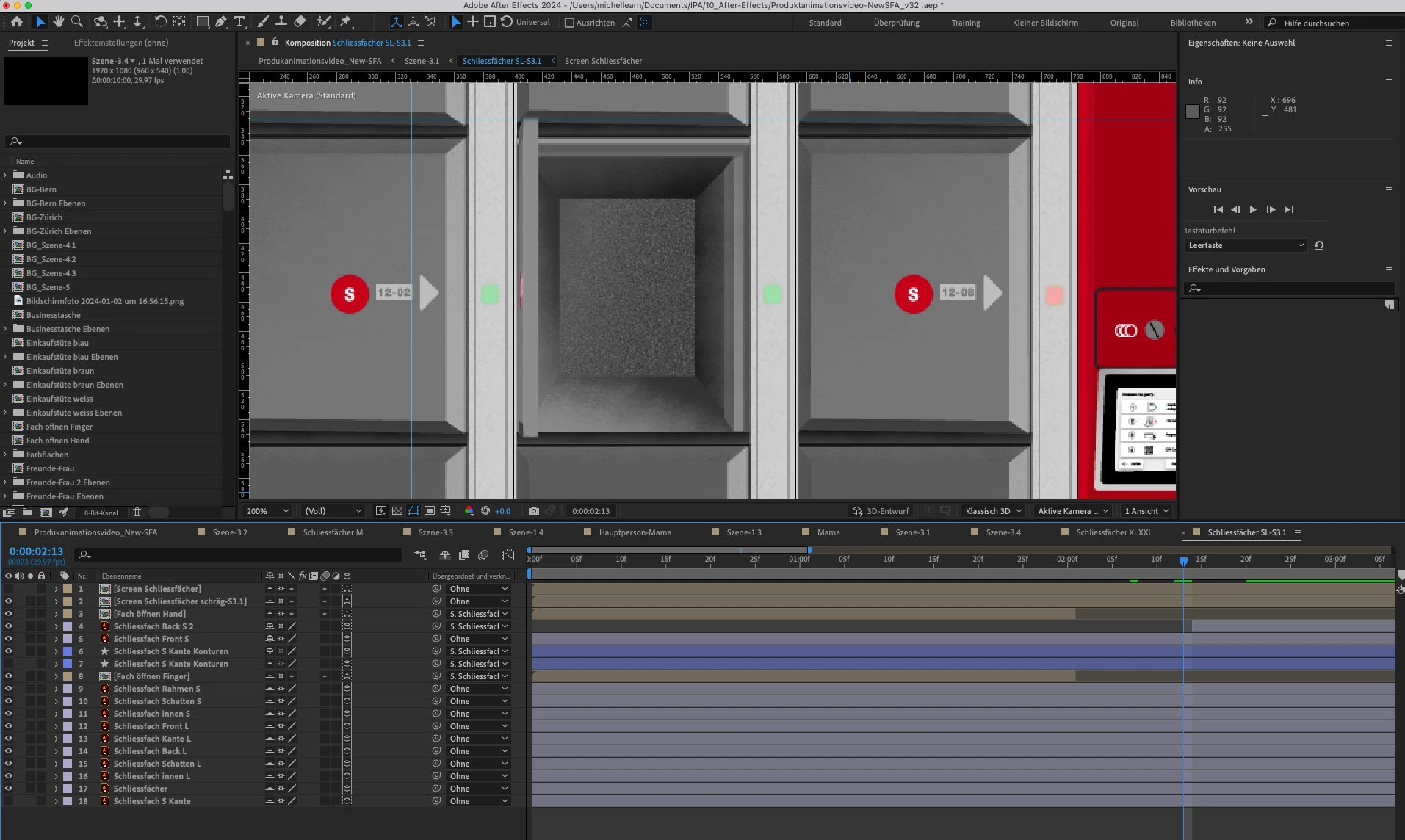


 AdChoices