


3D model / asset not displaying in orthographic views (Top, Left, Front) - After Effects v26.3.0
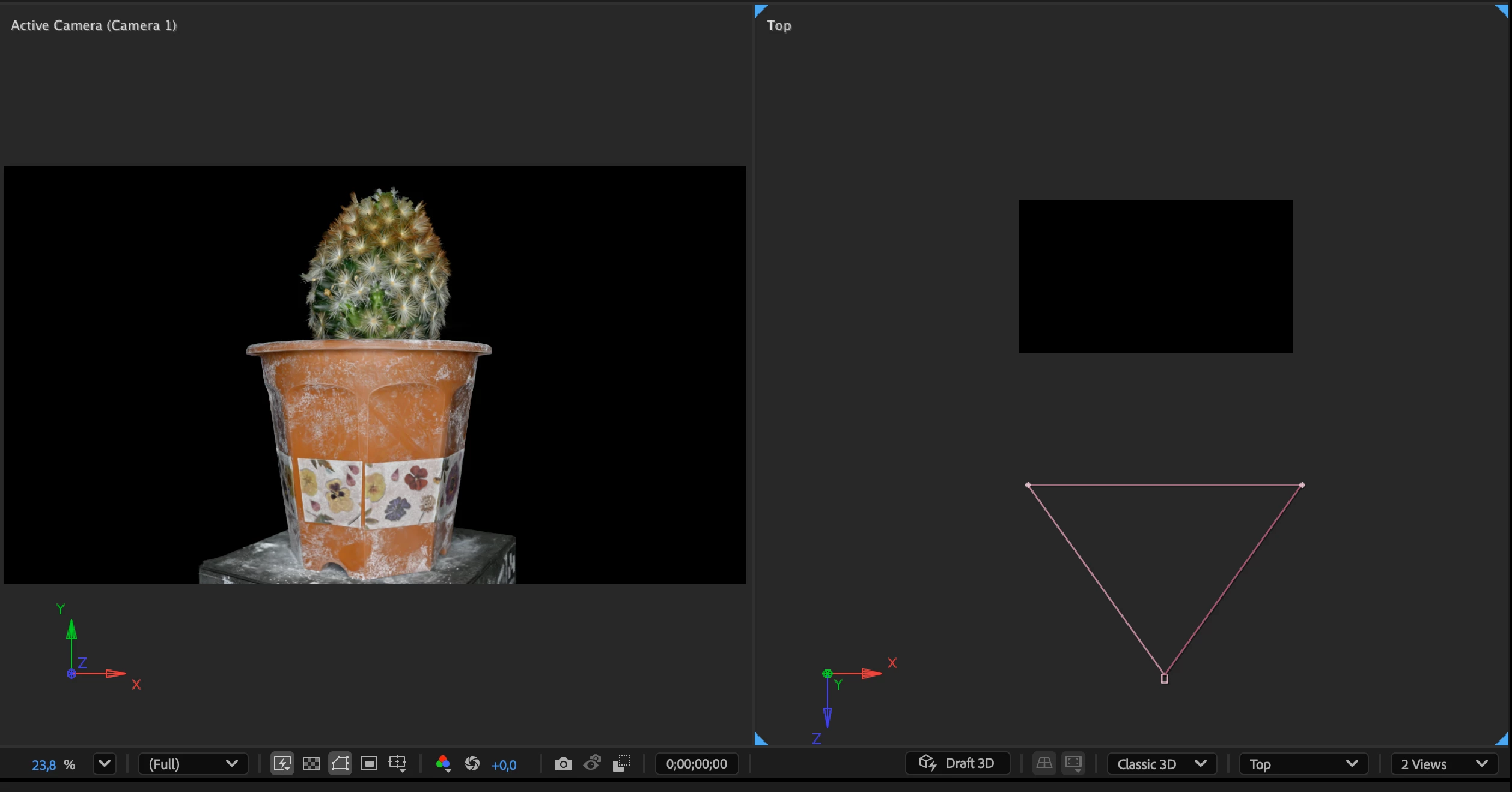
Attached screenshot showing the two views side-by-side
Subject: 3D model / asset not displaying in orthographic views (Top, Left, Front) - After Effects v26.3.0
Hi everyone,
I'm experiencing an issue where 3D elements render fine in the Active Camera view, but do not display properly when switching to secondary/orthographic views (such as Top, Left, Front, etc.) in a multi-view layout (2 Views).
Issue Details:
-
In the Active Camera (Camera 1) view, the 3D model/object is fully visible.
-
In the Top (or other orthographic) view, only the camera wireframe and a black bounding box/wireframe appear, but the actual 3D geometry/points do not render.
-
I am currently using the Classic 3D renderer with Draft 3D toggled on/off.
System Setup:
-
App: Adobe After Effects v26.3.0 (Build 87)
-
OS: macOS Sequoia 15.7.4
-
Hardware: MacBook Pro (13-inch, M1, 2020)
-
RAM: 16 GB
(Attached screenshot showing the two views side-by-side)
Is this a known limitation/bug with certain 3D assets/plugins in orthographic views, or is there a setting I'm missing? Any help would be greatly appreciated!

 AdChoices