


Maria Viberg
Participant
December 4, 2023
Answered

3d Object messing up

  • December 4, 2023
  • 1 reply
  • 224 views

I'm working on this project and theres a door opening inward.

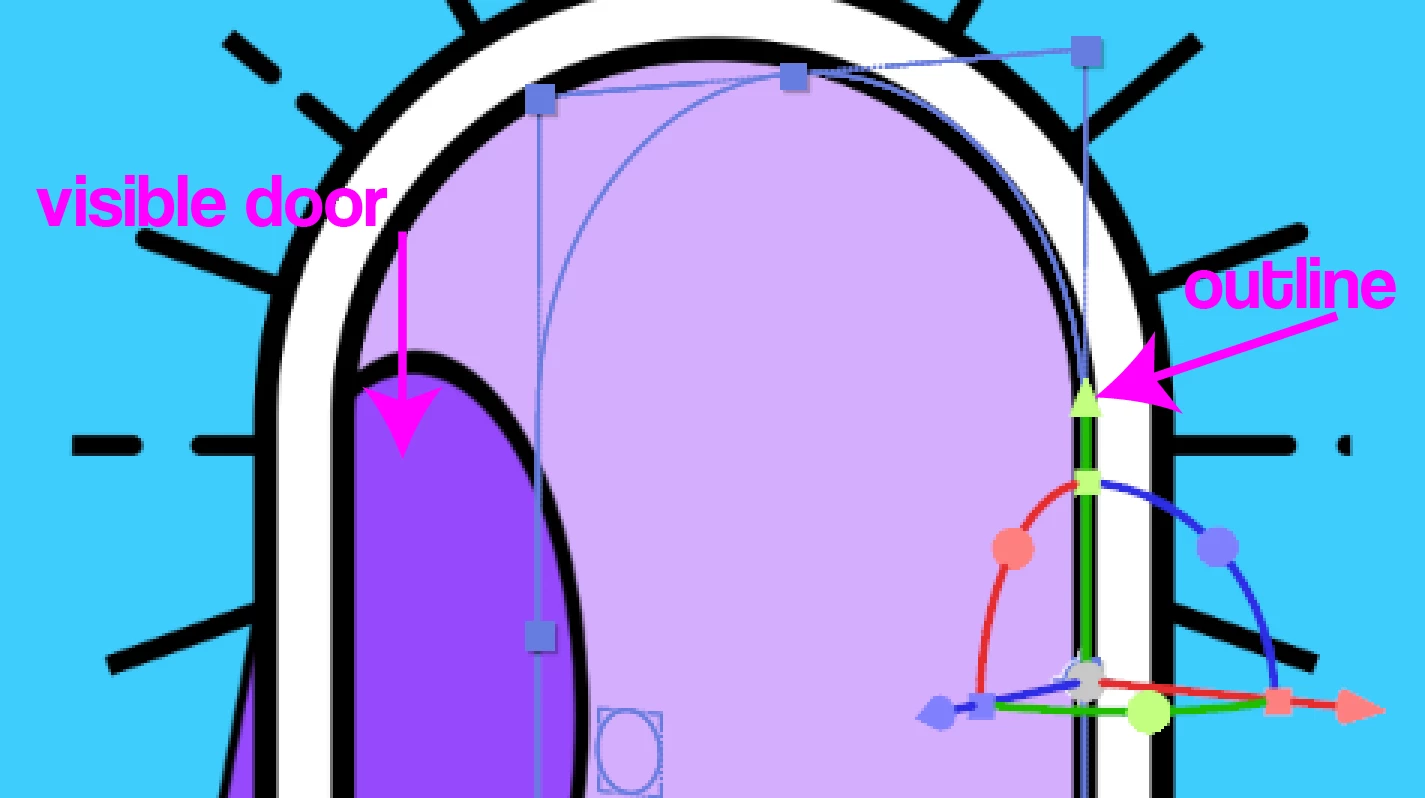
I used 3d object to accomplish it and everything worked just fine until at some point i noticed the door began twisting in instead of opening inward like it did initially.

The thing is i see the outline of the layer moving just fine but the door itself is messed up (photo attached)

what could possible cause this? i didn't change anything and can't seem to make it move the right way again.

Help please 😞
 

This topic has been closed for replies.
Correct answer Maria Viberg

Thank you for the reply ! 
I managed to fix this.

Apparantly the 3d render option somehow switched from classic 3d to cinema 4d .

1 reply

Community Expert
December 4, 2023

Make sure you are looking at the Active Camera view. Active Camera is the only view that will render.


Open multiple views and ensure the layers are correctly positioned. by checking the top/front/and left views. Ensure that the layer's Z position and anchor point are at zero.


If none of that fails, we need to see screenshots that show us the modified properties of the problem layers and the entire timeline. Select the door layer, press the 'u' key twice, and take a screenshot of the entire UI.


Make sure that the shape layer object is 

Maria Viberg
Maria VibergAuthorCorrect answer
Participant
December 4, 2023

Thank you for the reply ! 
I managed to fix this.

Apparantly the 3d render option somehow switched from classic 3d to cinema 4d .