


Participant
December 13, 2023
Question

3D objects rendered transparent

  • December 13, 2023
  • 1 reply
  • 1928 views

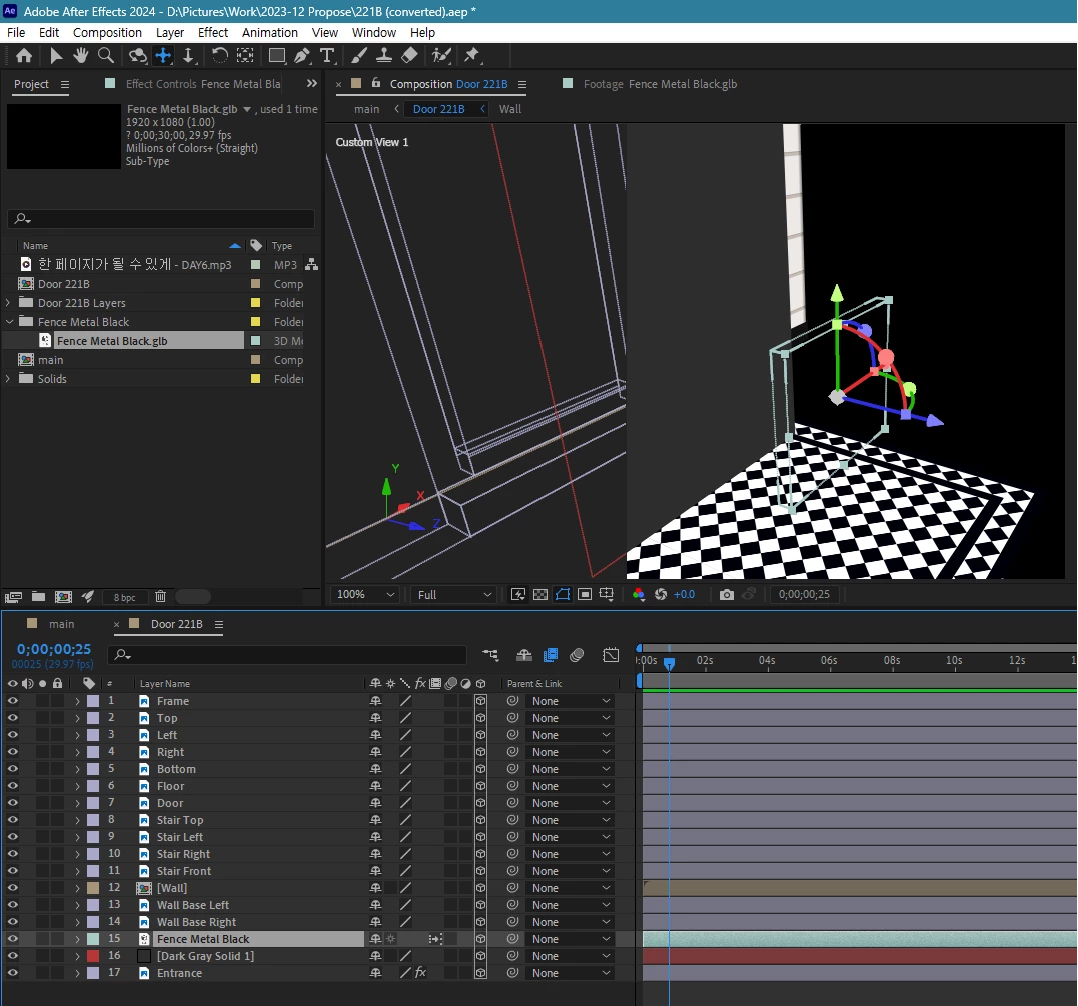
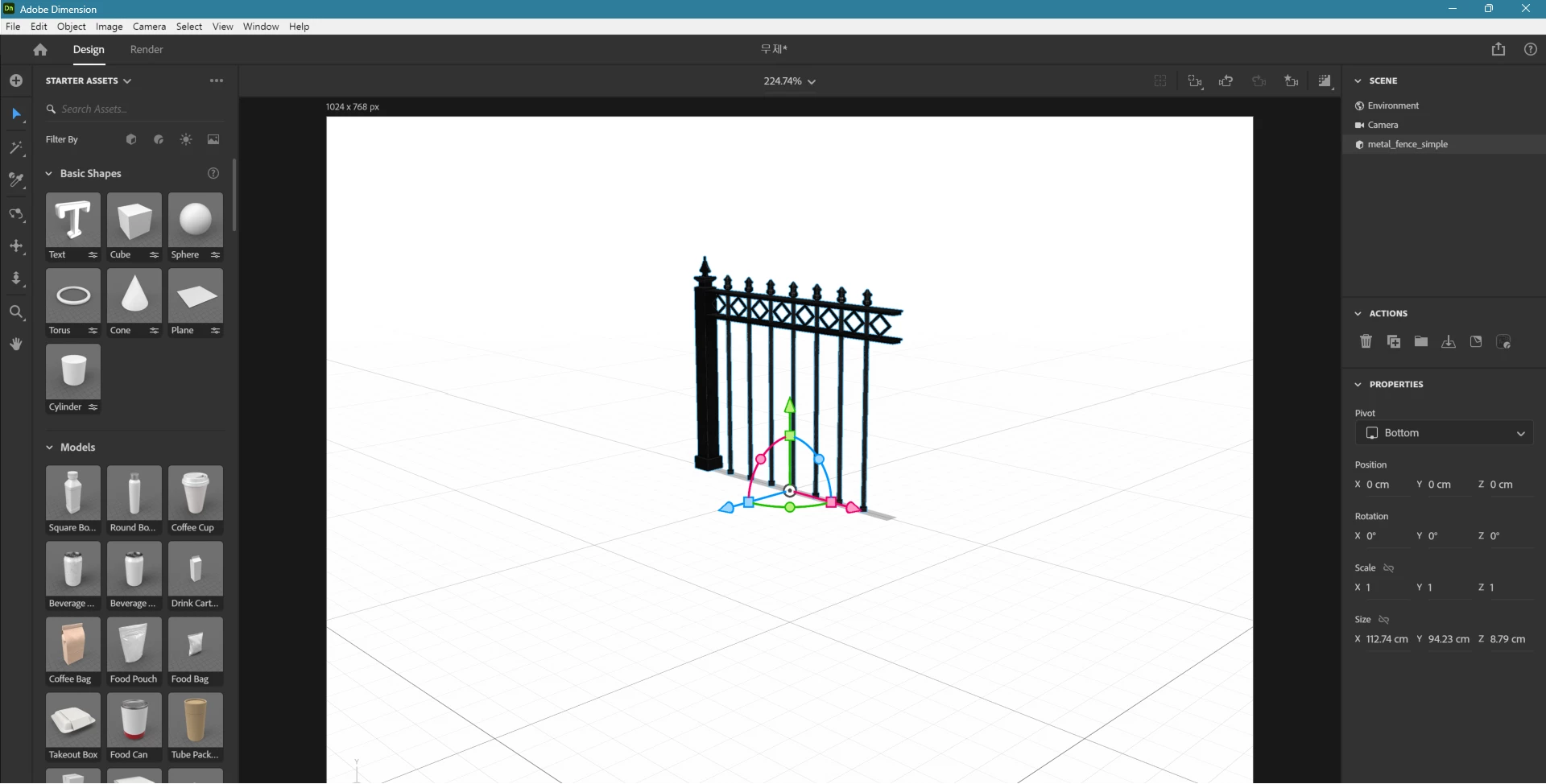
I have a 3D object in format `.glb` which I can see its shape on Adobe Dimension, but I can't on After Effects.

(I wanted to attach the file but it's not uploadable file type here)


`Fence Metal Black.glb` is the file and as you can see below, it's rendered transparent while there is still cube outline.
 

This .glb file is seen on Adobe Dimension.
This topic has been closed for replies.

1 reply

nishu_kush
Community Manager
Community Manager
December 13, 2023

Hi cdpark0530,


Thanks for writing in.

Are you able to use the Advanced 3D renderer? Go to Composition Settings > 3D Renderer tab and check if you can see Advanced 3D Renderer in the drop-down list. 3D objects can only be previewed with the Advanced 3D renderer. If Advanced 3D Renderer is not available for you, check if your system meets the minimum system requirements for After Effects. Advanced 3D Renderer needs at least 4 GB of VRAM.

Let us know.

Note: Moving this thread from Bugs to Discussions for troubleshooting.


Thanks,

Nishu

Participant
December 14, 2023

Thank you for reply.

I just checked if I can see the object at least in output video not preview, but the 3D object is not seen.

ShiveringCactus
Community Expert
Community Expert
December 14, 2023

Nishu is referring to the composition's renderer.  It needs to be set to Adanced 3D in order to show 3D objects.  Can you confirm if it is.


If the comp is set correctly, if you post your file here, I can check it out and that will at least confirm if it is an issue.