ninose11
Inspiring
March 6, 2024
Question

3D scene issue: Auto-Orient along path on a map causes my aircraft to jerk during turns

  • March 6, 2024
  • 3 replies
  • 1020 views

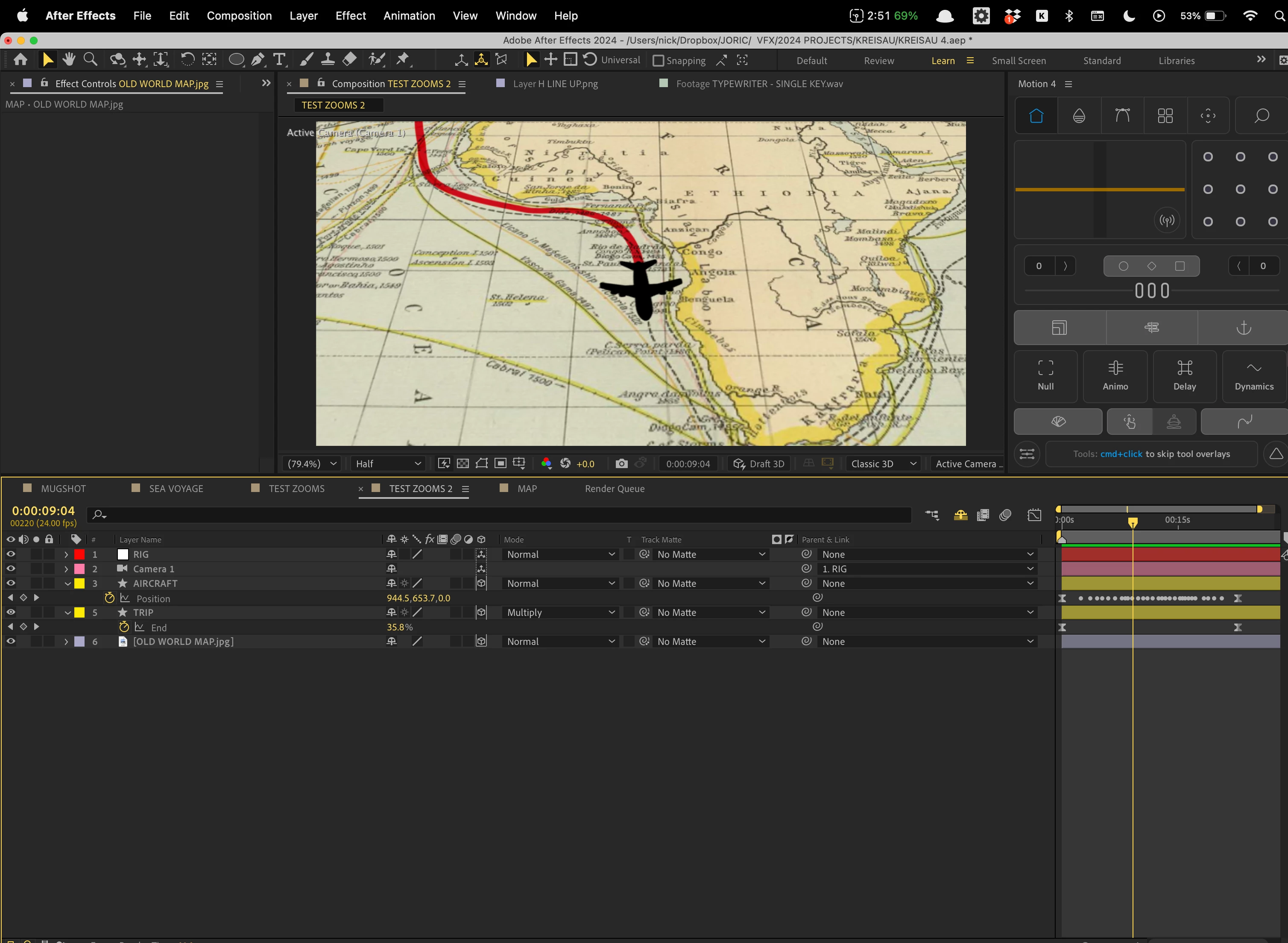
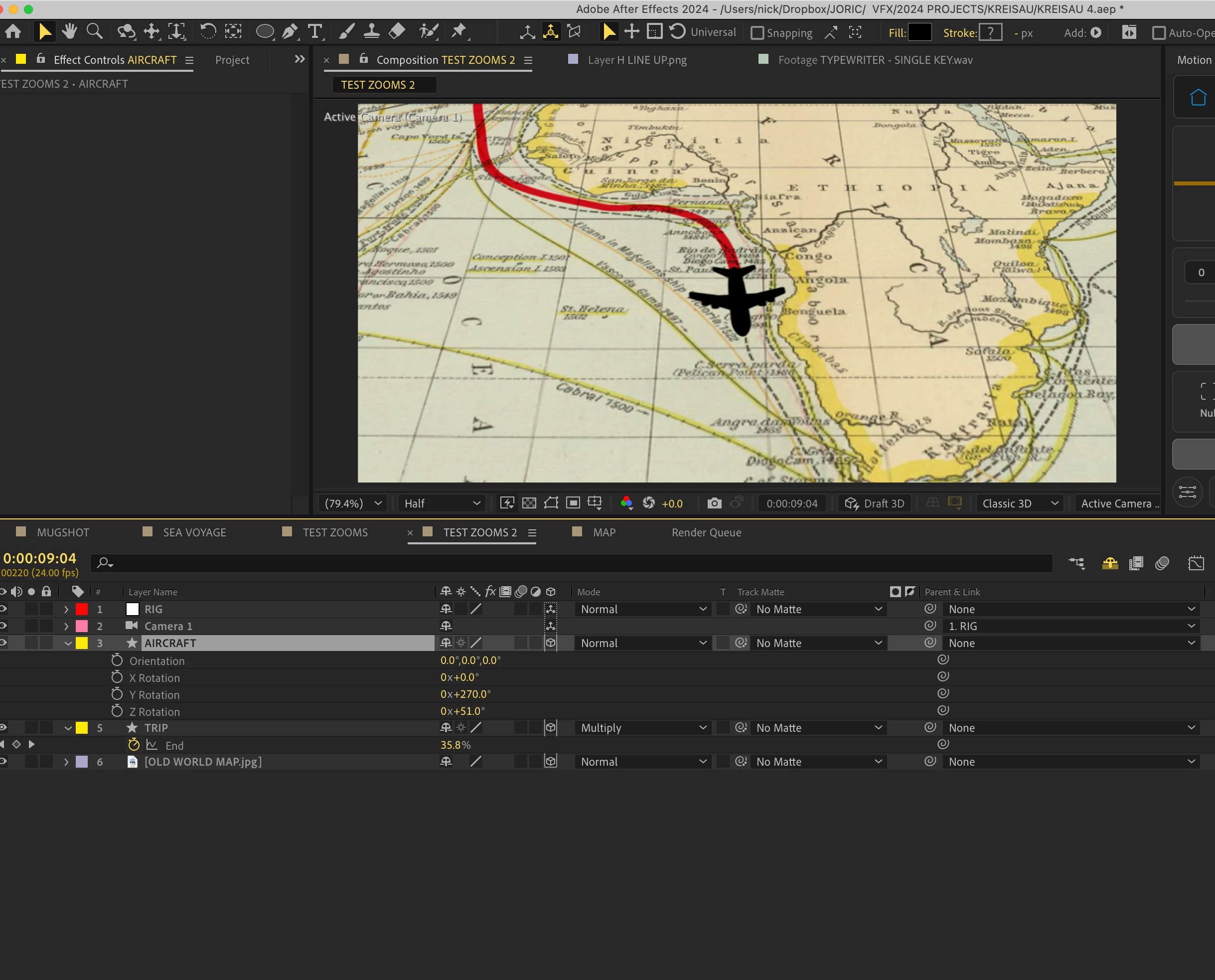
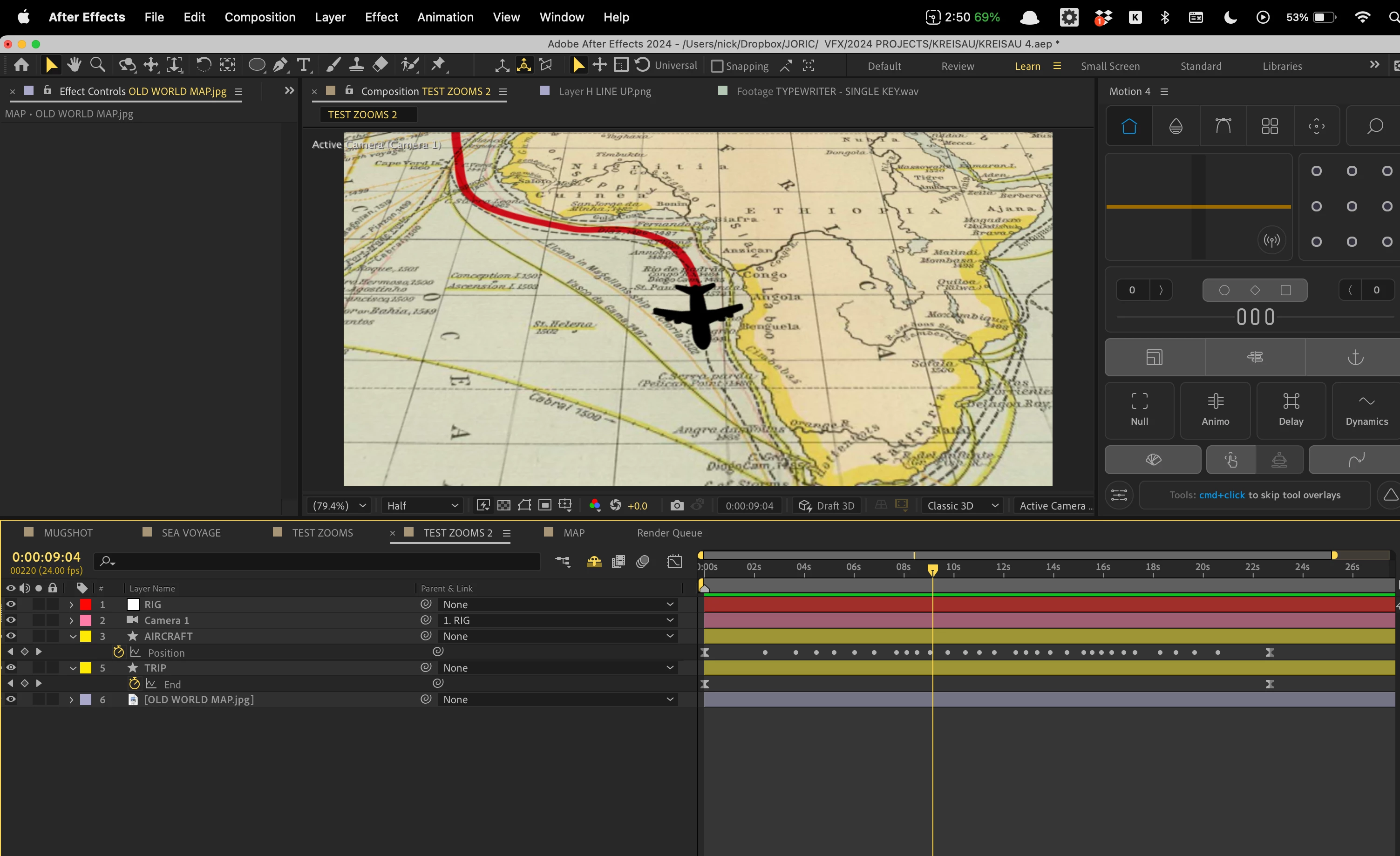
Not sure what I'm doing wrong here. But I have a 3D scene with a world map and an aircraft following a path (red line) along that map. After applying auto-orient along path to my aircraft, the plane faces the wrong way. So I set the Z rotation manually to 51º to make sure it's pointing in the direction of travel. But the problem is that after applying auto-orient,  the aircraft develops this unwanted jerking motion now and again as it turns. See pics of my project below and attached animation. Thank you very much in advance to anyone who can help me troubleshoot this issue. 🙏🙏🙏 


https://www.youtube.com/watch?v=DiRGPFBk6YA 
 

This topic has been closed for replies.

3 replies

Community Expert
March 6, 2024

The first thing I see that can cause problems is that the plane layer, the shape layer path revealed by trim paths, and the Map are all 3D layers. I would change them all back to 2D layers until you get the motion problem solved, then pre-compose them all and make the Pre-comp 3D to add some perspective to the moving map.


It looks like you have overcomplicated the trip path. Start by selecting the path in the timeline, choosing the pen tool (g), and then delete points that are close together. Hold down the Alt/Option key to change the pen to the Convert Vertex tool and collapse all the curves. Simplify the path as much as you can and carefully use the Convert Vertex tool to put the path back in place. 


If there are a lot of keyframes, it may be easier just to use the pen tool to create a new path on top of the old one with as few keyframes as possible. 


When the path is simplified and cleaned up, set a single path keyframe, cut it, then select the Plane path, delete all keyframes, and Paste. I always set a single path keyframe when I want to convert to a motion path because it tells me that I have copied the path correctly.


That should fix your problem. 

I probably would have used a null for the motion path instead of directly pasting it to the plane, then Shift + Parent the Plane to the null to snap it into the same position. Then, you can simply rotate the plane to make it perpendicular to the motion path. 


ninose11
ninose11Author
Inspiring
March 6, 2024

Airweb, Mylenium, and Rick, thank you all so much for your help. I will follow through with all your suggestions. What seemed odd to me about the moment where the jerky motion occurs is that it's not on a particular keyframe but between keyframes:


Legend
March 6, 2024

The top left corner of the Null and the anchor point of the plane should be over the line.

Mylenium
Legend
March 6, 2024

Check the tangents of your keyframes. this happens when there's overshoot and the look-ahead in the auto-orient function uses those off path coordinates to calculate its stuff. Also generally work on optimizing your path. You probably could lose a bunch of the keyframes...


Mylenium

Legend
March 6, 2024

You must smooth your path as much as possible.