

Question
3D shape does not align with it's outline
Take a look at this image and tell me what's going on. I have 2 shape layers, one's just a path with a stroke, the other is a square. I'm using Classic 3D and when I enable 3D on the shape layers they no longer align with their outlines.
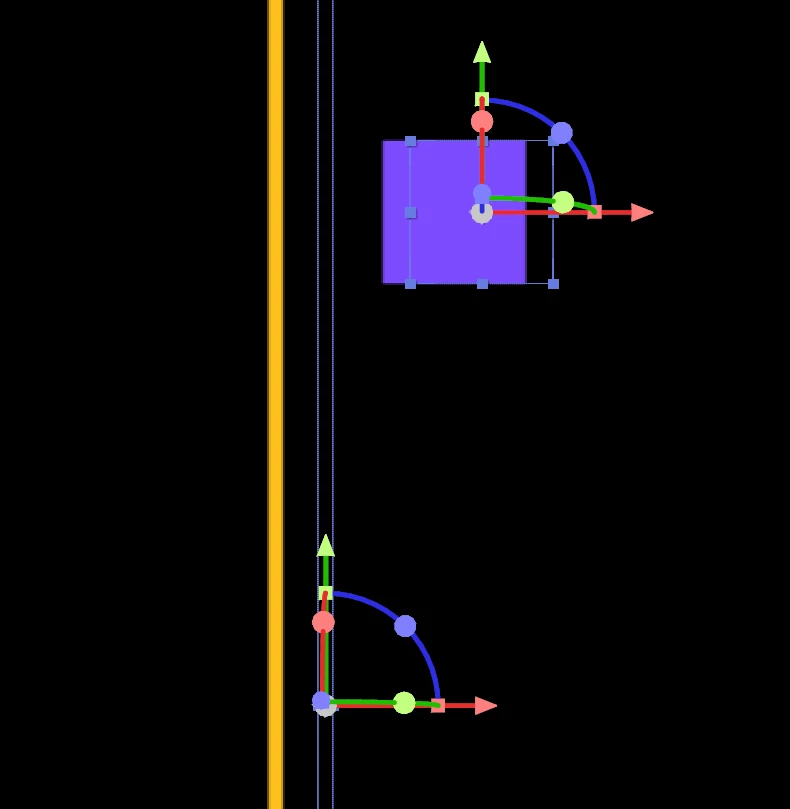
I am using a camera, here are the camera settings.
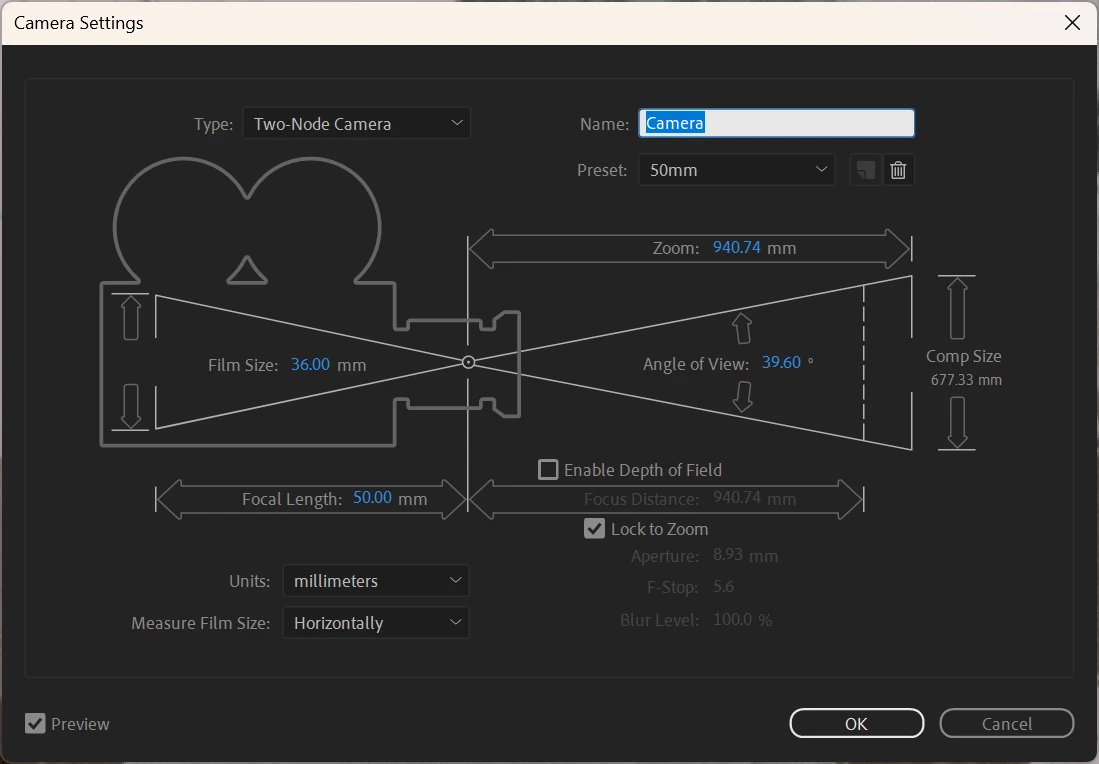
When I change the view from Active Camera to Front then the shapes align with their outlines again so I think it has something to do with the camera. I don't think this should ever happen regardless of the camera settings but here we are.
How do I fix it so I can use a camera (not the front view) and get an acurate representation of my shapes position visually and with the outline?


 AdChoices