Participant
August 27, 2021
Answered

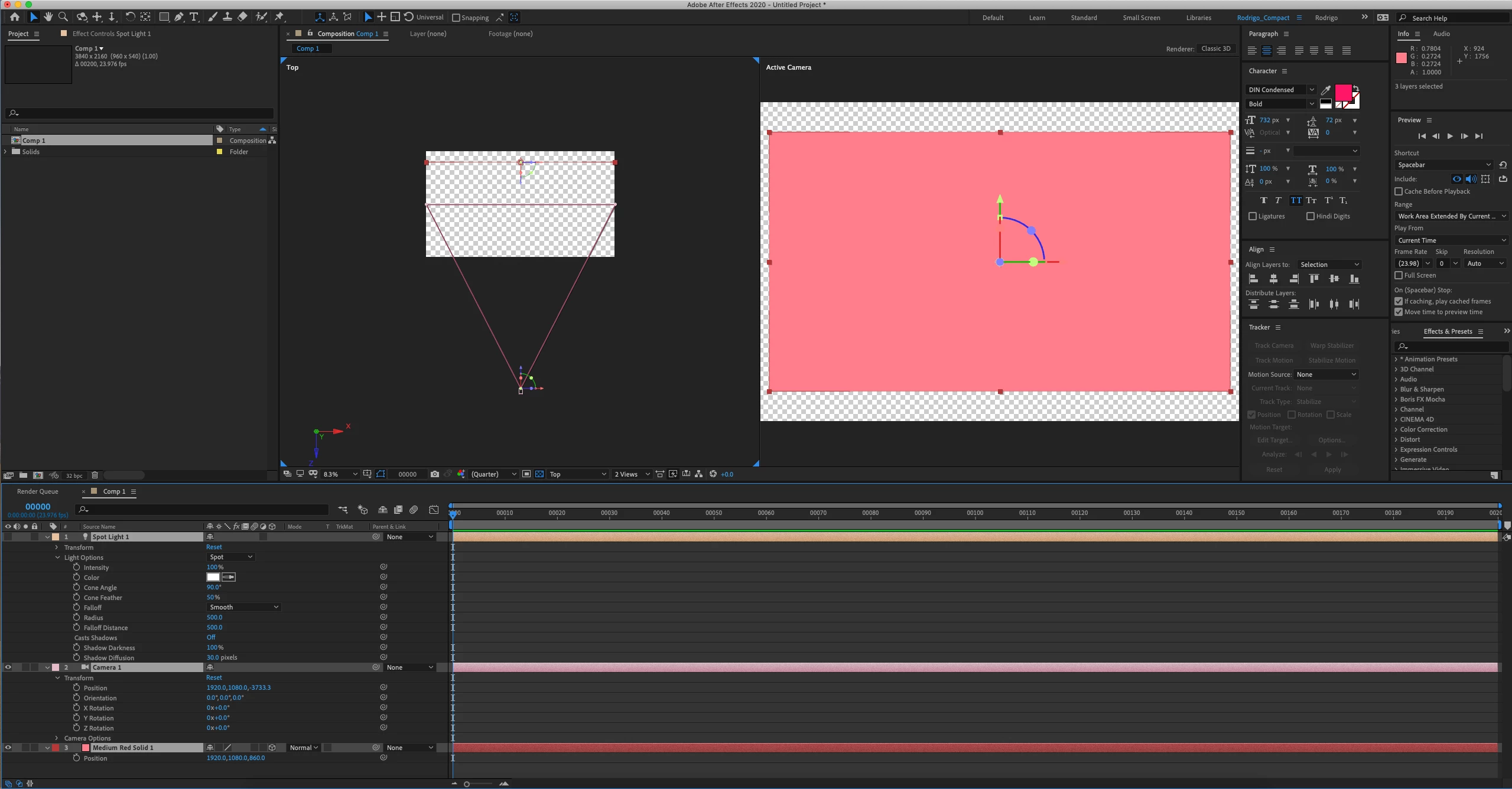
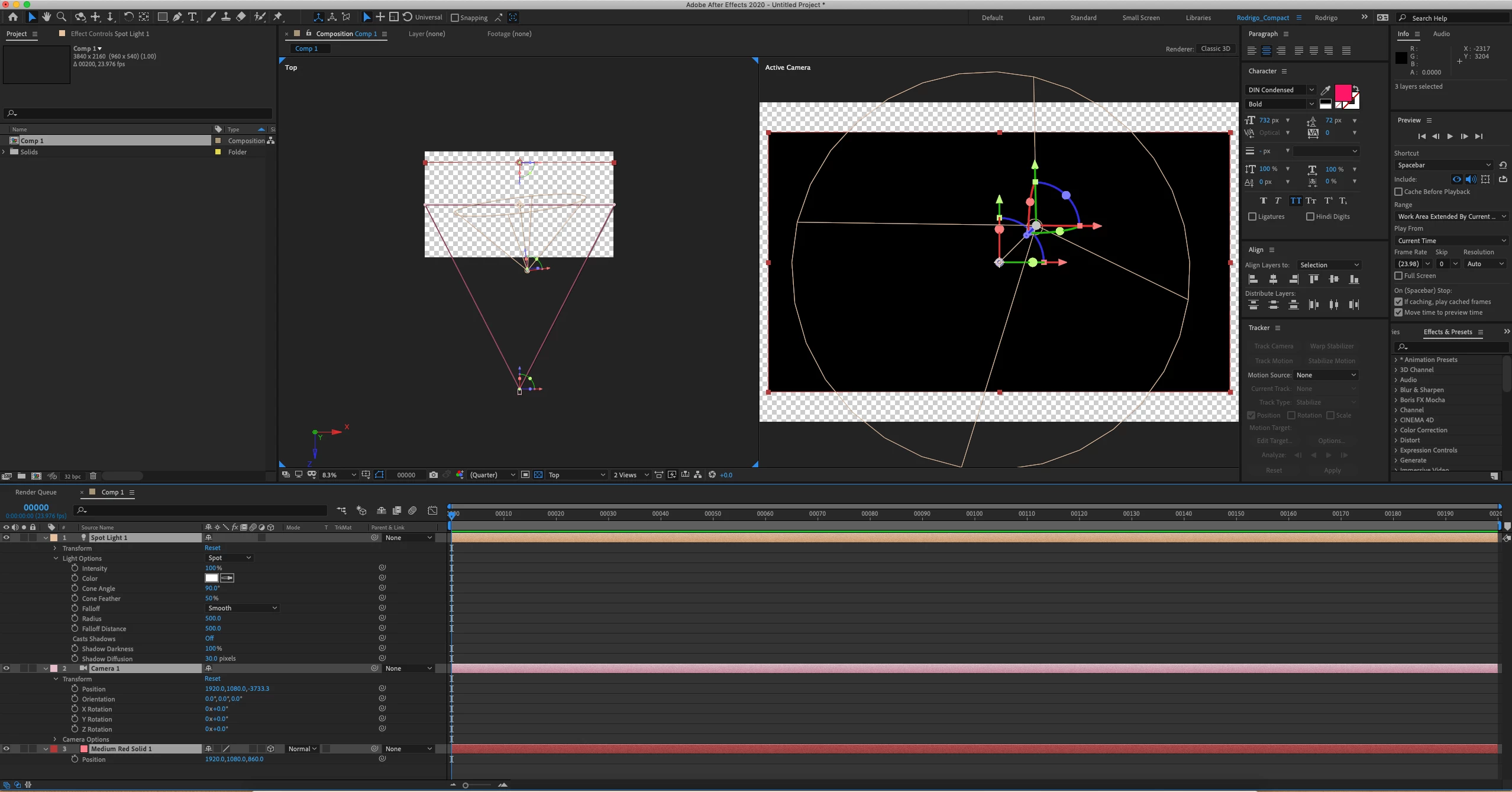
3D solid goes black after adding new Light
  • August 27, 2021
  • 2 replies
  • 1544 views

Hello folks,

I never seen this issue before.


When I add a Light to the Composition my 3D layers render black.

I tried changing the Light parameters and the only thing that makes any difference is when I switch to Ambient Light.
When using Spot, Point or Parallel the 3D layers change to black.

It doesn't matter if I move the Camera or Light around.


I'm running AE 17.7.0 (Build 45) on Mac.


I appreciate any help.


Rodrigo

Correct answer Rick Gerard

Try increasing the falloff distance or setting falloff to none. With the current settings anything farther away than 500 pixels receives no light.

2 replies

Known Participant
August 26, 2022

Thank you! This is still a problem in AE 22.5.0.

Community Expert
August 26, 2022

Falloff distance is not a problem; it is a feature.


If you reset a light's parameters, the falloff distance is turned off and does not affect the light.

Known Participant
September 1, 2022

I can't get the Spotlight to work with anything but a falloff distance of 0. Then there's no feathering at all of the light. This is true even when the light is very close to the object/scene.

Rick GerardCommunity ExpertCorrect answer
Community Expert
August 27, 2021

Try increasing the falloff distance or setting falloff to none. With the current settings anything farther away than 500 pixels receives no light.

Participant
August 27, 2021

Thank you, Rick!