
Participant
March 23, 2021
Answered

3D View Pop-up and Select View Layout disappeared

  • March 23, 2021
  • 4 replies
  • 7070 views

Hello. I was working on a project using 3D layers and everything was fine, switching from 2 views to one and from cameras with no issue. Then I started a new project and suddenly those options disappeared. Now I'm stuck with 2 views on my Composition panel for every new project I create and not finding a way to change it. All the options on the lower right corner of that panel disappeared. 
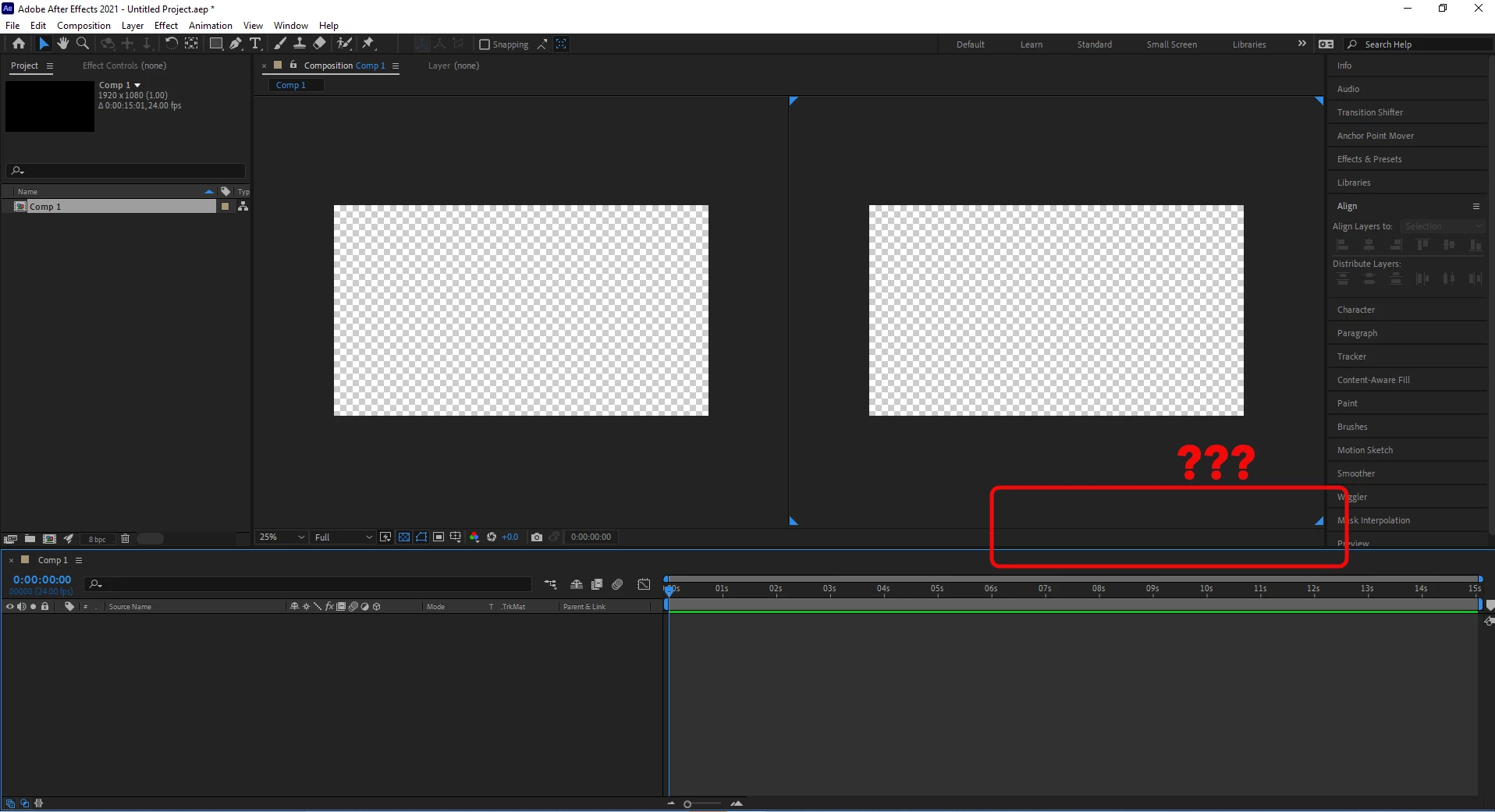


Help would be really appreciated, I've been working like this for some days and it's anoying.

This topic has been closed for replies.
Correct answer P.M.B

This is hapening for a few reasons, including that AE remembers the state of your UI upon quitting.

Temporarily create a 3d layer.  This will cause the menu items to appear.  Then switch back to a single view and quit AE.

Next time you start it should open with a single view.  

4 replies

seanbraam
Participant
June 28, 2022

Hi, I am having a similar issue that I can't resolve. My 3D menus disappear on my additional 4k monitors. I can see the 3D menus on my laptop screen just fine (HD), but as soon as I move my UI across to the 4k monitors the menus all disappear to the right. The further I drag the composition window out the more the 3D menus disappear out of sight. If anyone can help I would greatly appreciate it. It's really frustrating my workflow.


marcom40128933
Participant
February 14, 2023

I have the same identical issue. Anyone got any ideas?

seanbraam
Participant
February 15, 2023

So I was using 2 monitors, one that was 1920x1080 (my laptop) and one additional screen that was 3840x2160. I found that I couldn't access the 3D view on my second screen the 4k monitor, but if I dragged the window into my HD monitor I could see and use it. Maybe both monitors need to be the same resolution? I hope that helps.

Participant
November 17, 2021

There is No problem at all - If you want to have 1, 2, 4-View Interface visible within your comp layout. Simply insert a solid layer then turn it into 3d layer and after turn off visibility. You will get your favourite layout back. So how I managed with this inconvenience. Never been easier. Another inconvenience is that Element 3d which 3d program but represented as 2d layer in your composition needs the same way mentioned above.

Dio Vayne
Known Participant
April 30, 2021

I made a short video tutorial how to get back to 2D. https://www.youtube.com/watch?v=2N8oHiccuXk

It took me an hour to figure out. It's very counterintuitive and should be fixed.

josha36694150
Participating Frequently
July 30, 2021

Oh my gosh. Thank you!

P.M.B
P.M.BCorrect answer
Legend
March 23, 2021

This is hapening for a few reasons, including that AE remembers the state of your UI upon quitting.

Temporarily create a 3d layer.  This will cause the menu items to appear.  Then switch back to a single view and quit AE.

Next time you start it should open with a single view.  

~Gutterfish
AlexRCo15Author
Participant
March 23, 2021

Quite an easy fix, thanks a lot! 

P.M.B
Legend
March 23, 2021

no worries


~Gutterfish