
Participant
February 11, 2022
Question

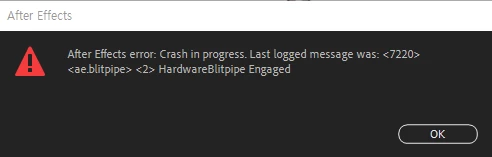
<7200><ae.blitpipe> <2> HardwareBlitpipe Engaged

  • February 11, 2022
  • 2 replies
  • 436 views

After using a program called VCREFlect in one layer, I applied a program called Looks to the Adjustment layer and ran it, and After Effects repeatedly stopped without working.

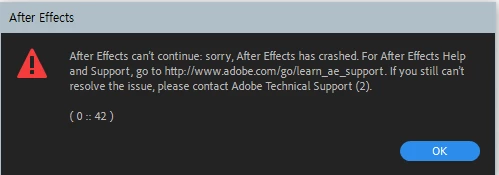
While repeating this, a warning window appeared as shown in the picture below.

After Effects error: crash in progress. Last logged message was: <7200><ae.blitpipe> <2> HardwareBlitpipe Engaged

Please tell me the solution..............
I am using After Effects CC 2021.

This topic has been closed for replies.

2 replies

nishu_kush
Legend
February 18, 2022

Hi shuuya,


Sorry for the crash.

Is it crashing only while using the plug-ins? If so, try updating them. If that doesn't work, update your GPU driver as suggested by Mylenium. Also, please share your system specifications so that we can troubleshoot the issue properly (CPU, GPU, RAM, OS version).

Looking forward to your response.


Thanks,

Nishu

Mylenium
Legend
February 12, 2022

The same old thing: Update your system's graphics driver, check your hardware acceleration settings in AE.


Mylenium