
Answered
About 4k footage
4k footage means 4096x2160. This YouTube video says it is 4k footage but it's Properties detail shows it is not a 4k footage. How to explain this?
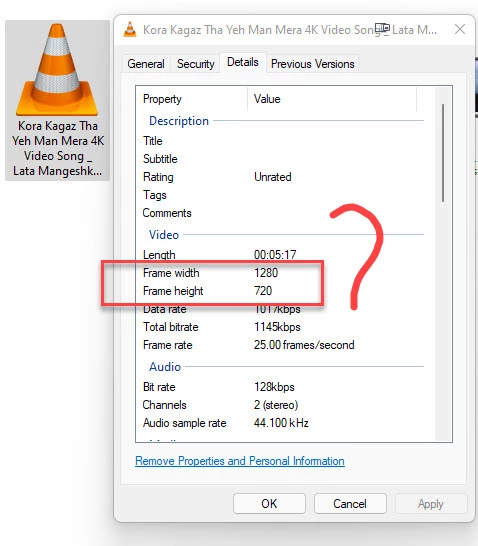

4k footage means 4096x2160. This YouTube video says it is 4k footage but it's Properties detail shows it is not a 4k footage. How to explain this?
YouTube compresses several versions of all videos that you upload. They automatically choose the frame size that will stream in a reasonable time according to your available bandwidth. 4K videos seldom are automatically sent out at 4K. 720P is a reasonable expectation for an average bandwidth connection. You can choose to download the video at a higher frame size, but you will have to wait for it to download unless you have a fast connection. Here is where you find the option to playback at a higher frame size:

There is one more thing you should know about YouTube. You will get the best result if you follow their format guidelines and compression settings. If you do not follow their recommendations, their software will recompress your video with a sledgehammer, and the video quality will suffer. If you want the best results, you need to use the YouTube presets in the Adobe Media Encoder. They match the YouTube standards and will give you the best results.
Already have an account? Login
Enter your E-mail address. We'll send you an e-mail with instructions to reset your password.
 AdChoices