


Access Path Length of Path Text using Expression?
In the Effect Controls of my path text, there's an "Information" category with the following data:
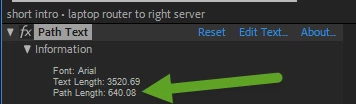
| Font: | Arial |
| Text Length: | 3520.69 |
| Path Length: | 640.08 |
The "Path Length" value is exactly what i want to use in an expression, but i don't know how to access it. I've tried a dozen different ways to approximately re-calculate it without satisfactory results. Is there any way to access this value within an expression?
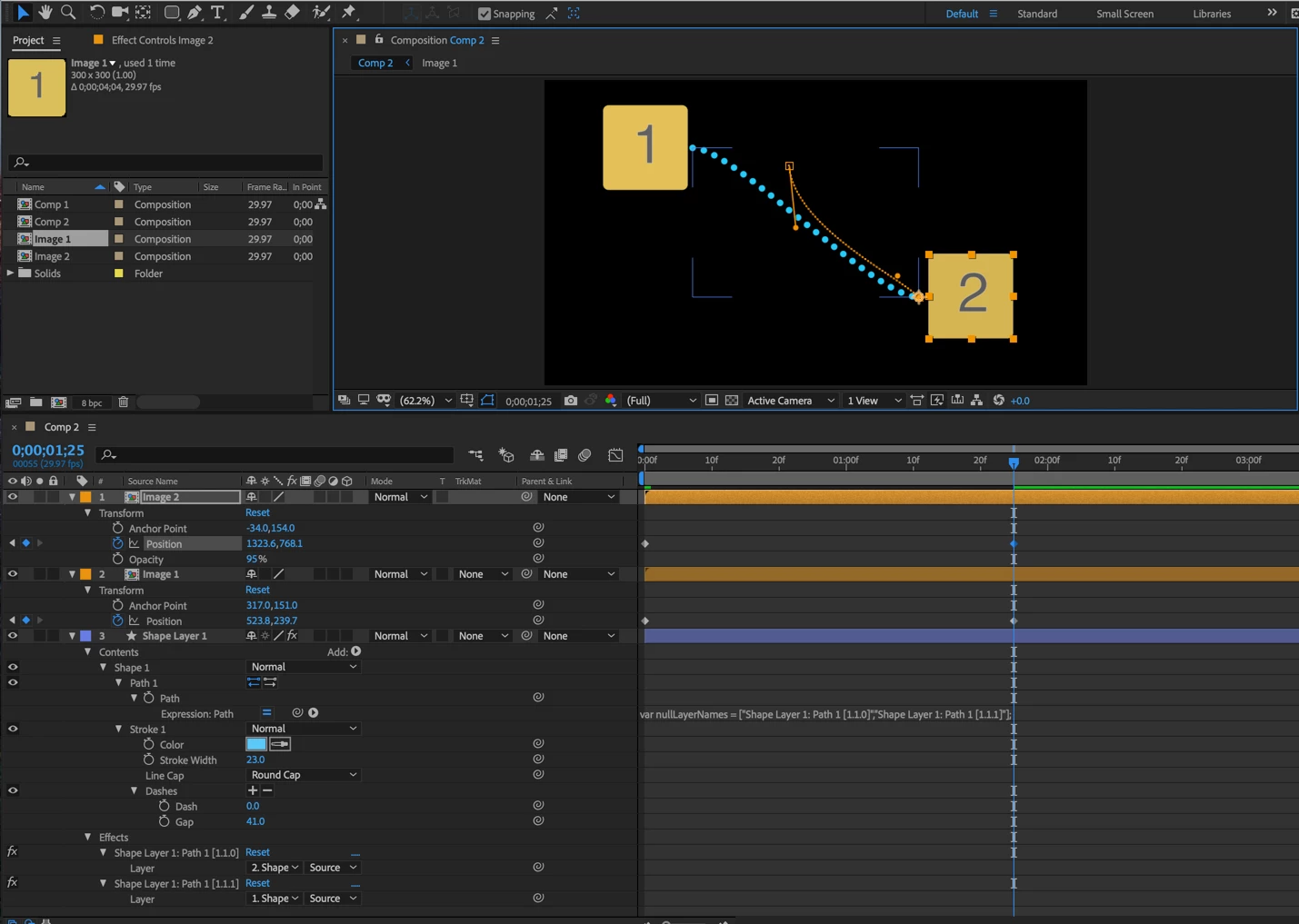
For context: i have individual image layers in my composition that i have visually "connected" using another path text layer, pickwhipping the vertices of the path text to each of those graphics' positions. The tangent points are also calculated based on the same positions. The "string" connecting them is a bunch of ellipsis typed along that path. Both of the graphics move around the screen. i want to be able to adjust them both without having to manually adjust the path text too. The problem i have is trimming the path text dynamically depending on how short the distance between the two is, because the Path Length changes constantly. in all my attempts to calculate, the path text either gets too short or long when the graphics move around. if i could use the Path Length value, i could put it in a linear formula for Visible Characters to trim off the excess. and i have a bunch of these happening at once, so i could really use a formulaic solution.
I'm hoping this is simple, it seems like it would be since the value is right there?
 AdChoices