


Known Participant
January 10, 2024
Question

ACES - Lumetri Color does not add values over 1.0

  • January 10, 2024
  • 2 replies
  • 354 views

When working with ACES, using Lumetri color does not increase the bright values over 1.0 except only with Whites in Basic Correction.


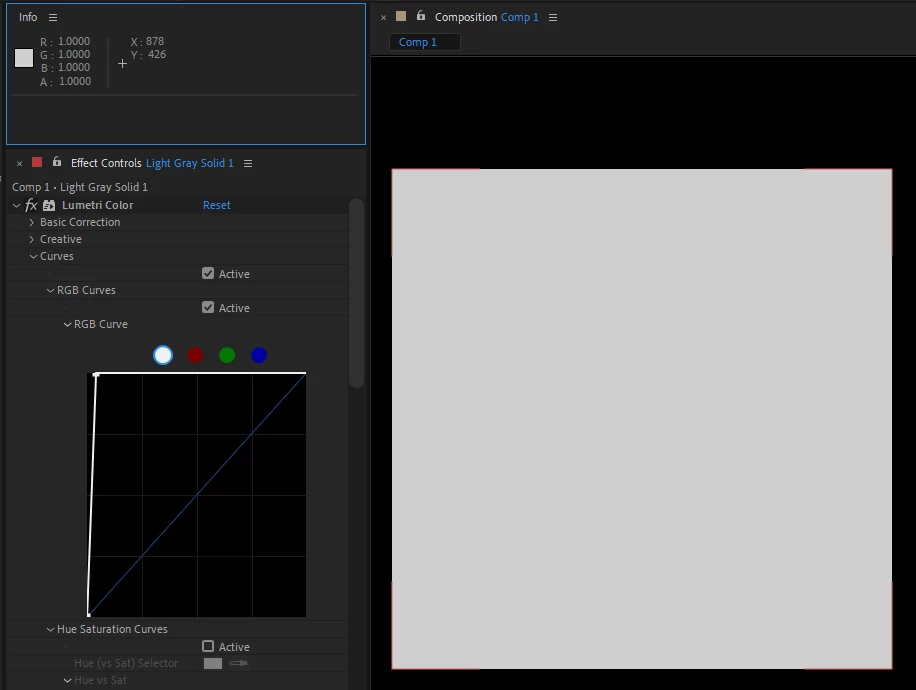
Example of using Curves from Lumetri 
 

When using default Curves effect
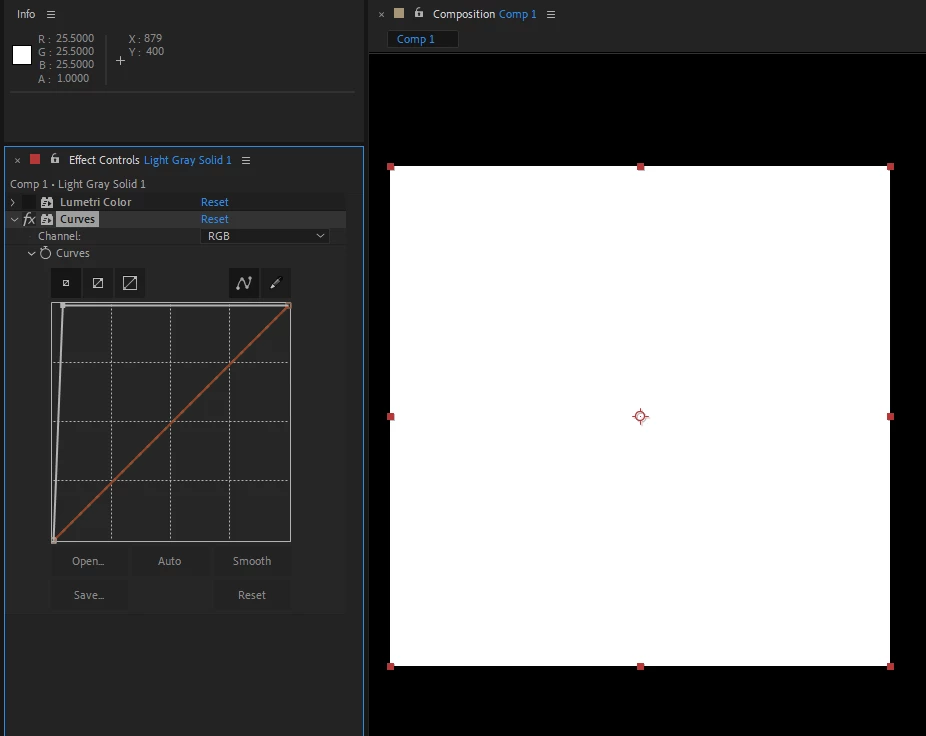
 

You can see how default curves the value in info panel goes to 25.5 while the same thing with Lumetri stays at 1.0

The only setting in Lumetri that will go over 1 is when increasing Whites, but it only goes to ~1.5


2 replies

1suky1Author
Known Participant
January 13, 2024

@Paul Uu Hm... Perhaps I expected Lumetri to work like Nuke's grade and color correct nodes. But it is weird that regular curves work one way, and Lumetri curves work differently. The way Lumetri does it is basically how it works in 8 and 16bit workflows. Essentially, if I want to composite elements, it is impossible to use Lumetri to match values.

As for use case, we had footage that was converted in ACES and a lot of values were over 1 (it was mostly snowy footage). So Lumetri seemed like an easy "all in one" effect that works in 32bit and could help composite elements easily. AE in general is really lacking in that regard as most effects still don't have 32bit support and ACES is only 32bit. 

Community Manager
January 11, 2024

This is by design for Lumetri in both AE and Premiere Pro.


What is the scenario where you are needing it to generate >1 color values?