Participant
Nov 17, 2026 2:31 PM UTC
Answered

Active Camera set to (Default) when using 3d Camera

Why is the active camera set as default when I have the 3D camera on my timeline? 
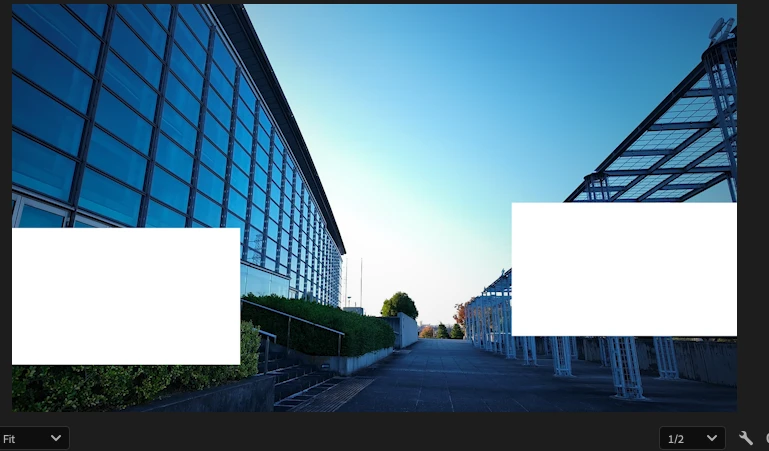
I've seen posts similar to this, and their solution was to place the 3D camera at the very top of the timeline, which didn't work. When I try to render this, it renders from the default camera perspective.

I'm using a dynamic link comp, and it also shows from the default camera.

    CORCTON34033231
    CORCTON34033231Correct answer
    Community Expert
    Nov 17, 2026 9:12 PM UTC

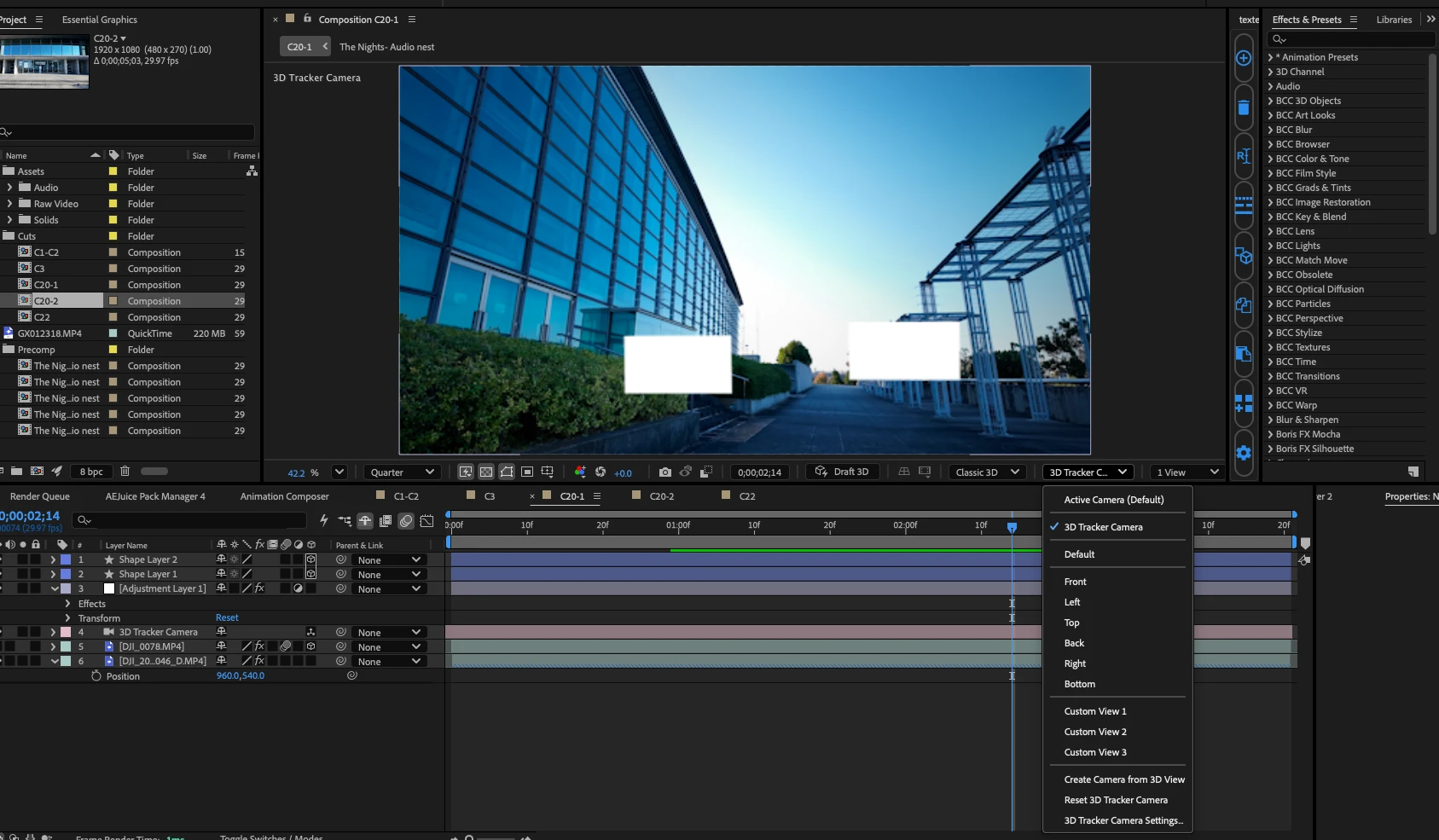
    Hi — your screenshot shows the cause: the 3D View menu at the bottom of the Composition panel is set to "Active Camera (Default)" — the Default Camera view is the one currently selected. In the latest version, the Default Camera can be explicitly selected even when a camera layer exists in the comp, and that is the view you see — and render from.


    Adobe's help puts it this way: the Active Camera is the topmost camera in the Timeline at the current time whose Video switch is on, and the Active Camera view is the point of view used for final output (and for nested / dynamically linked comps). If no custom camera is active, it is the same as the default composition view.


    To render through your camera:


    1. In the Composition panel, open the 3D View menu (at the bottom of the panel) and select your camera by name — your "3D Tracker Camera" — instead of the Default Camera.

    2. Also check in the Timeline that this camera is the topmost camera at the current time and that its Video (eye) switch is on. If its Video switch is off, or another camera sits above it, the Active Camera falls back to the Default Camera.

    3. Render again.


    Docs: https://helpx.adobe.com/after-effects/desktop/work-with-3d-composition/adjust-default-camera-settings/adjust-default-camera-settings-for-3d-compositions.html

    https://helpx.adobe.com/after-effects/desktop/work-with-layers/camera-layer/cameras-lights-points-interest.html

    1 reply

    CORCTON34033231
    Community Expert
    CORCTON34033231Community ExpertCorrect answer
    Community Expert
    Nov 17, 2026 9:12 PM UTC

    Hi — your screenshot shows the cause: the 3D View menu at the bottom of the Composition panel is set to "Active Camera (Default)" — the Default Camera view is the one currently selected. In the latest version, the Default Camera can be explicitly selected even when a camera layer exists in the comp, and that is the view you see — and render from.


    Adobe's help puts it this way: the Active Camera is the topmost camera in the Timeline at the current time whose Video switch is on, and the Active Camera view is the point of view used for final output (and for nested / dynamically linked comps). If no custom camera is active, it is the same as the default composition view.


    To render through your camera:


    1. In the Composition panel, open the 3D View menu (at the bottom of the panel) and select your camera by name — your "3D Tracker Camera" — instead of the Default Camera.

    2. Also check in the Timeline that this camera is the topmost camera at the current time and that its Video (eye) switch is on. If its Video switch is off, or another camera sits above it, the Active Camera falls back to the Default Camera.

    3. Render again.


    Docs: https://helpx.adobe.com/after-effects/desktop/work-with-3d-composition/adjust-default-camera-settings/adjust-default-camera-settings-for-3d-compositions.html

    https://helpx.adobe.com/after-effects/desktop/work-with-layers/camera-layer/cameras-lights-points-interest.html
    Translate