Participant
Feb 6, 2018 7:36 PM UTC
Answered

Add gradient to stroke (After Effects CC)

Hello there!

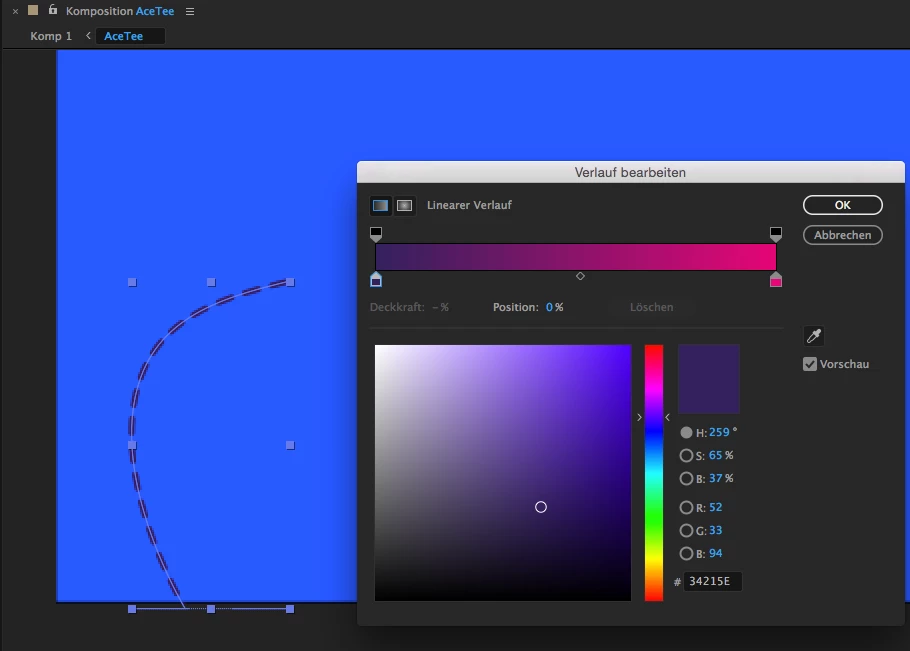
I created a path and wanted the path to have a color gradient. I found the option for it, but AE doesn't show me the right colors?
It only shows the color which is put in position 0 of the gradient (I switched them and then the stroke was pink).
See attached image for clarification.

Did I miss something?
Opacity is set to 100% for both colors.
Thanks
Steph

Roei Tzoref
Roei TzorefCorrect answer
Legend
Feb 6, 2018 8:09 PM UTC

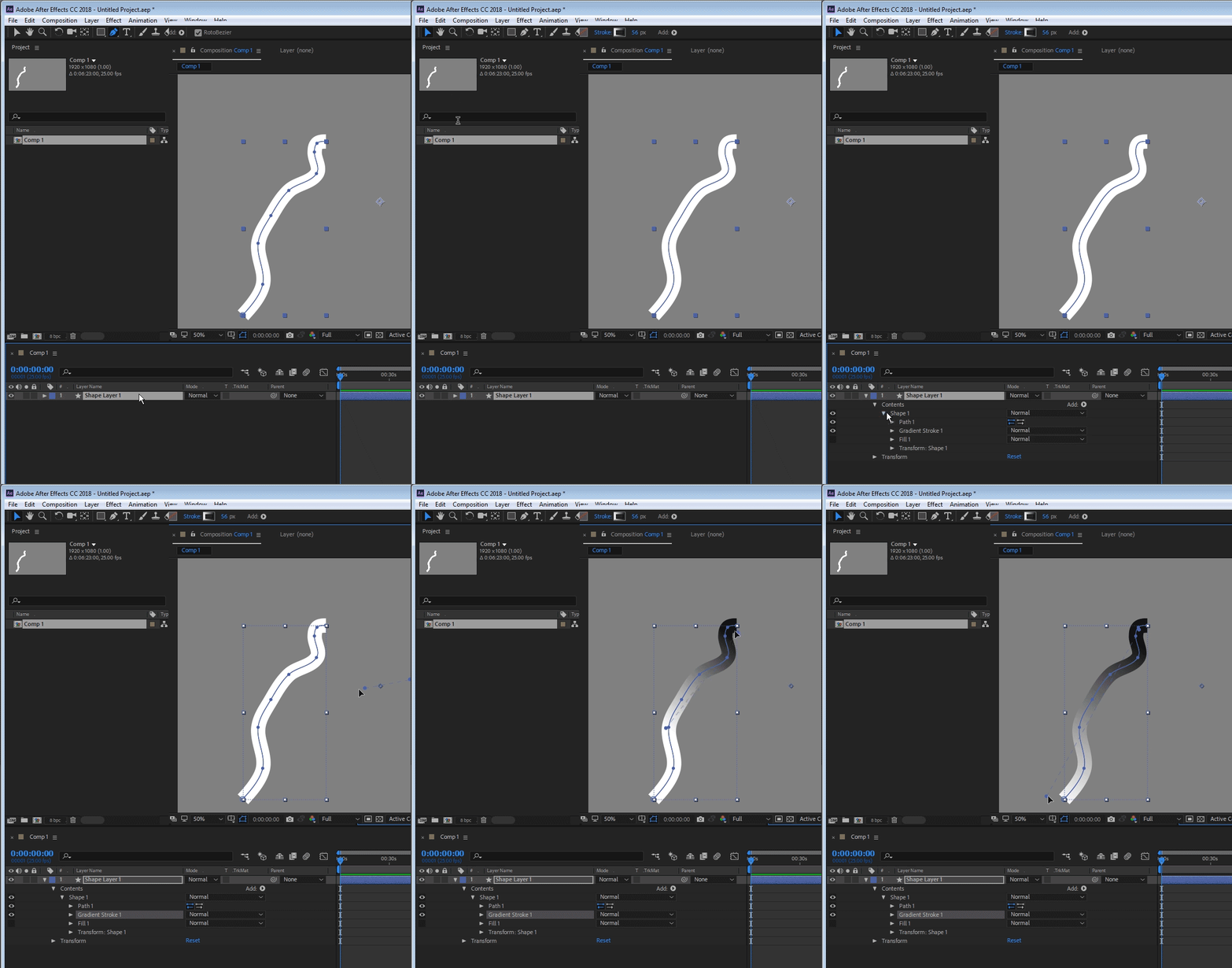
there is a gotcha with gradient for shapes and that is you won't be able to modify the color mapping using the visual bar unless your selection tool is active and the gradient is highlighted in the timeline. so this makes it harder to see where your gradient is. by default its in the center of your layer (not your shape which is a layer inside a layer).

this is probably where you are. you got your layer selected but your gradient is somewhere else in the composition space. see how I am taking the gradient mapping bar and moving it to place.

9 replies

Participant
Apr 22, 2024 5:12 PM UTC

where you find Stroke Gradient?

Translate
Temístocles Gonçalves
Participant
Apr 22, 2024 5:32 PM UTC

Click the add button inside the shape layer > Contents. Remember the Gradient Stroke property you create needs to be inside of the shape level where the stroke is (in the case of the picture, inside of "Shape 1").

Translate
Temístocles Gonçalves
Participant
Apr 28, 2023 8:16 PM UTC

Adding to @Roei Tzoref's comment, make sure the gradient is inside a group, I wasn't seeing my gradient anchor points (the "visual bar") because it was directly inside the layer contents, but outside the strokes' group. I put it inside an bam, the controllers appeared.

Translate
Participating Frequently
Oct 25, 2021 2:27 PM UTC

This could be a solution for you:

https://youtu.be/4qE06UDNG04 

Translate
Roei Tzoref
Roei TzorefCorrect answer
Legend
Feb 6, 2018 8:09 PM UTC

there is a gotcha with gradient for shapes and that is you won't be able to modify the color mapping using the visual bar unless your selection tool is active and the gradient is highlighted in the timeline. so this makes it harder to see where your gradient is. by default its in the center of your layer (not your shape which is a layer inside a layer).

this is probably where you are. you got your layer selected but your gradient is somewhere else in the composition space. see how I am taking the gradient mapping bar and moving it to place.

Translate
Participant
Feb 6, 2018 8:28 PM UTC

Thanks a lot! I had the Gradient Stroke selected, but because I zoomed in, I didn't see the gradient "path" I could adjust

Translate
Roei Tzoref
Legend
Feb 6, 2018 8:58 PM UTC
I had the Gradient Stroke selected

remember that's not enough! you also need to have the selection tool active and not the pen tool which is a real gotcha.

Translate