Answered
Adding effects on 3D layers
I am trying to add a gaussian blur on a 3D layer (shape) that is in a 3D camera tracked scene (using Cinema 4D renderer) and it doesn't seem to accept any effects.

I am trying to add a gaussian blur on a 3D layer (shape) that is in a 3D camera tracked scene (using Cinema 4D renderer) and it doesn't seem to accept any effects.
When you camera track it is critically important to set an origin and ground plane so you have someplace to start. I almost always add a solid to the same spot, enable grid and then check the track to make sure the ground is where the ground is.
Once you do that and have added your 3D text layer it's pretty easy to get things lined up using the alternate views in AE.
You can put the shadow catcher right on top of the anchor point of the text layer by simply adding a sufficiently large solid, making it 3D, then holding down the shift key while parenting the new 3D solid to the text layer. The 3D layer will snap to exactly the right position. You can then easily, using different views, rotate and reposition the shadow catcher to stick it to the bottom of the text layer.
To adjust the light you do exactly the same thing. Add a new Light, shift + parent to move the light to the shadow catcher, then if you are using the directional light all you have to do is make a couple of minor adjustments. If you are using a point light then you can pretty easily move the light up and away to match the existing light by adding a 3D null at the Shadow Catcher position, shift parenting the light to the null, moving the light in Z using timeline controls, then adjust the rotation of the null to move the light into position. Once you do a couple of times it becomes pretty easy. 90% of the time that I place lights in a scene I will use the shift + parent to set the initial position of the lights, zero out the point of interest for spotlights and parallel lights, then monkey with the position of the light and the rotation of the null.
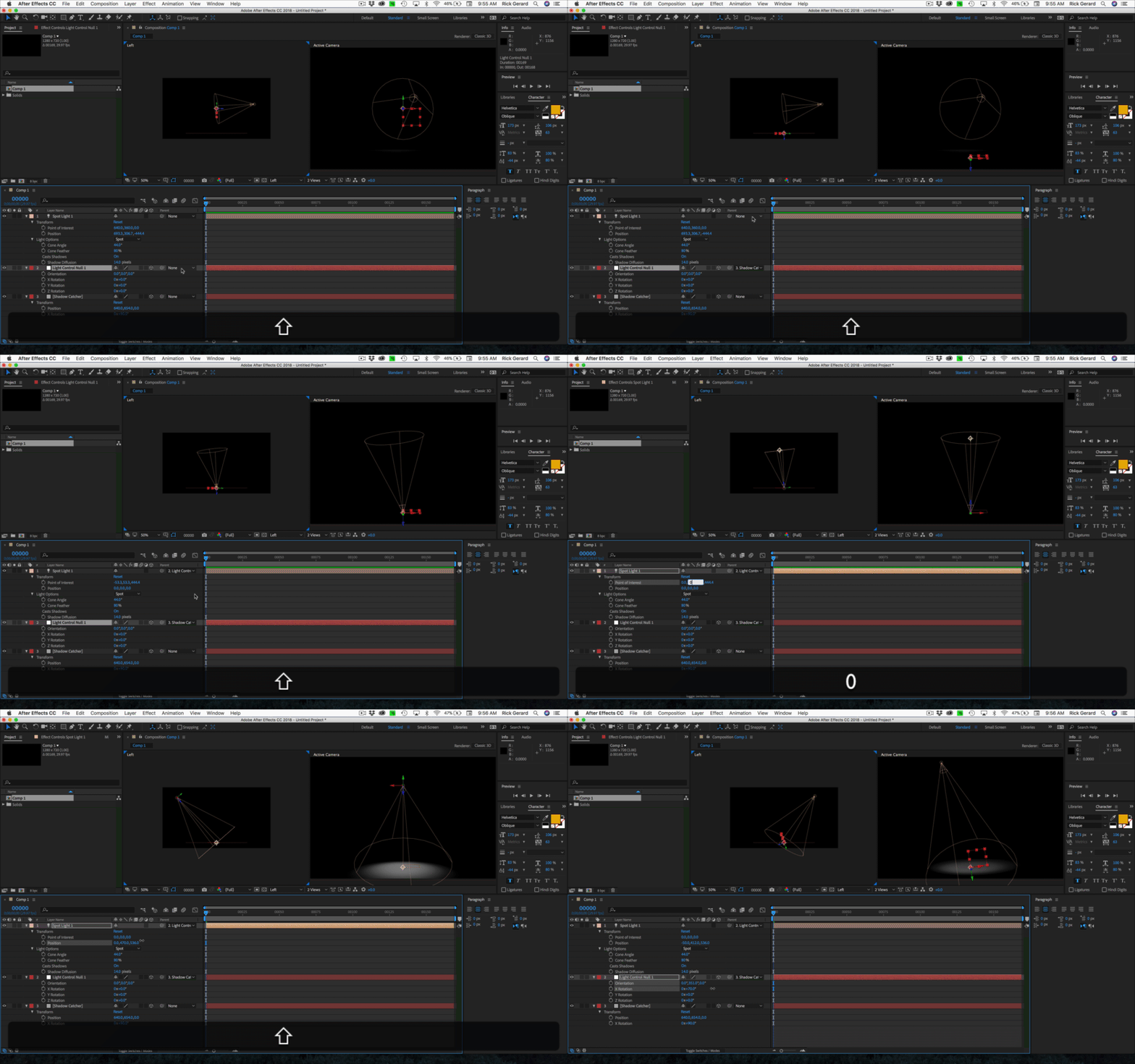
That's how you control the position of a light and easily match existing lights in your footage.
Already have an account? Login
Enter your E-mail address. We'll send you an e-mail with instructions to reset your password.
 AdChoices