
Participant
November 14, 2022
Question

Adding our own custom coded Property Tokens in File Name and Location Template

  • November 14, 2022
  • 2 replies
  • 525 views

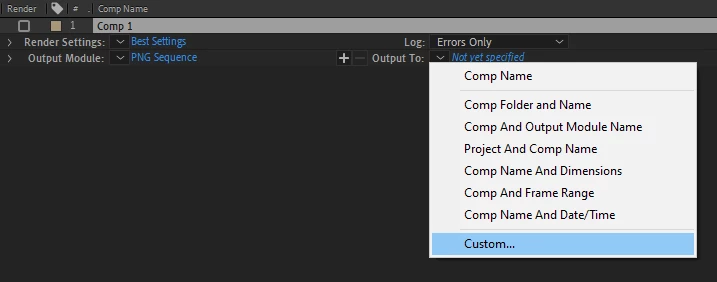
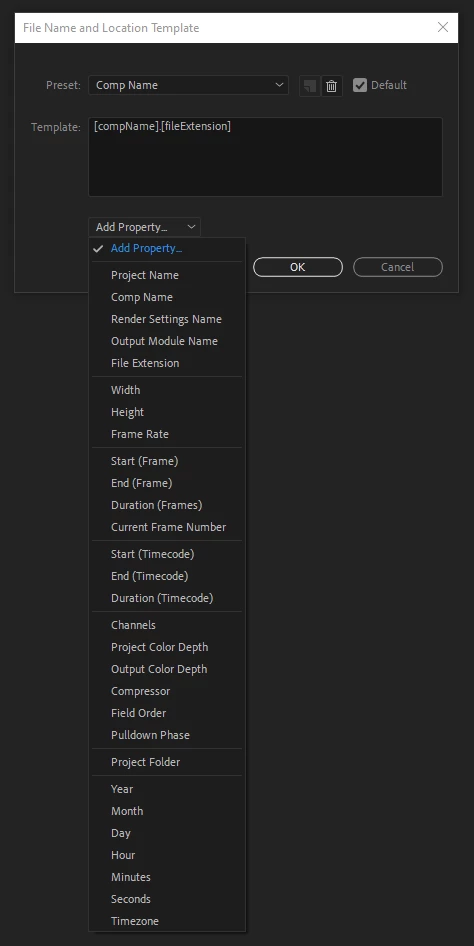
Is there a way to add our own custom coded Property Tokens in the File Name and Location Template?


For example, if I wanted to add a custom token that doesn't exist already like a username/artist token to attach the artist name who rendered the image sequence, is there a place I can do that? Is there a script file that contains these Property Tokens somewhere in the Support Files or App Data or something like that and can be modified?


I'm not asking how to write that code, just if and where I can write that code to add our own custom Property Tokens to the File Name and Location Templates module:


Thanks.

This topic has been closed for replies.

2 replies

Mylenium
Legend
November 15, 2022

that apparently would have to be the Render Queue (RQ) Suites or the RQ Utilities Suite if I'm not completely mis-rembering and imagining it. Feel free to browse through the docs to satiate your desire for knowledge:


Welcome to the Adobe After Effects SDK Guide! — After Effects SDK Guide 22.0.0 documentation


Mylenium

Mylenium
Legend
November 14, 2022

I don't think so. This is hard-coded somewhere AFAIK. I stumbled upon a function for this in the AE SDK, though, so perhaps it is accessible one day. Other than that for the time being the best solution seems to hard-set the names via scripts or manually like in the olden days.


Mylenium 

PR5kAuthor
Participant
November 14, 2022

Thanks for the reply @Mylenium. Sad to hear if that's the case.


Can you elaborate on the related function you just mentioned stumbling upon in the AE SDK? What was the function and where can I take a look at what you're talking about there? Any potential leads related to customizing File Name and Location Template property tokens would be helpful to look into.


Thanks.