

Answered
Adding stroke to path in AE CC
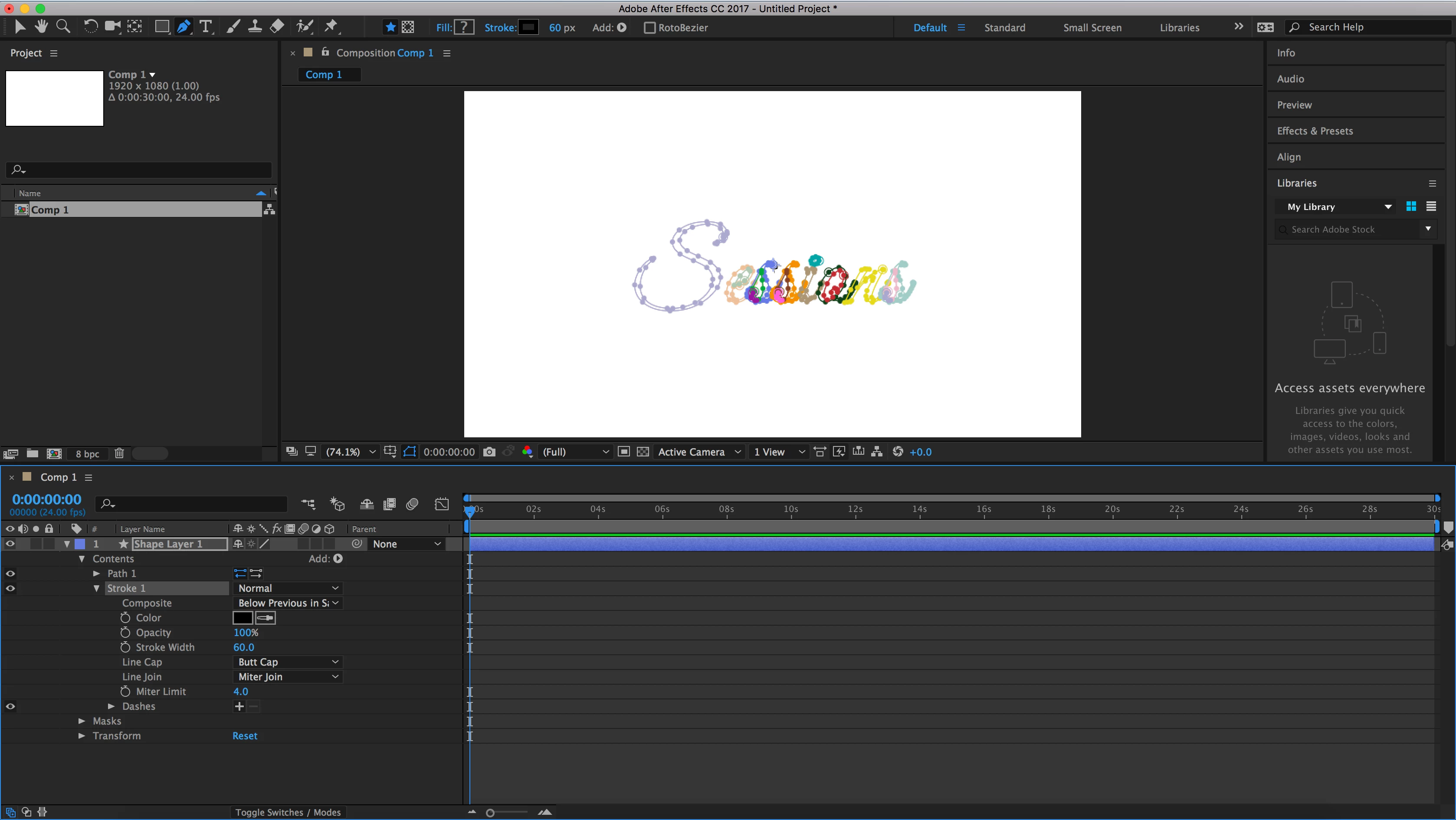
Hey guys, I'm fairly new to AE so I'm trying to figure out what I'm doing wrong. I am trying to add a stroke to a path I made in PhotoShop so that I can animate it via Trim Paths BUT I can't seem to get the stroke to appear. I've attached a screenshot of my project.
My steps to get here were:
1. Create path in PS and copy it
2. Create shape layer in AE
3. Add "Path" to shape layer
4. Paste path from PS
5. Add "Stroke" and adjust color/px width
I don't know where my error is here. What am I doing incorrectly? Thanks!


 AdChoices