Question
Adjust puppet pin tool fallout
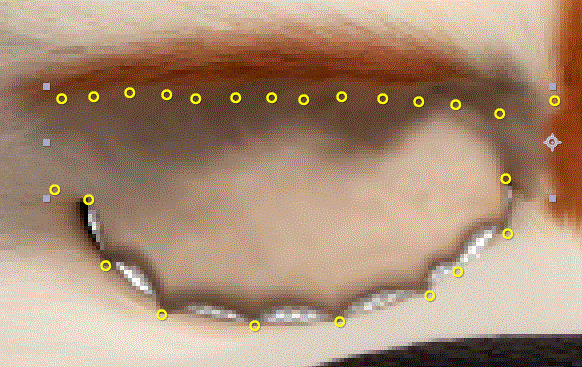
I'm having trouble, controlling the puppet pin tool in order to achieve a closing eyelid. If you look at the attached image, moving the upper point creates a very "sharp" effect. I previously made a large number of points along the upper eyelids, but I feel, there is a better way.
How would you approach such a task? Is it possible to change the fallout of a pin, so that a wider area is affected? Or perhaps create a "pin tool line" that runs along the upper edge, that can be moved downwards.
Please disregard from the low palette - I uploaded as GIF.
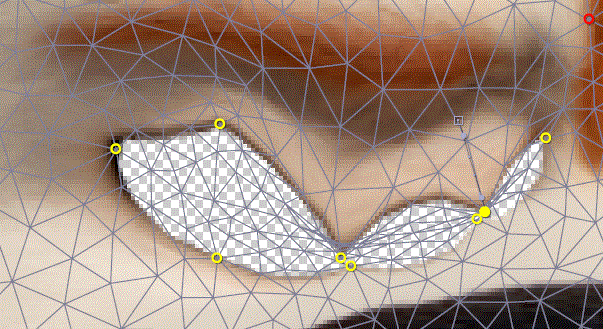
Edit: Here's another example. The image isn't supposed to be that big, so this might work after all - but again; if there is a better way, I would very much like to know.
 AdChoices