

Adjustement Layer Set Matte Mask showing black
Hi,
I have a problem applying a Set Matte effect on an adjustement layer so it hide a part of that adjustement layer.
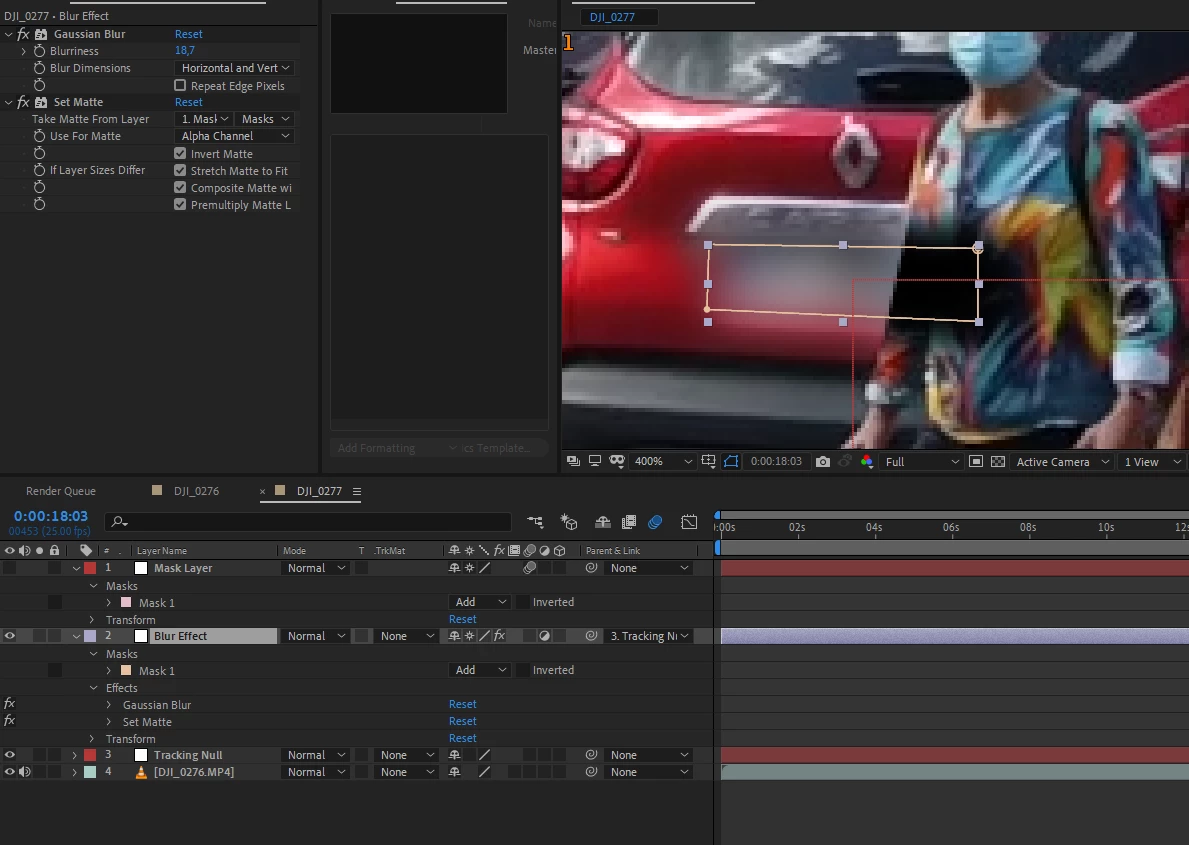
Here is my setup:
What I want
I would like the blur, on multiples car plates, to be hidden when the person goes infront.
What I have
I have an adjustement layer, where I drew a recangle mask, then applied a blur effect. It's to blur a car plate.
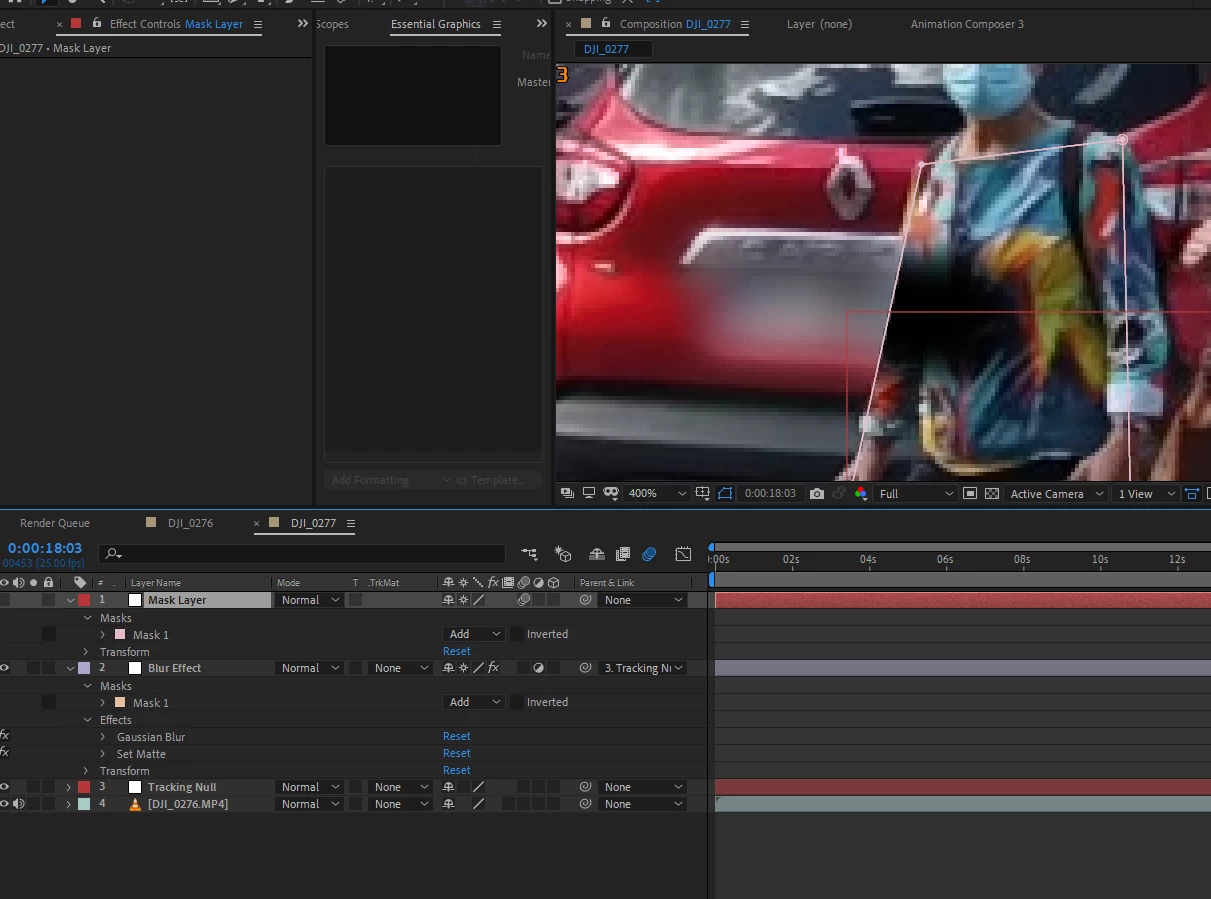
Then I have a Solid Layer on top (tried with a shape layer too) where I draw a mask. This mask is the person going infront of the car plate.
I applied a set Matte effect on the adjustement layer then in the effects controls, in "Take Matte From Layer" I selected my Solid Layer and "Masks". and Invert Matte.
I end up with something almost working but instead of hidding the adjustement layer it display black.
As shown below:
Thanks in advance if anyone find a solution.
 AdChoices