


Participant
October 13, 2024
Question

Adjustment layer problem

  • October 13, 2024
  • 3 replies
  • 410 views

The problem I've been facing is when my adjustment layer has effects added to it that makes a distortion or something under footage or effects, it sets it in the middle of the screen and the effect doesn't follow the position of the footage or effect.


Some examples of the effects are:


Displacement map

Chromatic displacement

Compound blur

and more...


This is very important because I am a VFX editor and I need this to work for my videos.


Evidence: 
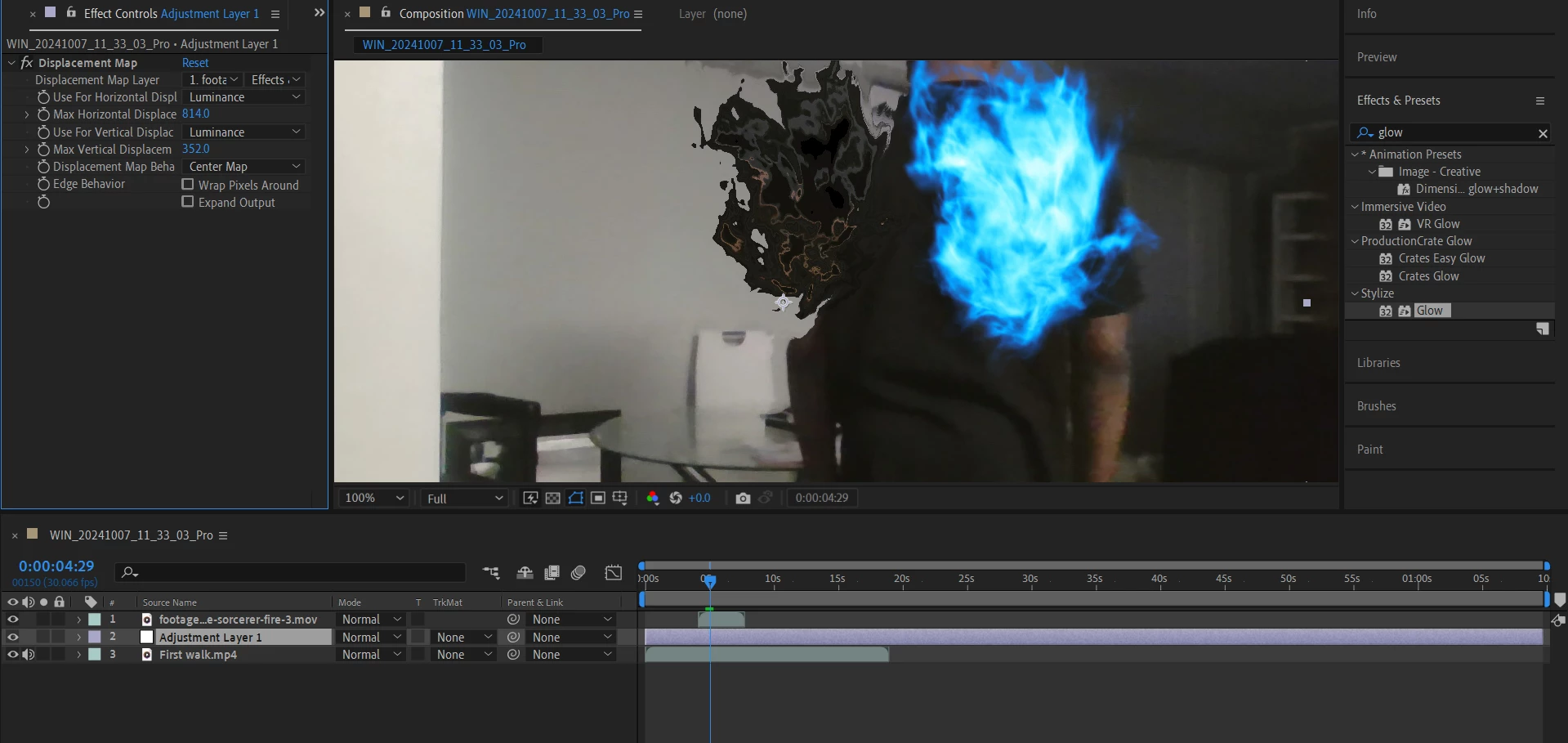


My version of After Effects is 2022, but this was also happening on the 2020 app.


This topic has been closed for replies.

3 replies

Warren Heaton
Community Expert
Community Expert
October 14, 2024

These are ways to control where Effects applied to an Adjustment Layer are rendered within the composition.

Participant
October 27, 2024

It was rendered but it doesn't follow the motion or size of the video it is applied to.

Participant
October 14, 2024

How does this help? I'm confused.

Warren Heaton
Community Expert
Community Expert
October 14, 2024

Yes, an Adjustment Layer affects the composite of the Layers below it; however, it does so based on the Alpha of the Adjustment Layer.  

To easily see the Alpha, show the Layer Switches (the toggle switch is at the bottem left of the Timeline panel) and temporarily hide the Adjustmet Layer Switch for the Adjustment Layer (second to last switch from left to right).


An Ajustment Layer is a White Solid with the Adjustmest Layer Switch enabled.  By default, it is the same frame size as the Composition, but the frame size can be adjusted (Layer > Solid Settings while it's selected; draw a Mask or Masks; adjust the Scale) such that it affects less of the Composition frame size.  Also, the Adjustment Layer can be the target of a Motion Track to track effects with the action of the picture in Layers below.