
Blackcom
Participating Frequently
February 2, 2018
Answered

Adjustment layer will not do anything when imported into Premiere

  • February 2, 2018
  • 1 reply
  • 2562 views

I have an After Effects project with an adjustment layer for some color correction. Works great. However, when I import the AE project into Premiere the effects of the adjustment layer is not shown.. UNLESS i put a sold black layer as the bottom layer in the AE project.. THEN the adjustment layer works in when imported into Premiere too.

Anyone got any clues here, is this a feature or a bug?
    This topic has been closed for replies.
    Correct answer Roei Tzoref

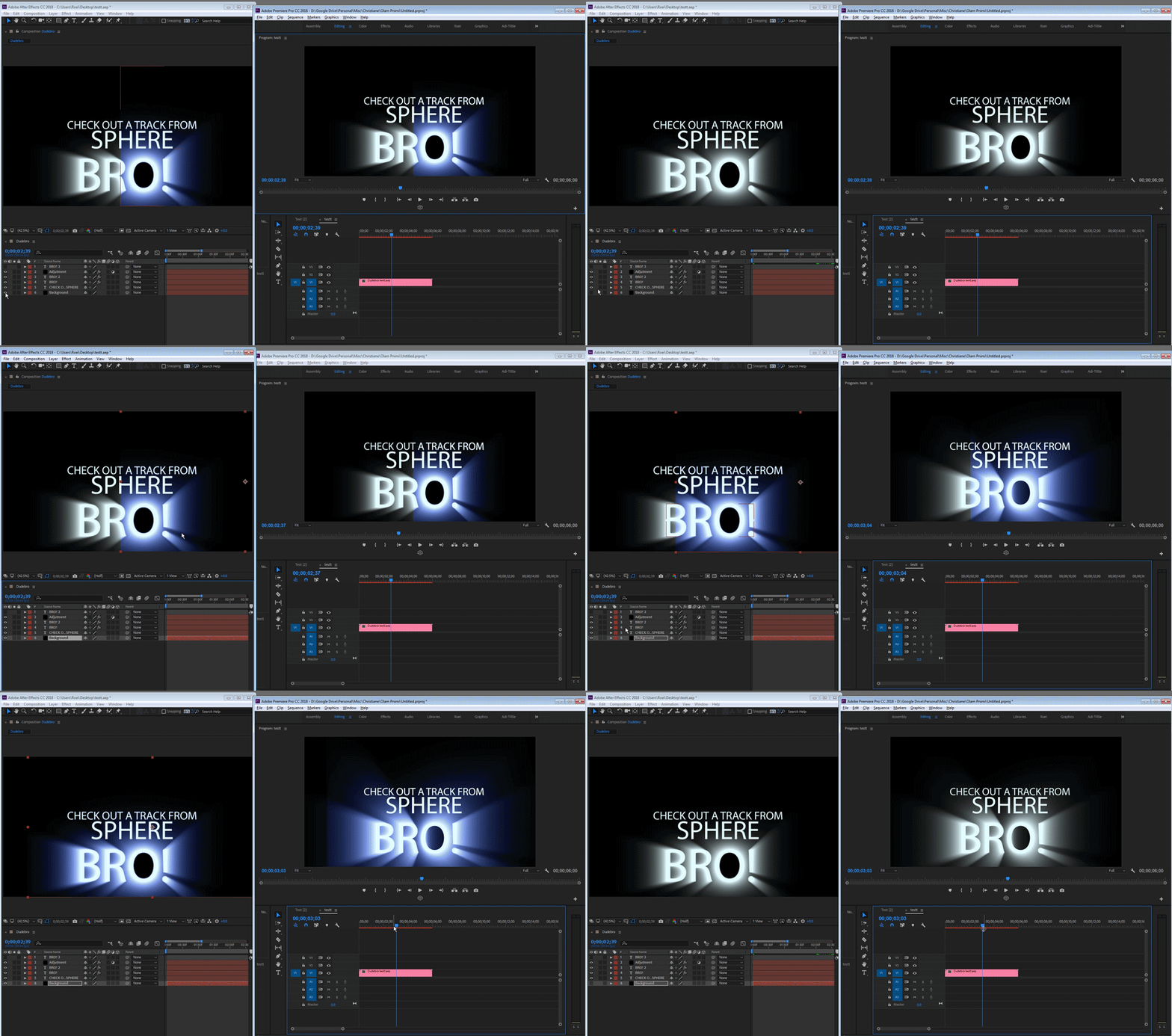
    If you toggle the Adjustment layer on/off you can clearly see that it affects the part of the text with no solid black layer underneath it too, changes from grayish to blueish, pretty obvious when you look at it.


    they are exactly the same. when there is background in Ae, it's blue, when there isn't - it's white. in premiere is the same result as in Ae. I would suggest you find another color correction effect (try color vibrance by videocopilot. it's free) or just leave the solid.

    1 reply

    Roei Tzoref
    Legend
    February 2, 2018

    What is the effect applied? And what is the layer or composite that it affects?

    show us some full screeenshots

    Blackcom
    BlackcomAuthor
    Participating Frequently
    February 2, 2018

    I've tried to demonstrate it as good as possible here.

    Fist picture: On the right is AE and i've moved the bottom solid black layer so it only appears in the right half of the project. The adjustment layer does the Color Balance perfectly in AE but when imported into AP it does no effect on any area that does not have a bottom solid black layer

    Second picture: i've moved the bottom solid black layer back so it covers all of the project and THEN suddenly the Adjustment Layer works perfectly on the whole AE project inside AP too. Sooo wierd!

    Dave_LaRonde
    Inspiring
    February 2, 2018

    AE adjustment layers do not work across applications.  That's something you'll have to do in Premiere Pro.  But it should be easy to accomplish there.