
alexg1250489
Participant
April 21, 2018
Answered

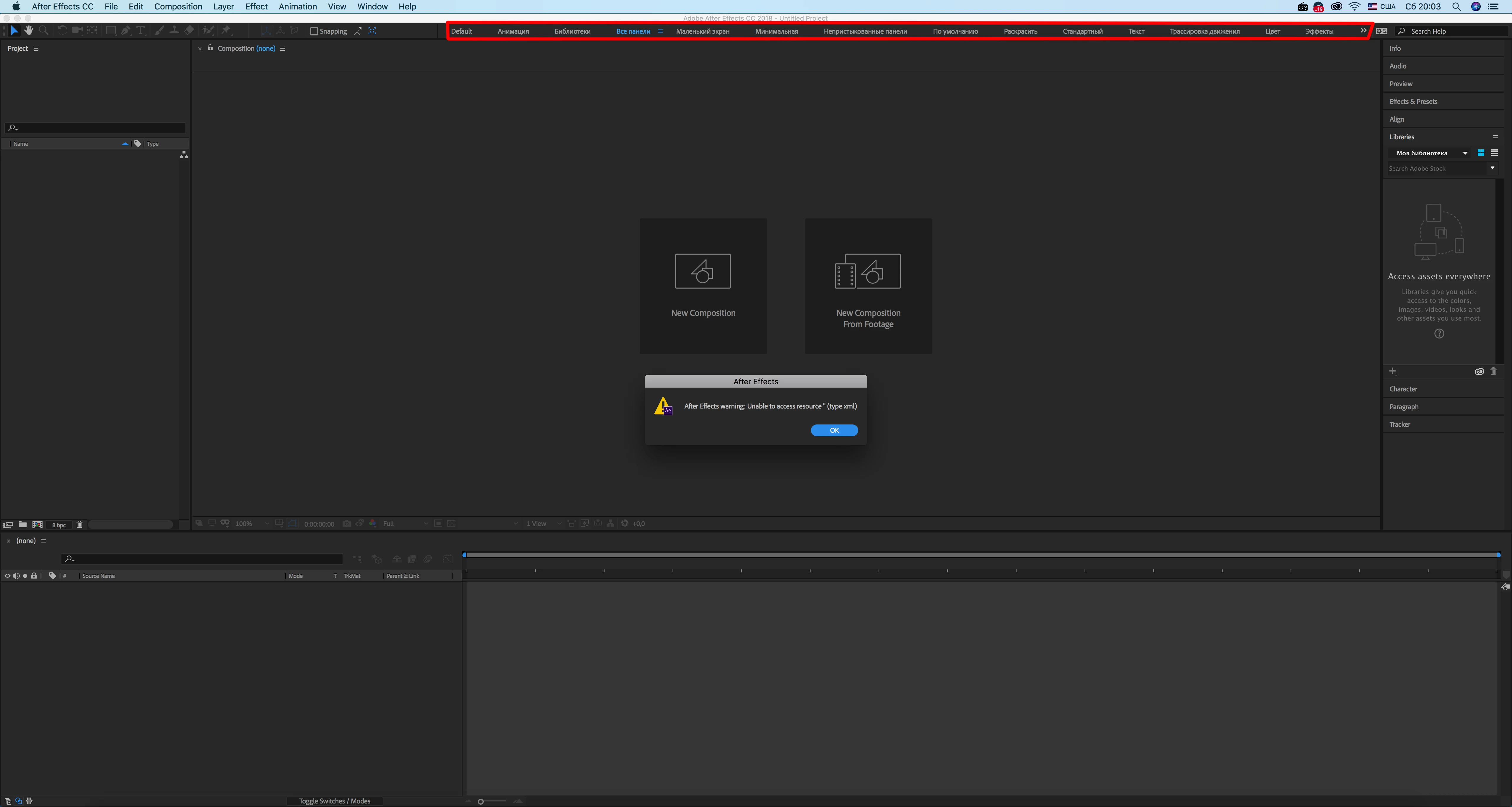
Adobe After Effects warning: Unable to access to resource " (type to xml)

  • April 21, 2018
  • 3 replies
  • 4519 views

Hello, I have problem with After Effects toolbar. I have English version , but toolbar panel is on Russian language and it doesn't work.  I wanna to change language and make it works! Thank you!
This topic has been closed for replies.
Correct answer ToolfarmJP

Hello,

You open Adobe Creative Cloud tool and choose Preferences menu. You hit Creative Cloud tab and select English in App Language. Or you choose English in Language & Region in System Preferences of your Mac OSX.

3 replies

Participant
August 12, 2024
 

This error usually occurs when After Effects can't access a file or resource due to permissions or a corrupted file. Try checking file permissions, ensuring the file path is correct, and clearing the cache. If the issue persists, reinstalling After Effects might help. If you need more info youcine apk premium is official source.

Stillmouse
Participating Frequently
November 13, 2020

the same

Participant
July 26, 2024

The warning "Unable to access resource (type to xml)" in Adobe After Effects usually indicates a problem with accessing or loading XML files or resources required by the project. Check if the file path is correct and ensure that the XML file is not corrupted or missing. If the issue persists, try reinstalling or updating After Effects.

ToolfarmJP
Community Expert
ToolfarmJPCommunity ExpertCorrect answer
Community Expert
April 23, 2018

Hello,

You open Adobe Creative Cloud tool and choose Preferences menu. You hit Creative Cloud tab and select English in App Language. Or you choose English in Language & Region in System Preferences of your Mac OSX.

alexg1250489
Participant
April 23, 2018

Thank you! But unfortunately  it doesn't work. I have chosen the english language for Apps and all app are in english, but only AF has this problem. I have reinstalled AF  but it has  the same problem