
Inspiring
April 27, 2025
Answered

Advanced 3D Shadow - Casting Box Stuck at 30000 Z position

  • April 27, 2025
  • 2 replies
  • 848 views

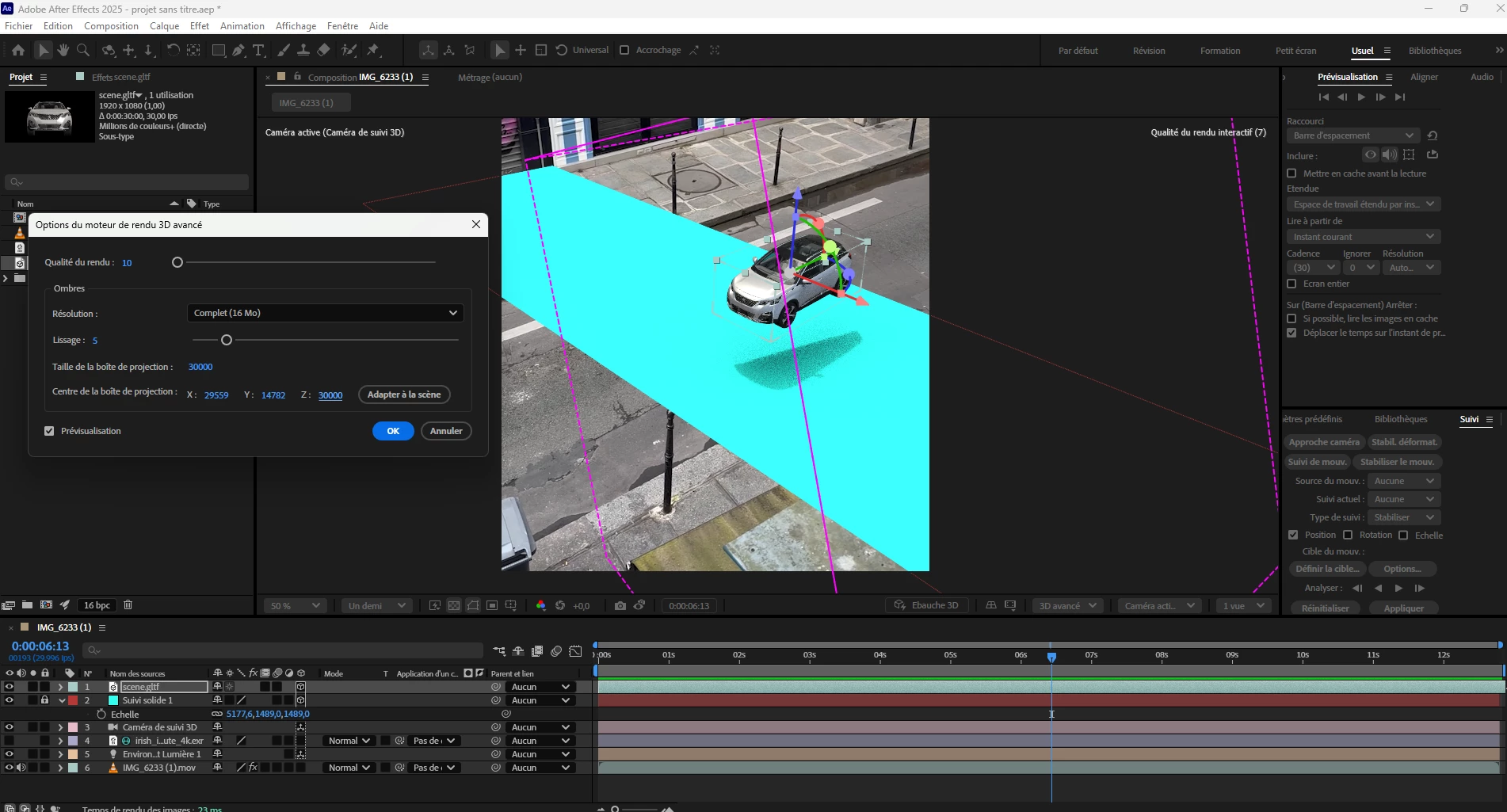
Hello, I have a problem with the casting box position, the value of the Z does not go beyond 30000 and it place the box like this when I click on Fit to Scene. I can't moove the box behond so I can't see the shadow of my car deeper into my scene, I do a lot of search but I have no answer to how fix this box problem.
Correct answer Thetope

It's hard to say without seeing the clip and tracking it myself, but yes, if the solid has tracking data, then moving it will break the track. 

Are you able to share the clip with me privately?


Thanks,
- David, After Effects Engineering Team


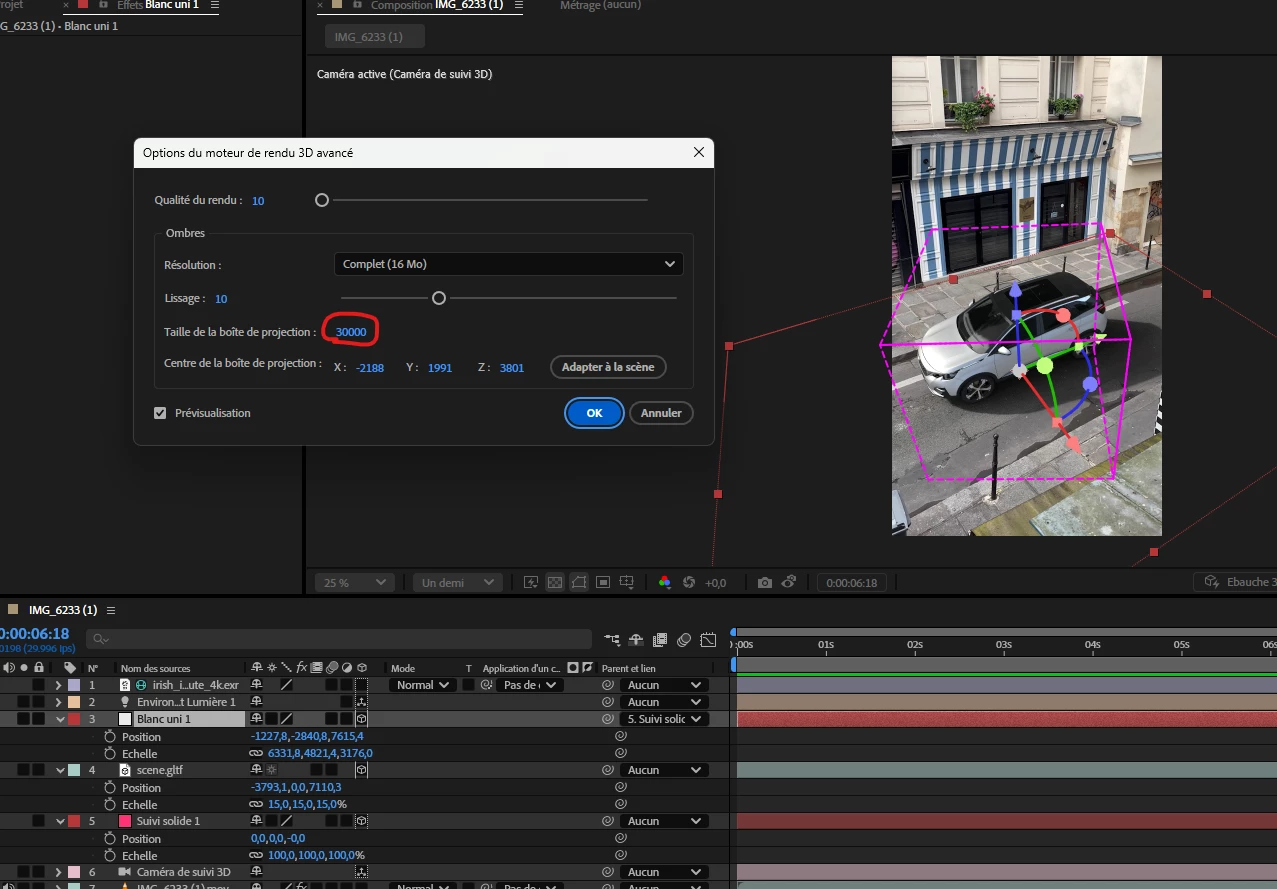
Hi David I have resolve the position probelm by doing the option set a Ground Plane and Origin before doing my traking and as you can see on my screen shot the position and the size are normal now.

But I have one last problerm always with the Casting Box witch is at his maximal size 30000 for no reason and when I want animate my car in the scène even before animated this is not covered the entire area of the shadow. I'm out of idea now I join you a vidéo so you can cleraly see the problem ! 


2 replies

Mike Choo
Inspiring
July 28, 2025

@Thetope you might find this useful as well - a script for normalising the scene after tracking so the values are in the normal AE range:

https://workbench.tv/freebies/2020-05-28_NormalizeTrack/

David.Arbor
Community Manager
Community Manager
April 28, 2025

Hi there @Thetope,


Due to underlying math, the max value for most things in AE (and several other apps) is 30,000. The Fit to Scene button is great, but be aware that it will always scale to the largest layer in your comp (in this case your shadow catcher). This can lead to an unnecessarily large shadow casting box, which can reduce performance. 


My recommendation is to:

  1. Temporarily turn off your solid so your car is the only 3D layer in the comp.
  2. Now hit the "Fit to Scene" button, which should shrink the casting box and perfectly place it over the car.
  3. Turn your solid back on.
  4. Shrink down your solid to only the largest size you need it to be.


If this doesn't solve your problem, post another screenshot showing:

  • Just the car model enabled.
  • The Casting Box options after you hit the "Fit to Scene" button.


If you still see values of 30,000 on the Z-axis, then that would imply your models are very far from the origin of the comp. It might make sense to adjust all your values and bring the models back to the center of the comp.


Thanks,
- David, After Effects Engineering Team

ThetopeAuthor
Inspiring
April 28, 2025

Hi David thanks for the answer, I understand and its in fact like you said the position of the 3D object that is very far of the origin. But in this project I do a traking on the vidéo to track the car on the road. I think the problem is when I click on Creat a solid and a Camera the positionXYZ of the solid who's gonna be the parent to my 3D model are insanely far like you said. 

Somedy in a comment propose this to me

"Can you make your shadow catcher a child of the 3D object, then set its position to 0,0,0 and then move it from there?"

This is actually work for the shadow ! But after doing this I compltely lost my tracking and the car moove ramdomly in my composition. 

Actually is there a way to put the fisrt solid of the tracking at different value without break the traking ? 

Thanks by advance ! 

David.Arbor
Community Manager
Community Manager
April 30, 2025

It's hard to say without seeing the clip and tracking it myself, but yes, if the solid has tracking data, then moving it will break the track. 

Are you able to share the clip with me privately?


Thanks,
- David, After Effects Engineering Team