christopherd75102378
Participant
April 7, 2021
Answered

AE 2021 washes out color from Illustrator files

  • April 7, 2021
  • 3 replies
  • 6299 views

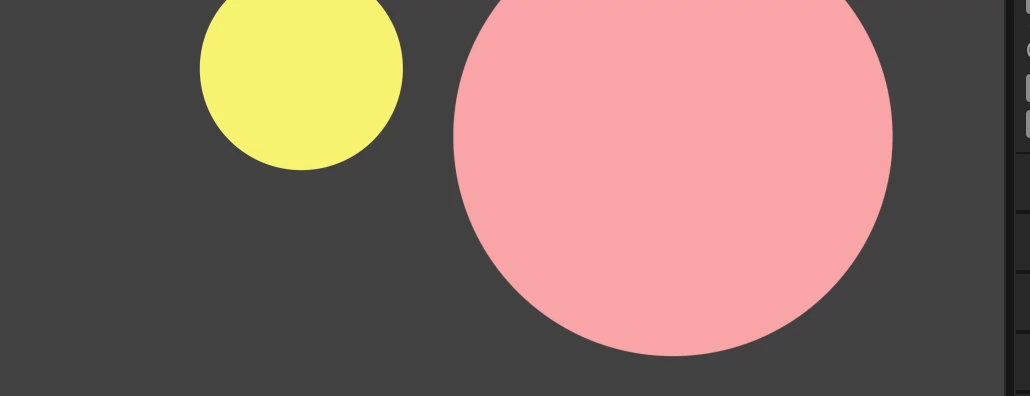
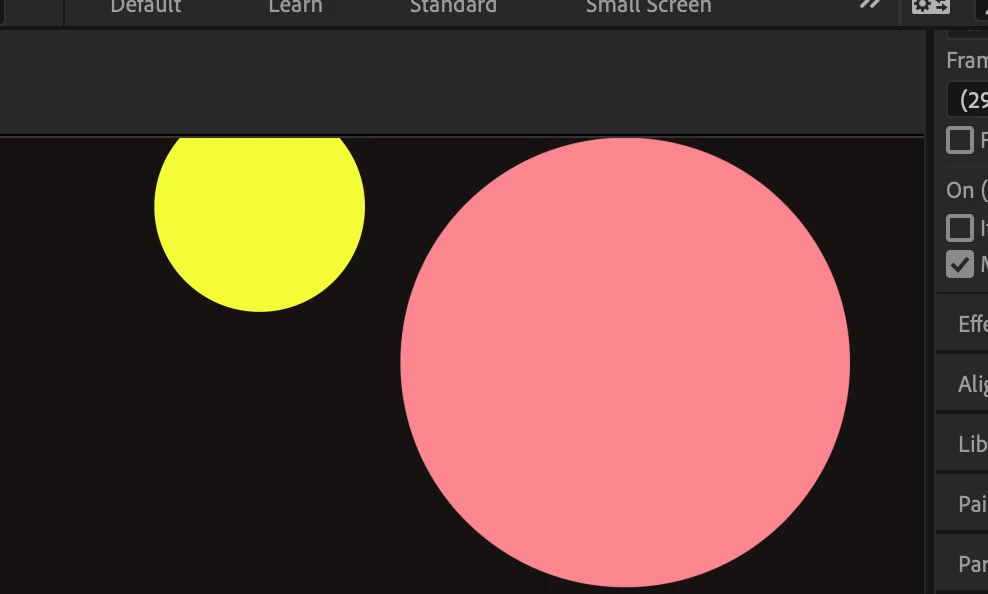
The following 2 screencaps are the exact same AE project with an imported Illustrator file.  In 2020 the colors look as they do in Illustrator, but in 2021 the colors are pastel/washed out. Is this a bug in the new After Effects 2021? 
    This topic has been closed for replies.
    Correct answer christopherd75102378

    Turns out it was a CMYK .ai file. When changed to RGB it fixed it in 2021 AE. AE2020 didn't have the same color translation issue. 


    3 replies

    MontyDraws
    Known Participant
    June 6, 2021

    I have the same issue. Just spent 3.5 hours with Adobe support, they did the computer take over, erased, reinstalled, played with all the color profile settings and all the rest of the stuff suggested below. To no avail. I've got year's worth of animation files that all are now suddenly all washed out and no idea how to fix them. Changing the original AI file to RGB helps in some cases but borks a lot of transparencies and stuff.


    I downgraded to an earlier version of AE and the problem still exists. So maybe it is an illustrator thing? Though many of these old files (from late 2020)  I'm trying to access have never had their illustrator component opened in the newer illustrator.


    Color settings in Adobe illustrator did say that my color settings were synchronized across CC apps, but the adobe person changed a few settings (made no difference).


    Issue happening in the old AE (17.7), a version AE (18.0) that Adobe had me direct download, and the latest version (18.2).


    Community Expert
    April 7, 2021

    Something is probably different in your color management settings. The AI file may be in CMYK color space. We can't know anything about your project without screenshots of the entire UI and some workflow details. cropped screenshots don't tell us anything at all.

    nishu_kush
    Legend
    April 7, 2021

    Hi christopherd75102378,


    Thanks for writing in.

    What's the exact version of After Effects 2020 and 2021 that you're using: https://community.adobe.com/t5/after-effects/faq-how-to-find-the-exact-version-of-after-effects-you-re-using/td-p/9972137 

    Does it happen with all the Illustrator files that you import or a particular one? Also, are you on macOS or Windows?

    Try disabling the Hardware Accelerated Composition, Layer, and Footage Panels in the After Effects Preferences > Display.

    Let us know if it brings any change.


    Thanks,

    Nishu

    christopherd75102378
    Participant
    April 8, 2021

    18.0.0 build 39

    and 

    17.5.0 build 40

    Mac Catalina OS V 10.15.7

    this (Try disabling the Hardware Accelerated Composition, Layer, and Footage Panels in the After Effects Preferences > Display.) didn't change anything. 

    I tested 2 other Illustrator files and it seems it only happens with the one Illustrator file.  Very odd.