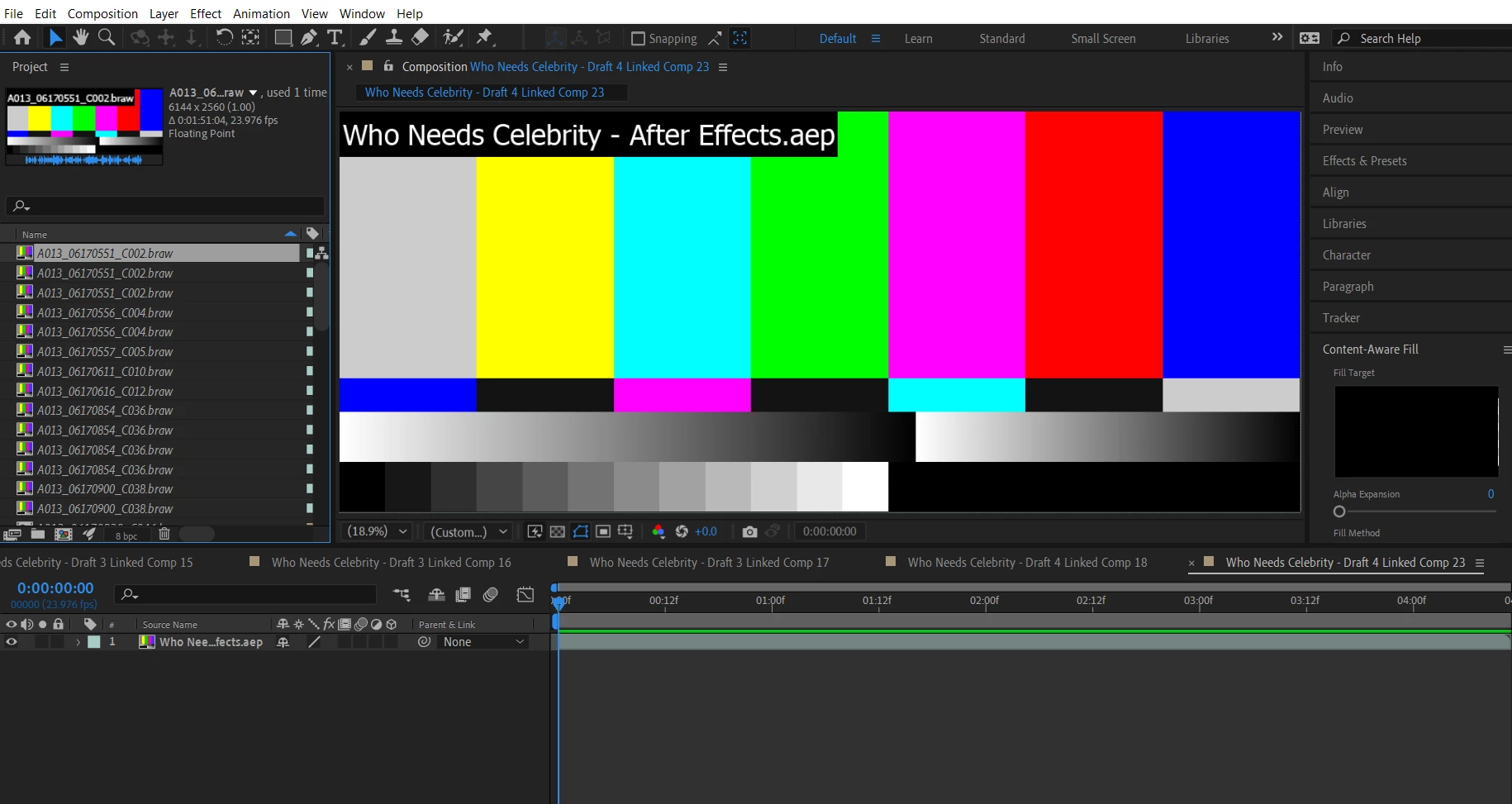
AE can't find my Black Magic files, but the folder is still there...
Backstory: I have been editing a music video consisting mostly of Black Magic raw files (downloaded the converter from their site) and have used the dynamic link feature from AE to edit some clips. I had a tech issue with AE's content aware fill, and spent much of yesterday troubleshooting with Adobe specialists by chat. One of them moved some stuff around and updated an Intel driver and now when I open my AE session I get the image below.
The source files are still in their original location, but right-clicking each clip and selecting "reload" simply says the files can't be found.
Selecting "replace file" and navigating to the folder with the raw files shows an empty folder, presumably because the Black Magic files aren't in a format AE can recognize? The files are there when I open the folder in Windows explorer.
Hoping I didn't lose my session. Can anyone guide me into restoring normalcy here? Thanks.
 AdChoices