
ronjap86396412
Participant
July 13, 2018
Question

AE CC 2018 Display bug, won't show comp.

  • July 13, 2018
  • 2 replies
  • 1119 views

Hi,

I've been having this problem with After Effects CC 2018 for a while now and I can't seem to fix it.

The problem is that when I open any existing project or make a new one, the display won't work. It won't show any compositions/images etc. It seem's to display the startup screen or if dragged the bottom menu as shown in the picture.
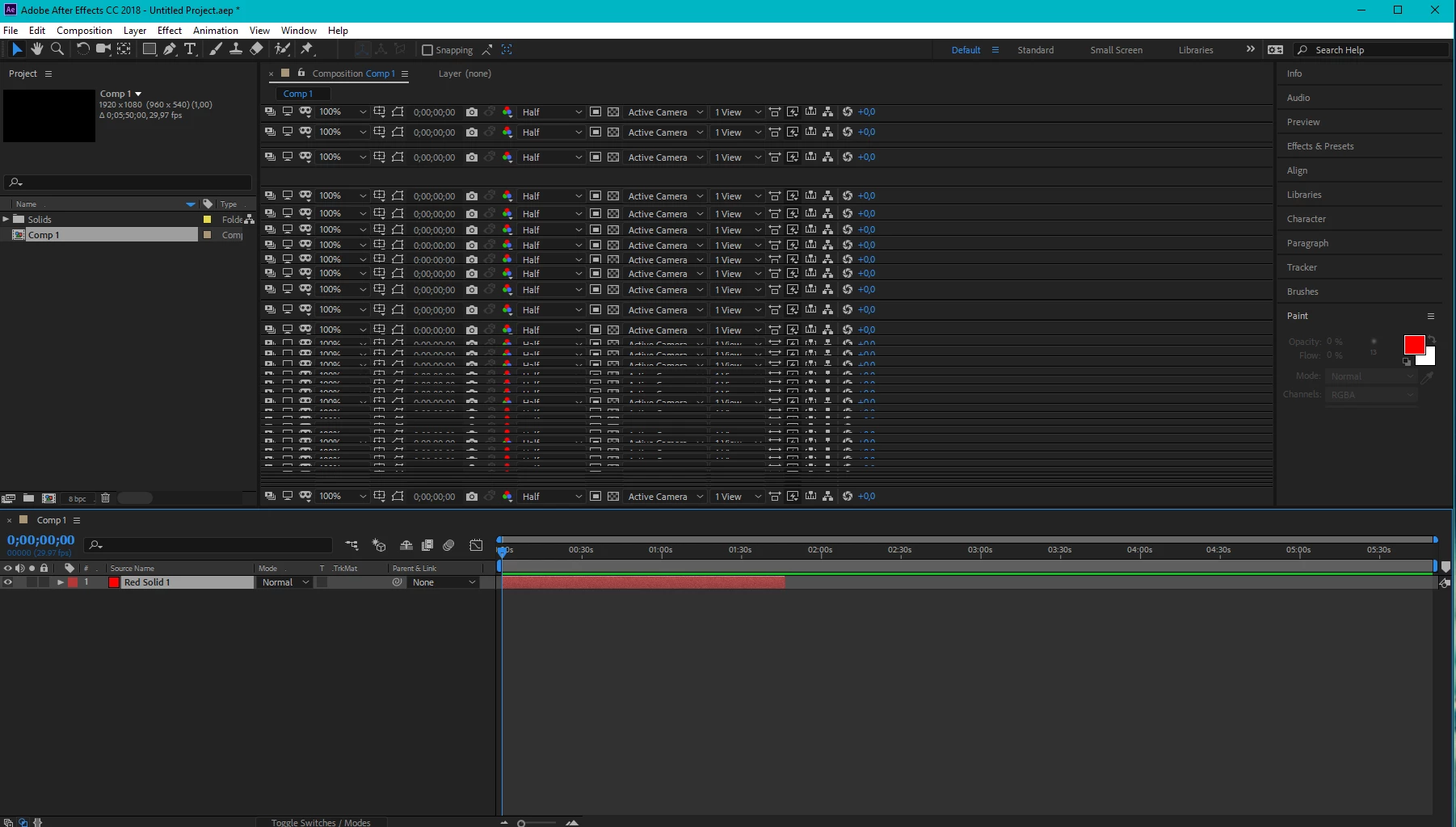
I have tried to fix it by clearing disk&database cache, restarting computer and re-installing AE. It's still bugging me.

Any ideas how to fix this? There shouldn't be any problems with my hardware or any drivers. I have installed AE in my local disk C.

Thank you in advance!

This topic has been closed for replies.

2 replies

Community Expert
July 13, 2018

Make sure you are on the latest build for your version and check your display settings in preferences. Most folks don't have this problem.

ronjap86396412
Participant
July 14, 2018

I checked the display tab and changing settings made no difference.

I also installed premiere pro and it seems to work.

Then I tried going back to older CC 15 version and the problem got solved. (??)

I tried once more to go back to the latest version on cloud and the problem started again!!

SO I guess I'll use an earlier version now...

Warren Heaton
Community Expert
Community Expert
July 13, 2018

Woah!

What happens if you change Workspaces? Of if you create a New Viewer (View > New Viewer)?

-Warren

ronjap86396412
Participant
July 13, 2018

Changing the workspace doesn't fix it

Warren Heaton
Community Expert
Community Expert
July 13, 2018

Hmph.

You mentioned clearing disk & database cache, restarting computer and re-installing AE.

Have you reset the preferences?

Hold control alt and shift when you launch After Effects and it should prompt you to delete the preferences.  If that doesn't work, go to Edit > Preferences > General and there's button to reveal the Preferences at bottom of that window.