
Participant
November 10, 2025
Question

AE CC Particle Systems II and CC Composite

  • November 10, 2025
  • 1 reply
  • 79 views

So let me preface this by stating that I am an utter and complete noob.  I've been tasked with creating some training videos and I am working on the outro for those videos.  I found some how to videos on YouTube that show how to make text appear to vanish into dust.

Video 1 - Ryan Shirley 

Video 2 - Smertimba Graphics


Both show essentially the same steps and I have followed them exactly.  My end results, however, don't look like theirs.  The particles are restricted to the bounding box for the text object.
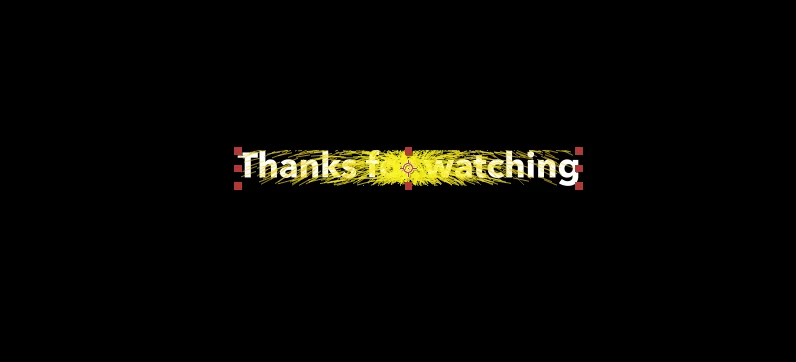
 

How do I get the particles to move beyond the text?  I thought that is what CC Composite was suppoosed to do.  I'm sure I'm missing something.  Thanks in advance.

1 reply

nishu_kush
Community Manager
Community Manager
November 10, 2025

Thanks for writing in, Max.


Create a solid layer and hide it. In the Composite effects applied to your text layer, select the solid layer in the Top Layer drop-down. This worked for me.

Let me know how it goes.


Thanks,
Nishu

Participant
November 10, 2025

Thanks Nishu.  I'll give that a try.  My concern is that I have other things going on prior to when I wan thiss effect to happen.  Adding the layer may interfere with the other objects and effects that I have.  I will try though and report back.