Participant
March 27, 2018
Question

AE: Does not fully render (constant loop)

  • March 27, 2018
  • 3 replies
  • 551 views

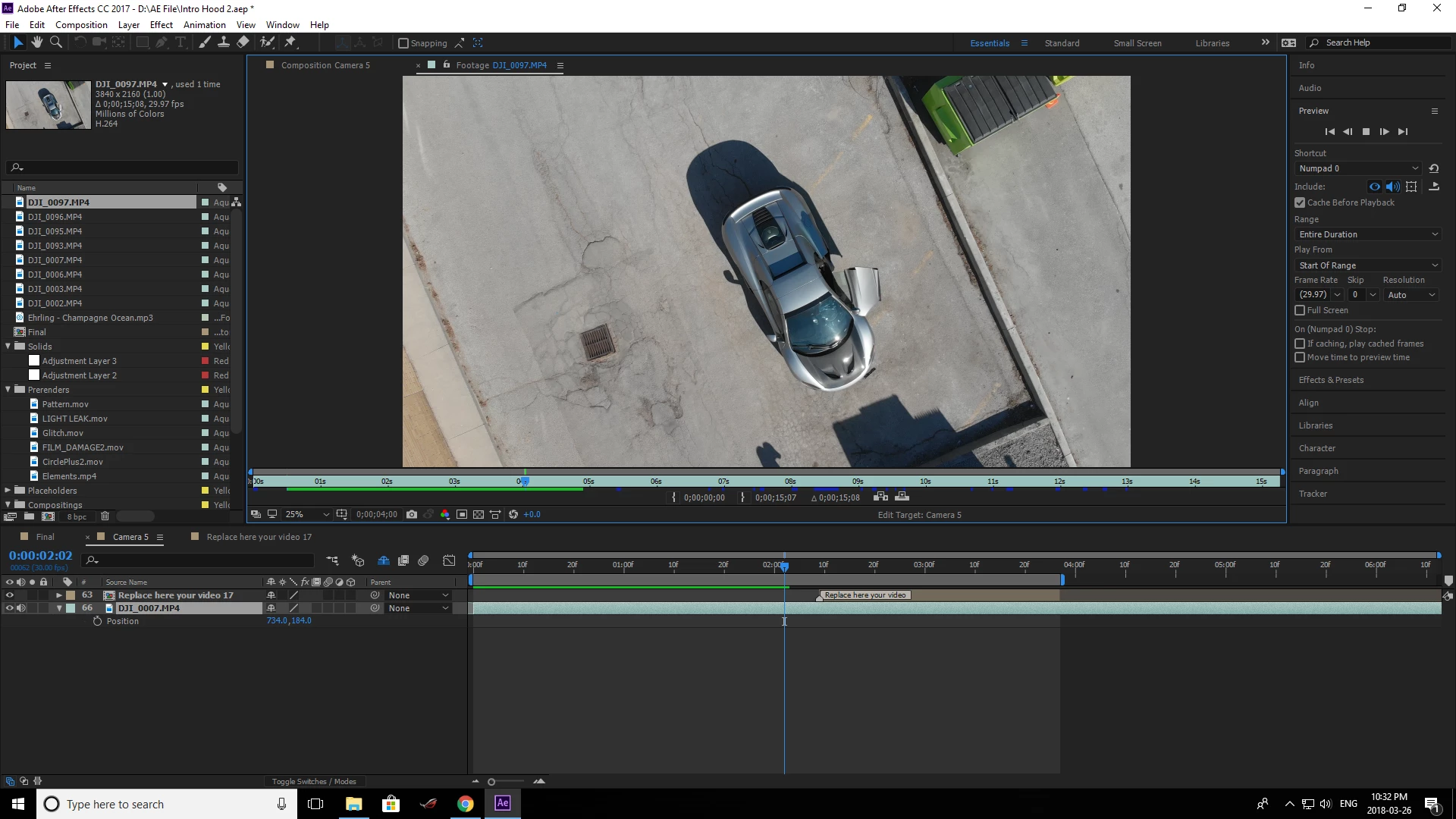
I havent had this issue before but it has just started (perhaps i adjusted a setting) but each time I hit "0" it starts to render as normal. However after a short period it stops filling the green and goes into an endless loop of what has already been rendered. It will not go beyond.

Here is an example and my settings - it just constantly repeats the green and never goes beyond.
    This topic has been closed for replies.

    3 replies

    Kevin J. Monahan Jr.
    Community Manager
    Community Manager
    March 28, 2018

    Hi ur4,

    Still experiencing this issue? Please let us know.

    Thanks,
    Kevin

    Kevin Monahan - Sr. Community and Engagement Strategist – Adobe Pro Video and Audio
    Kyle Hamrick
    Community Expert
    Community Expert
    March 28, 2018

    4k footage will indeed gobble up that RAM quickly.

    If you feel like you had better performance with this specific footage, but no longer do, I'd recommend purging your cache.
    Edit > Purge > All Memory and Disk Cache

    Also make sure that your disk cache is set to an appropriate place - a fast drive with plenty of space.
    Preferences > Media and Disk Cache


    Some learning resources:
    Memory and storage in After Effects
    https://www.schoolofmotion.com/blog/after-effects-disk-cache

    Mylenium
    Legend
    March 27, 2018

    Not sure what you expect. Perfectly normal. perhaps you should (re)visit the relevant help sections and actually read up on how RAM-based previewing works and how it is affected by things like actual available RAM, preview resolution, efects' memory consumption etc..

    Mylenium

    Participant
    March 27, 2018

    I have been trying to read up and havent found an answer. I am surprised it is an issue - I have had no issues prevewing before but it just started up on me. I do have a 1060 graphics card and 16gb of ram so surprised it would be an issue.

    If you could point me to the right specific section that would be helpful.

    Perhaps it may be because I am trying to preview 4k footage?

    Dave_LaRonde
    Inspiring
    March 27, 2018

    ur41034700  wrote

    Perhaps it may be because I am trying to preview 4k footage?

    Oh, you BET it could be!

    4K has something like 4 times the pixels per frame compared to HD!  So in order to do a RAM preview, it needs 4 times the memory.  You'll eat up those 16 gigs really fast!

    I recommend a reader's stroll through the Views and Previews section of AE help.  You'll find a boatload of strategies to help you get longer previews and real-time previews.  Things like skipping frames, changing comp resolution, using the Area Of Interest, Soloing, etc.

    Just one word of advice -- keep them fingers off the space bar!  Even though Adobe claims that hitting play works, I never, EVER use it.

    I also see you're trying to preview your comp in the footage window.  Any reason for that?