
Capvel Martain
Inspiring
October 16, 2025
Answered

AE error : having to focus on ourselves. (76 § 59)

  • October 16, 2025
  • 2 replies
  • 517 views

this funny error message pops up when I double-click on a texte layer to select directly a single word.
Apparently the text tool doesn't like to be too fast at clicking. I just click OK and i can go on.

If i just click once to "enter" on the texte layer to select text, nothing happen and i can continue to double or triple-click to select texts.
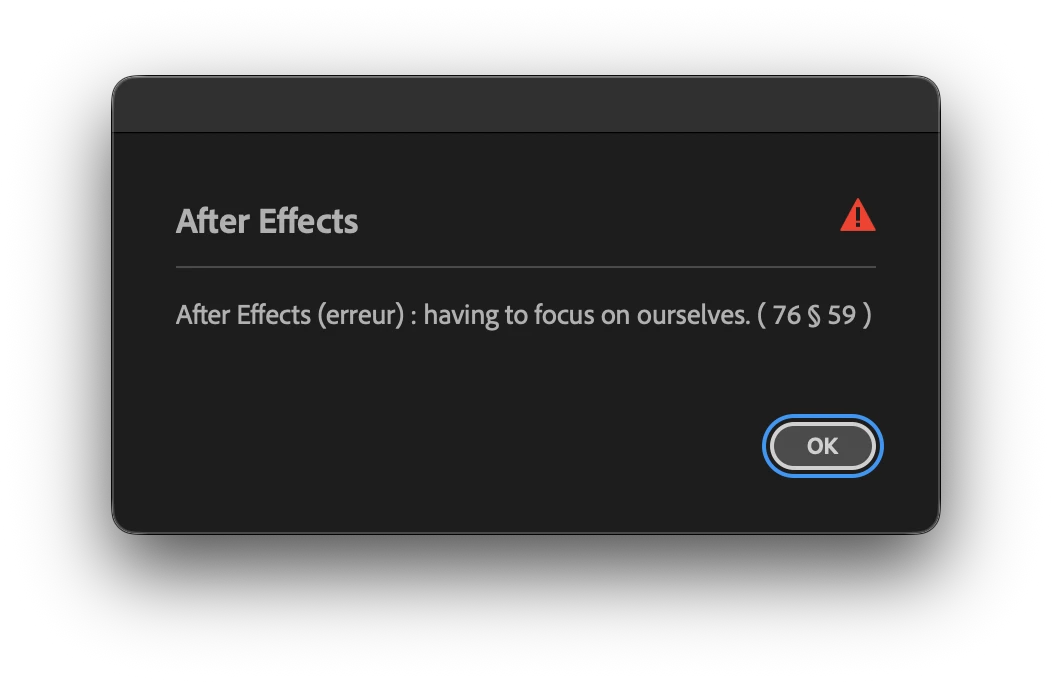
 

PS. My app is in french language. The message is not translated.

AE 25.5.0 — Mac Studio M1 Max — 32Go RAM — 130Go free disk space — Macos Tahoe 26.0.1 (25A362)
Correct answer Capvel Martain

TRUE !

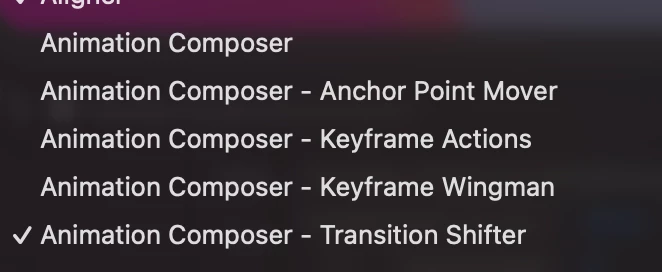
After several tests (uninstall - reinstall) the pop-up appears ONLY if there is ANY WINDOW OPEN from this.

If there is no window opened from this, i can try hard fast-clicking, nothing is happenning.

I will report this to their team.

Many Thanks !

Cheers

2 replies

Participant
October 30, 2025

I'm pretty sure this error coincides with the Mister Horse Animation Composer plug-in. Nothing to worry about, just the plug-in being cheeky.

Capvel Martain
Capvel MartainAuthorCorrect answer
Inspiring
October 31, 2025

TRUE !

After several tests (uninstall - reinstall) the pop-up appears ONLY if there is ANY WINDOW OPEN from this.

If there is no window opened from this, i can try hard fast-clicking, nothing is happenning.

I will report this to their team.

Many Thanks !

Cheers

nishu_kush
Community Manager
Community Manager
November 6, 2025

Glad to hear that you could find the source of the issue. Thanks for updating the thread.

Feel free to reach out if there are any other questions.


Thanks,
Nishu

nishu_kush
Community Manager
Community Manager
October 16, 2025

That's not ideal. Are there any third-party plug-ins or scripts installed? If yes, try removing them. You can disable the plug-ins from Effects > Manage Effects.

Let me know how it goes.


Thanks,
Nishu

Capvel Martain
Inspiring
October 16, 2025

Thanks for your fast concern. 

I started in safe mode (cmd + opt + shift) , brand new file, and it still pops up when my clicks are too fast on a texte layer., with the text tool. No pop-up when double-click with selection tool, which automaticly change the tool to text tool and having all the texte selected. 🤷🏻

nishu_kush
Community Manager
Community Manager
October 16, 2025

Did you disable the third-party plug-ins when you proceeded with Safe Mode? If that didn't help, go to the following location and remove (or move to a different location to keep a backup) all the files and folders except dummy.txt and try to launch After Effects.

Location on macOS - HD/Library/Application Support/Adobe/Common/Plugins/7.0/MediaCore

All the files and folders (except dummy.txt) in the MediaCore folder are related to third-party plug-ins. Moving them out will prevent After Effects from loading them. If the issue is related to plug-ins, you won't see the error.

Let me know.


Thanks,
Nishu