
Wa524c
Participant
January 9, 2019
Question

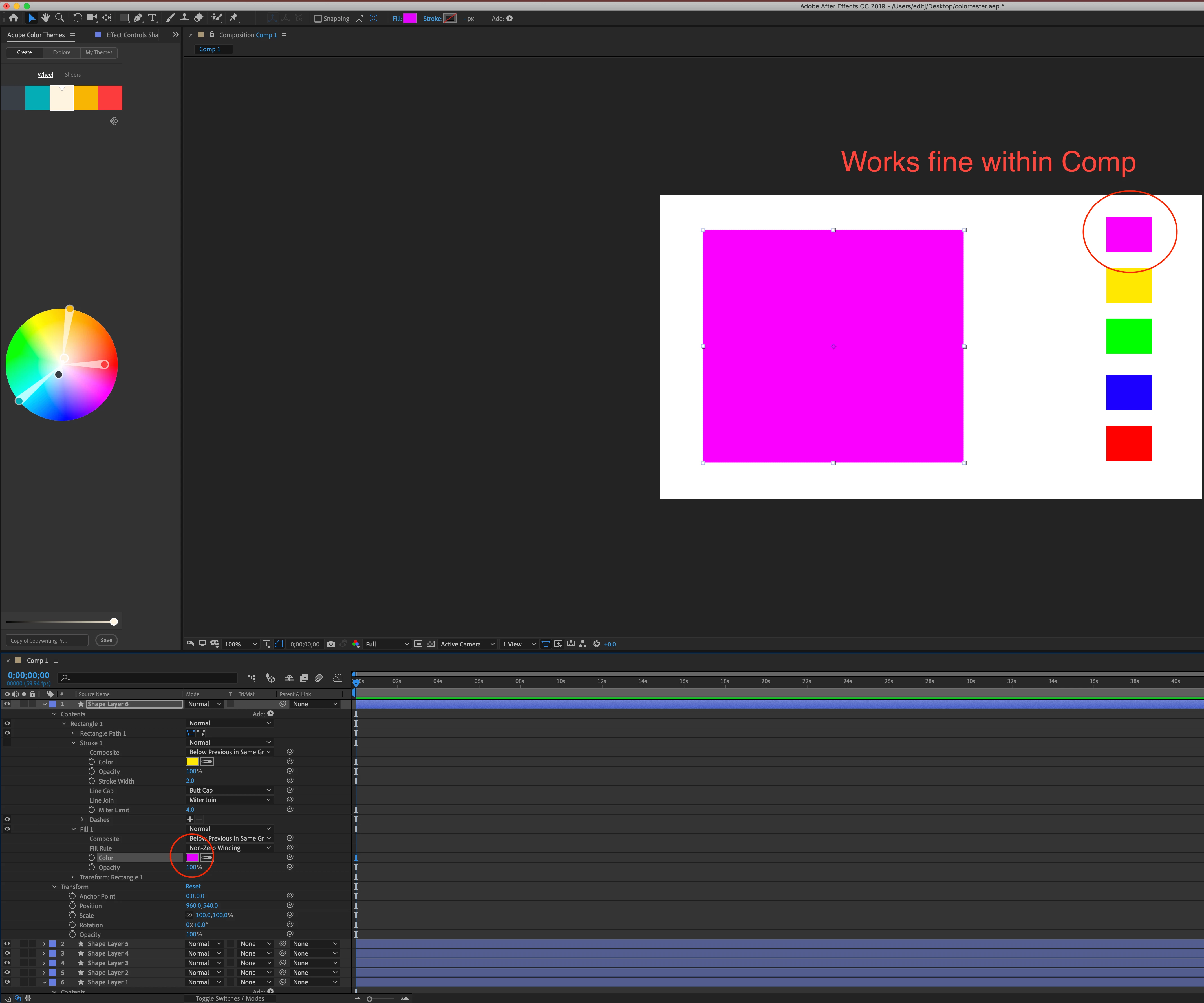
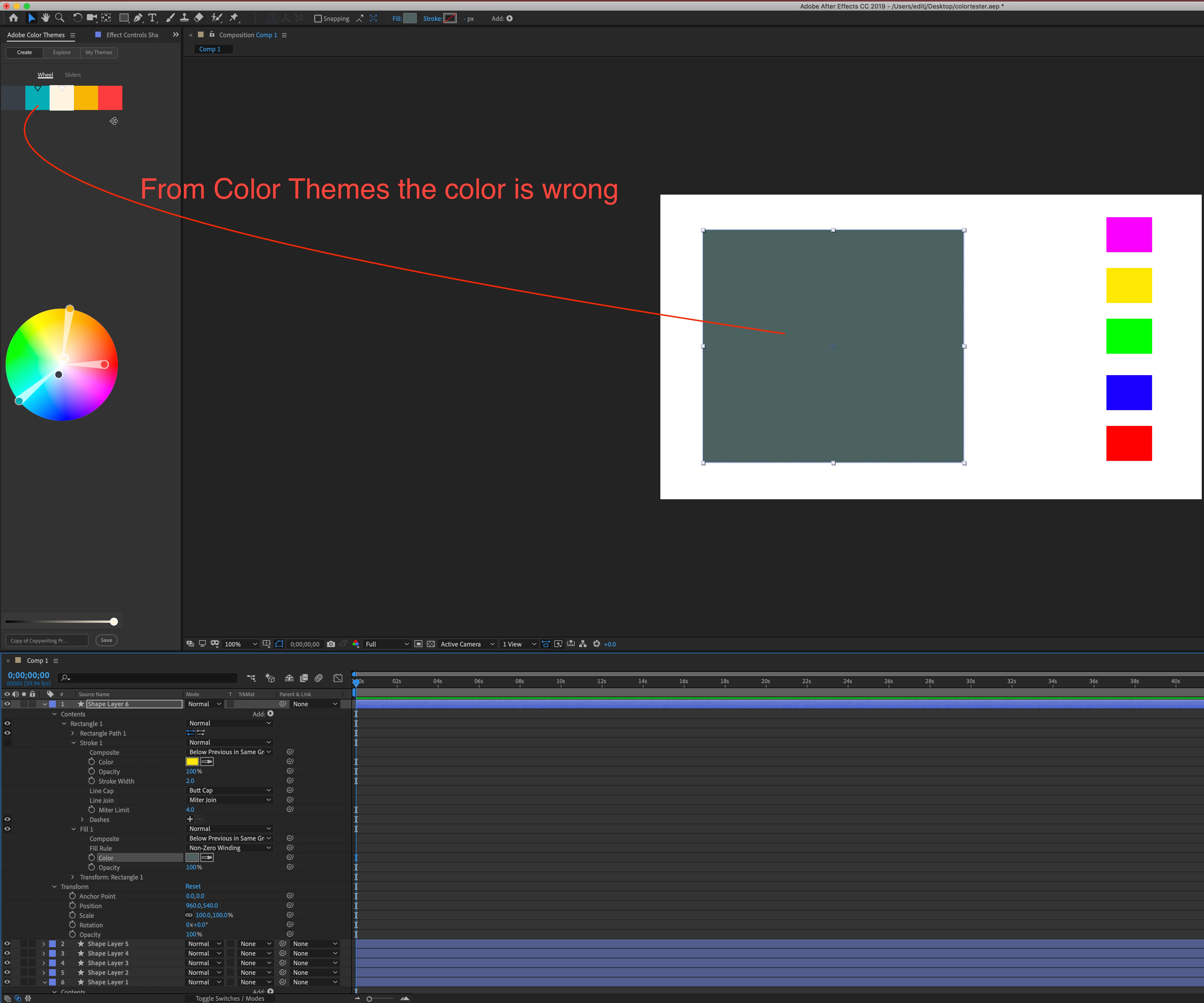
AE eyedropper tool pulls wrong color from Color Theme window

  • January 9, 2019
  • 3 replies
  • 3347 views

As the title states, I cannot get the eyedropper tool to pull the correct color from the Color Theme window. I assumed this was an issue with color space or color management, but I can't seem to figure out how. I am not using any color management (even though I tried several to see if this would correct it), isolated down to just using one monitor, changed from 8 to 16 and 32 bit color depth, changed the hardware acceleration to all available options and I cannot seem to fix it.

I am on an iMac retina 5k, 27 inch 2017

4.2 Ghz Intel Core i7

32 GB 2400 DDR4

Radeon Pro 580

After Effects CC is up to date, version 16.0.1 (Build 48)

I have done all I know to do, including clearing the cache and clearing settings.

No matter what I do, the eyedropper tool will not work with the color theme window, and always pulls a different color, usually a darker, muted version of the color I wanted. If I use the eyedropper within the comp however, it pulls the correct color every time. I have a coworker with an identical rig and software that does not have this issue, so I assume it MUST be in some setting I just don't know to check. Any and all help is greatly appreciated.
3 replies

Participant
March 28, 2025

I just reseted all preferences and finally worked.
Adobe why. I mean. I didnt touch anything about the color settings or whatever and one day it appears like this.
Please, you have the monopoly of graphic design apps and you dont care about nothing.
Have a good day, 6 years later.

Wa524c
Wa524cAuthor
Participant
January 10, 2019

I also should have mentioned, my coworker with identical rig and software builds has this feature working properly for him without any color management profile. Even after I matched any preference I could find to the same on the other machine I am still encountering the problem.

Roland Kahlenberg
Legend
January 11, 2019

Just double-checking - I assume you tested with the same variables on both machines?

Addtionally, may I know which effect you are using to eye-drop to the Color Theme?

If you look at my screengrab, you'll notice that I used Generate>Fill.

And you're most welcome.

Very Advanced After Effects Training | Adaptive & Responsive Toolkits | Intelligent Design Assets (IDAs) | MoGraph Design System DEV
Wa524c
Wa524cAuthor
Participant
January 11, 2019

Yes sir, that is correct. Every variable I know to check is the same, to include using the same color theme within the color theme window. I have the issue when I use the effect "Generate>Fill" as well as within the shape layer "Contents>Rectangle1>Fill1." I can also replicate the issue with text using the eyedropper from the "character" panel. It seems it doesn't matter which version of the eyedropper I use, if it is picking from the color themes window it will be incorrect.

Roland Kahlenberg
Legend
January 10, 2019

I believe the issue has to do with your Project Color Space and whether you have enabled Display Color Management for the Comp.

Enable these two options; then see if the issue persists.

Very Advanced After Effects Training | Adaptive & Responsive Toolkits | Intelligent Design Assets (IDAs) | MoGraph Design System DEV
Legend
January 10, 2019

https://forums.adobe.com/people/Roland+Kahlenberg  wrote

I believe the issue has to do with your Project Color Space and whether you have enabled Display Color Management for the Comp.

No, it's just broken. AE's user interface is not properly rendered - only the preview window is affected by DCM - and so eyedropping from the extension gives the wrong result no matter what the settings are. The only option is to manually type in the slider values.

Frankly, Adobe's attitude to color fidelity has always been rather pathetic. I would never trust the color displayed on a UI swatch. The numbers are usually correct (in the sense that if you export a frame and check it in Photoshop they come out as expected) but the UI is all over the place.

Roland Kahlenberg
Legend
January 10, 2019

I'd prefer to call matters, "work in progress" and this is what it is. ;-)

I did a test; using the Fill Effect to pick up colors from the Color Theme extension.

The image below shows a screen cap (with white borders) superimposedonto AE's UI. All the colors match, as expected.

Very Advanced After Effects Training | Adaptive & Responsive Toolkits | Intelligent Design Assets (IDAs) | MoGraph Design System DEV