
Question
AE file will not open, Cinema 4D error
I have an old file that is giving me this error and then closes the file. Any idea how to fix this?
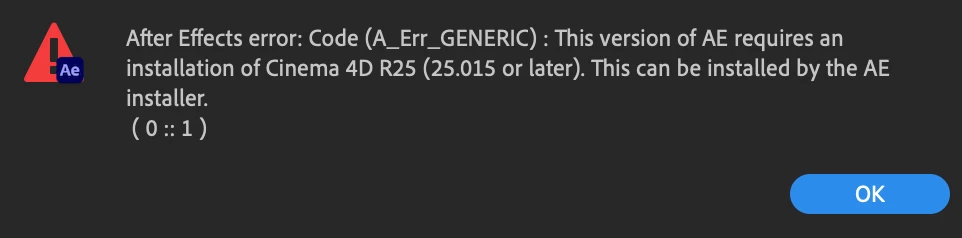
I have AE 22.4 installed and I am running on Mac OS 12. I also have R26 of Cinema 4D installed.
I have an old file that is giving me this error and then closes the file. Any idea how to fix this?
I have AE 22.4 installed and I am running on Mac OS 12. I also have R26 of Cinema 4D installed.
Already have an account? Login
Enter your E-mail address. We'll send you an e-mail with instructions to reset your password.
 AdChoices