Inspiring
January 27, 2017
Answered

AE Launch Error: Unexpected failure during application startup

  • January 27, 2017
  • 7 replies
  • 9359 views

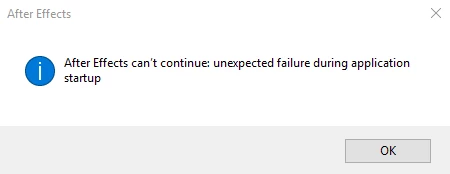
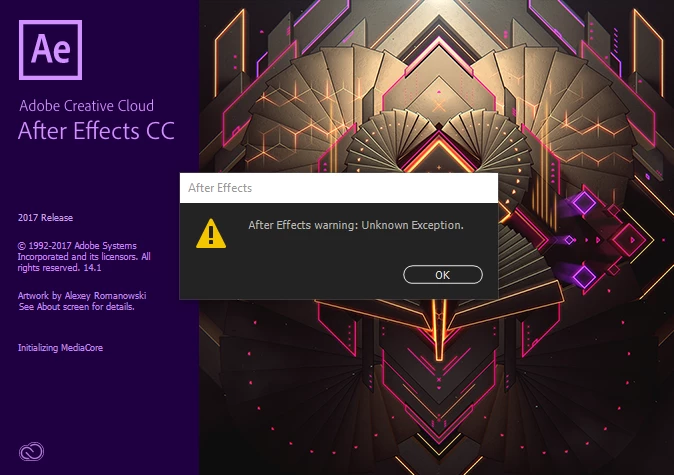
I'm having trouble launching AE. I get a dialogue box that says "After Effects warning: Unknown Exception." This pops up twice with the launch screen and then a box that says "After Effects can't continue: unexpected failure during application startup" appears (pictures below).

I just updated to AE CC 14.1 after I first got the error this morning.

• After Effects CC 14.1

• Windows 10 Home

• Intel(R) Core(TM) i5-4460 CPU 3.20Ghz

• 8GB RAM

• NVIDIA GeForce GT 720

Recent issues I've had with Photoshop and Illustrator I've been able to correct by renaming app data files, but I'm not sure which to look for here. Any suggestions?

Thanks!
This topic has been closed for replies.
Correct answer carissaw94735474

I took my computer in recently to update the graphics card and they ran some checks and must have found something that was the issue and it seems to be working now.

So I think the best answer for anyone having similar issues is to run virus checks? I wish I could identify the exact problem though it case something comes up again.

Thanks for your help Kevin and Adobe staff.

7 replies

Participant
February 7, 2022


I keep having the same issue. Can anybody help?

OussK
Community Expert
Community Expert
February 7, 2022

Even you have the same issue, maybe it comes from a different reason so try to explain more about your issue, your PC specs, and what solution you try...

Participant
February 25, 2017

i have the same issue

it definitely has something to do with the new update (14.1) because my other computer is on 14.0 and still works

Szalam
Community Expert
Community Expert
February 28, 2017

davidc72921687  wrote

i have the same issue

it definitely has something to do with the new update (14.1) because my other computer is on 14.0 and still works

Try uninstalling AE on the machine that doesn't work and reinstalling it. (But don't update to 14.1 if it gives you the chance.) Does that get it to work?

Inspiring
February 22, 2017

I still haven't resolved the issue. Adobe Support has been helpful, but they can't seem to track down the problem either.

Have you found a solution mustafar0015986?

Kevin-Monahan
Community Manager
Community Manager
February 24, 2017

Hi carissaw,

I escalated your case. Please let me know if our specialists do not help you solve this issue after working with them.

Thanks,
Kevin

Kevin Monahan - Sr. Community & Engagement Strategist – Pro Video and Audio
Participant
February 11, 2017

Same problem here
Yesterday I just updated to AE CC 14.1 after I first got the error !

Any Suggestion ?

Kevin-Monahan
Community Manager
Community Manager
February 6, 2017

Hi carissaw,

Hope you are well. Did you ever solve this issue? If so, how? Did you involve Adobe Support? Do you need help contacting us?

Thanks,
Kevin

Kevin Monahan - Sr. Community & Engagement Strategist – Pro Video and Audio
Inspiring
February 11, 2017

Hi Kevin,

I did contact support a couple weeks ago and they helpfully suggested I try a clean uninstall. I tried the clean uninstall process a few times, but it is still not working. (There were some failures in the clean log that may show the issue)

I installed the AE app on my mac and it works, but I would like to get it sorted on my windows since this is my main computer. I will have to contact support again.

Kevin-Monahan
Community Manager
Community Manager
February 14, 2017

Hi carissaw,

Please do contact them and see if they can resolve your problem. I can escalate your case if they have troubles—feel free to message me by clicking on my name in the upper left of this post. In either case, let us know how it goes, OK? Cheers!

Thanks,
Kevin

Kevin Monahan - Sr. Community & Engagement Strategist – Pro Video and Audio
Inspiring
January 30, 2017

I've tried uninstalling/re-installing and am still getting the same message.

Szalam
Community Expert
Community Expert
January 30, 2017

I'd recommend you contact Adobe support.

Inspiring
January 28, 2017

Any clues to why this may be happening?

Roei Tzoref
Legend
January 28, 2017

I would try to reset the preferences. you don't need to have the application start for it to trash the preferences. see here how to reset your preferences: Reset After Effects Preferences

Inspiring
January 28, 2017

I've tried that a couple times and it hasn't worked. Is there another way besides the Ctrl+alt+shift method that may work?