


Sunflowermelons
Participant
October 12, 2023
Question

AE Motion Tracker is not working.

  • October 12, 2023
  • 2 replies
  • 348 views

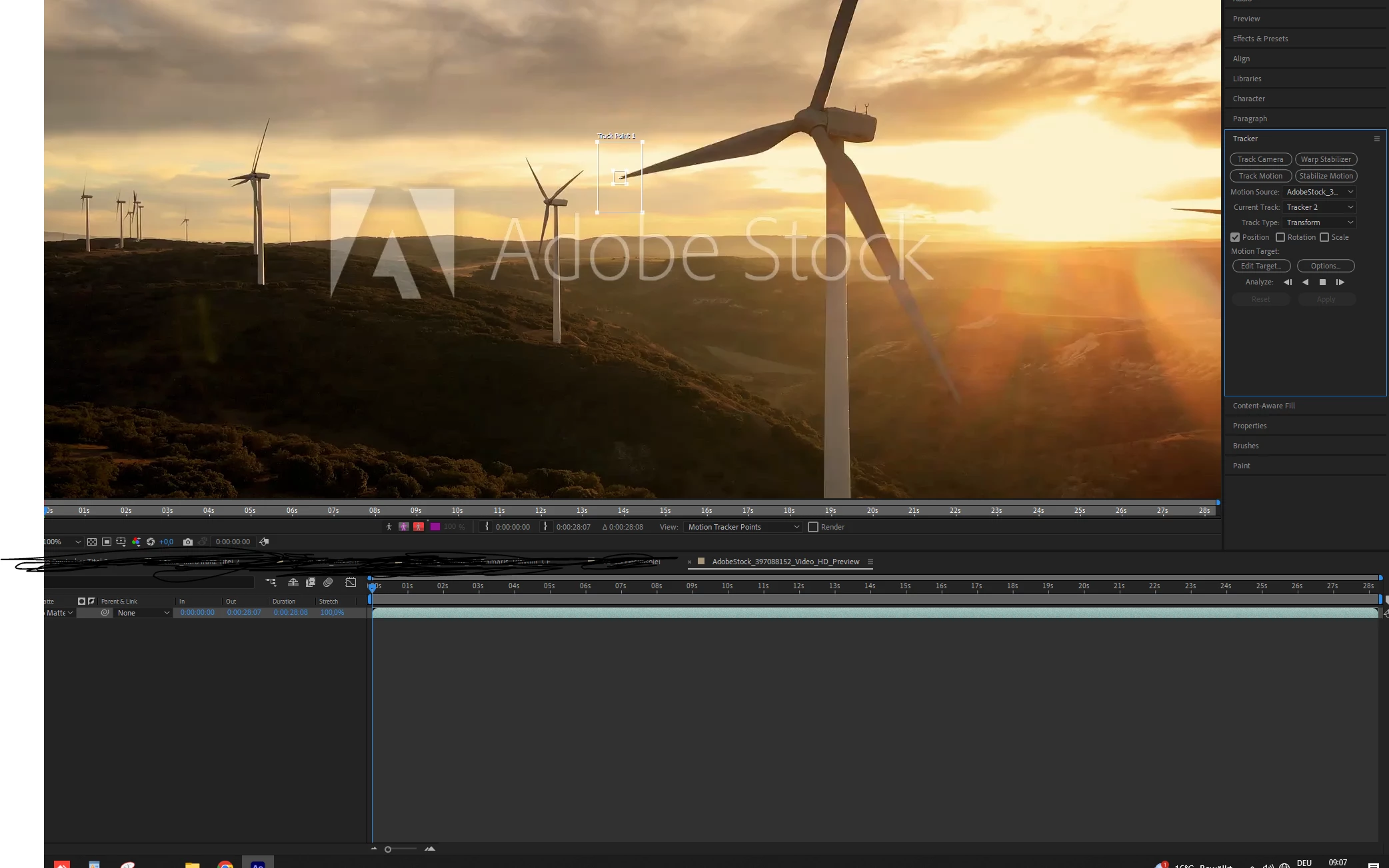
Hi! I cant run the AE Motion Tracker.
I tried to reinstall the software already, also tried to use V2023 and the Beta Version.

I can place the tracking point, but after hitting start - the software freezes for a short time until
beeing back - without any tracking points. 
 

This topic has been closed for replies.

2 replies

October 12, 2023

I'm not able to repro any issue in 24.0 or 24.1. Any chance you have an effect on the layer that might be interferring with the tracker seeing the actual layer footage?

Sunflowermelons
Participant
October 16, 2023

I used a new clean comp to see if the problem still exists.
I tried 23. 24 (different versions) - problem still exists.


nishu_kush
Legend
October 12, 2023

Hi damarisz18351709,


Welcome to the community and sorry for your issue. Please share the following details:

  • What are your system specifications (CPU, GPU, RAM, OS version)?
  • Does it happen with all media files? What are the details of the media (frame rate, frame size, format/codec) you've tested it with?
  • Have you tried running After Effects in Safe Mode?

Let us know.

Note: Moving this thread from Bugs to Discussions for troubleshooting.


Thanks,

Nishu

Sunflowermelons
Participant
October 16, 2023

Hi - yes i tried to run AE in save mode.

I have 32 gb of ram, Intel(R) Core(TM) i7-5820K CPU @ 3.30GHz 3.30 GHz,  Windows 10 pro 
my graphic card is a quadro rtx 4000.

Weirdly - the Tracking in the Mocha Plugin in works ( i installed the trial version, since its not free anymore).
I used this Clip to test the problem (hd version)
https://stock.adobe.com/ar/video/scenic-aerial-view-of-wind-turbines-farm-in-sunset-time-high-quality-4k-footage/397088152