
AE pre-comps glitch inside other Comps. Need Help.
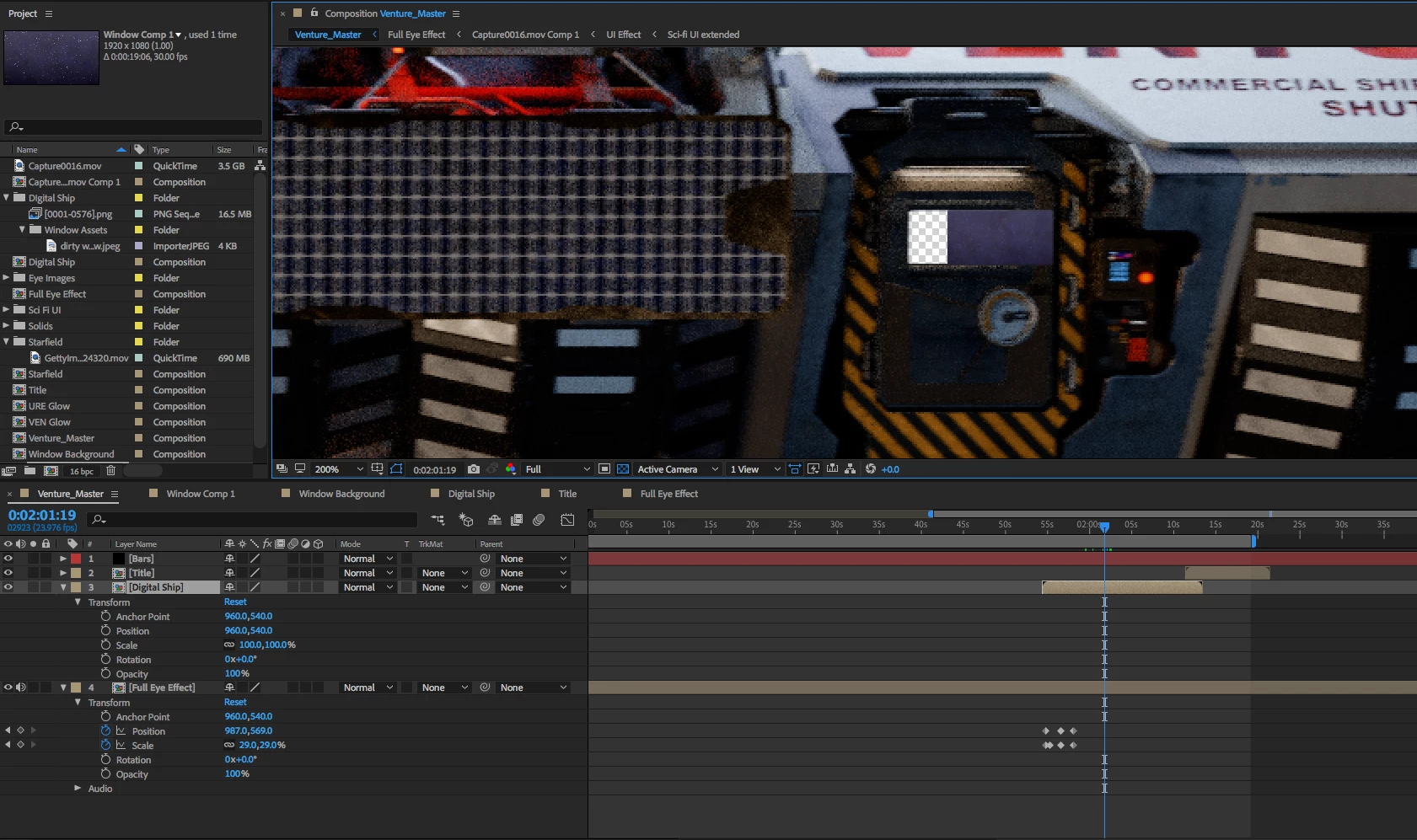
In the screenshot you can see the window for the door on this spaceship is not in the right place (This is happens inside my master comp). I have this window following the door as the ship moves. This happens in the digital ship composition which is highlighted. So to find the problem I click on the Digital Ship Composition:
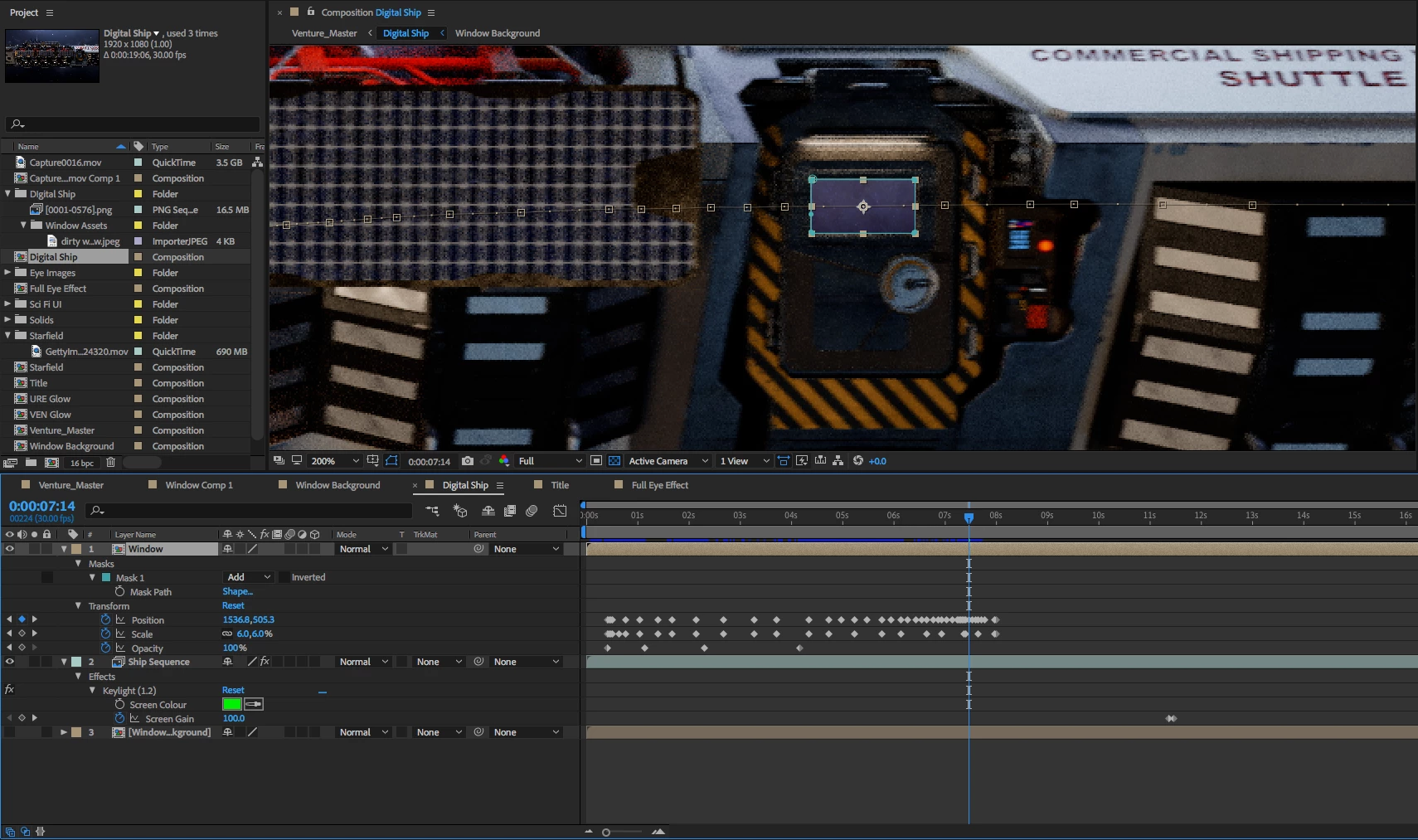
In the Digital Ship Composition you can see my keyframes for the Window Composition. At the same moment (7sec into this comp and 2:01s in the other comp) I find that the window is in the correct place. The sporadic and wrong movements I find in the other comp (in my master composition) does not actually happen in the Digital Ship Composition.
So when I have this composition in another composition the movements for my window changes. Does anyone know why this could happen? Any ways to fix this issue? To me it seems like a glitch. Any changes I make to the composition does not effect it in the other comps.
Things I've tried to solve the problem:
Reset my preferences. Does not fix.
Recreate in a new AE file. Does not fix.
If I render the project and export, the glitch shows up in my render. Rendering does not fix it.
Other Information:
Adobe After Effects CC 2018 (most recent update)
OS X El Capitan Version 10.11.1
Macbook Pro 2.2Ghz intel core i7
16GB ram 1600 MHz DDR3
Intel Iris Pro 1536 MB graphics
Footage for the spaceship is a png sequence exported from blender
No third party plugins
 AdChoices