Known Participant
February 22, 2017
Question

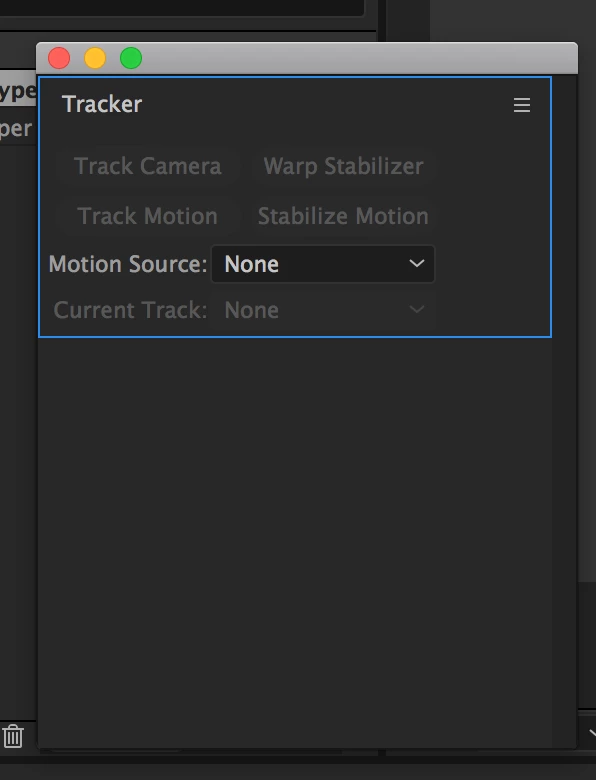
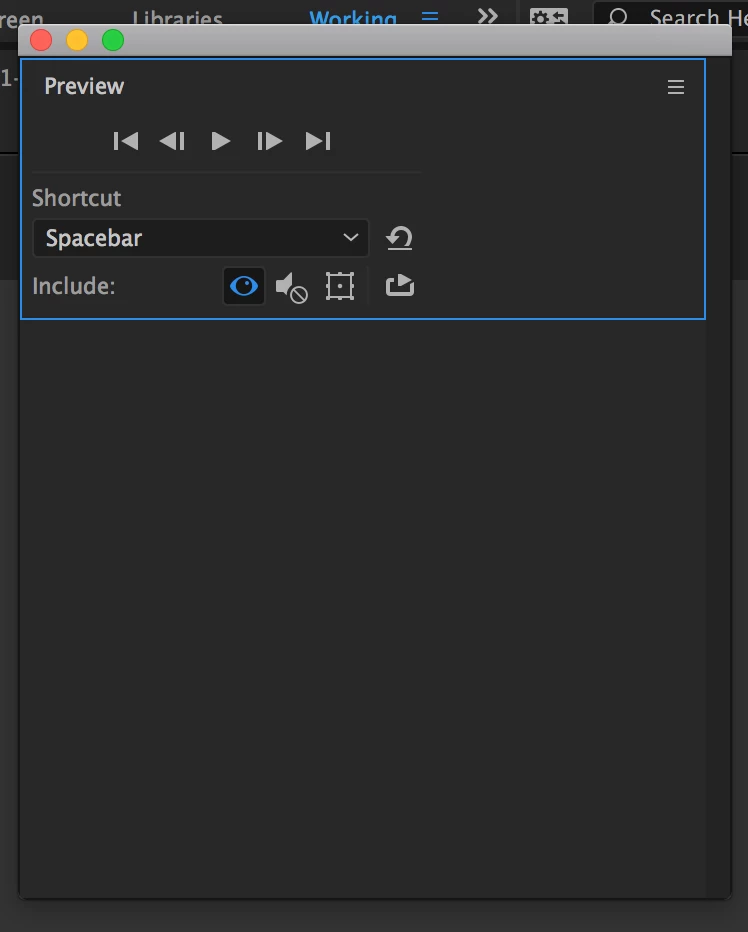
AE Windows open cropped covering options

  • February 22, 2017
  • 1 reply
  • 602 views

Latest AE (14.1.0.57) opens tracker and preview windows cropped, covering most of the buttons even though the window itself is big enough to accommodate it. No matter how many times I resize it the window defaults to cropped.

Using MBP 2015 and latest OSX.
    This topic has been closed for replies.

    1 reply

    Szalam
    Community Expert
    Community Expert
    February 22, 2017

    When you resize the windows to your liking, you can save your workspace and it should stay the way you want it.

    That being said, I think you have them set up as stacked panels in your screenshots. Try making them undocked and unstacked.

    Boris2016Author
    Known Participant
    February 22, 2017

    Windows are undocked and unstacked.

    I have the workspace saved, makes no difference.

    it literally happens every opening of the window. So go window>tracker and resize the window then close it, upon reopen it's the original size again (cut in half) missing most of the interface.

    I keep them closed and open them as I need, closing after use to save screen space.

    Community Expert
    February 22, 2017

    Grab the bottom and drag. The next time you open the panel it should remember where it was last time you used it. Not difficult.

    I would strongly suggest that you set up your workspaces and get used to using them. I have 6 that I use all the time. Everything organized exactly as I need it and available with a couple of clicks. It's a great time saver.

    If that doesn't work let us know.